
For a detailed guide with screenshots, visit our step-by-step tutorial.
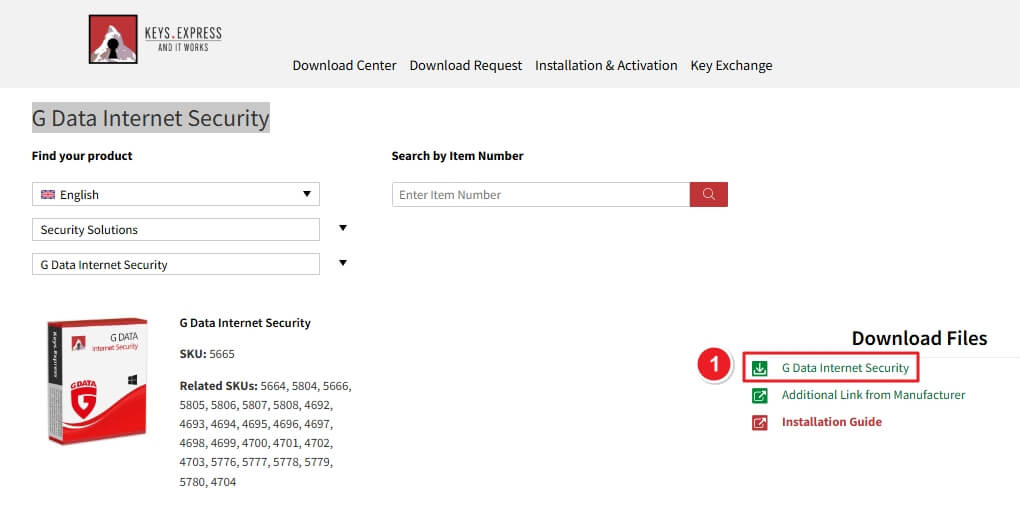
GDATA_INTERNETSECURITY_WEB_WEU.exeGo to the Keys.Express Download Center, choose Security Solutions → G Data Internet Security, and click the green Download button.
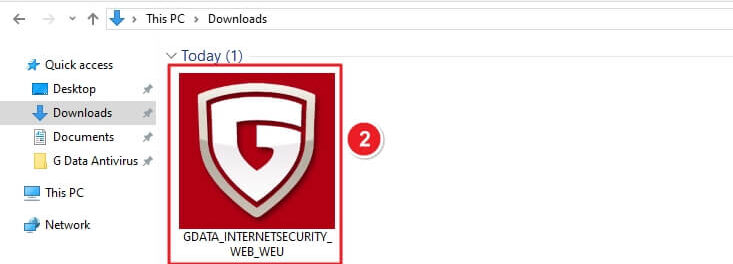
Navigate to Downloads, find the installer file GDATA_INTERNETSECURITY_WEB_WEU.exe.
When prompted by User Account Control, click Yes to allow the app to make changes.

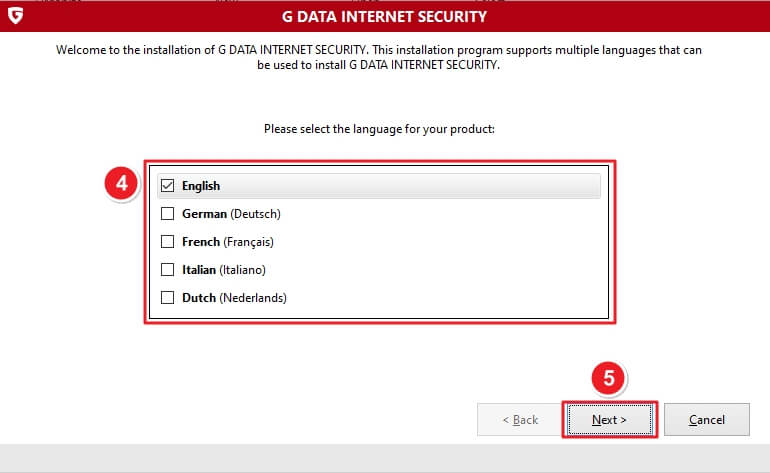
Select your preferred language (English, German, French, etc.) and click Next.
Choose Standard installation for full features. Tick the privacy acknowledgment box → Click Next.

Read and agree to the EULA → Click Accept & Install.

(Optional) Check I agree to the transmission of telemetry data → Click Next.

The software downloads and installs setup components. Wait until the process finishes.

Select Activate full version if you have a license, or Activate trial version for a 30-day free trial → Click Next.

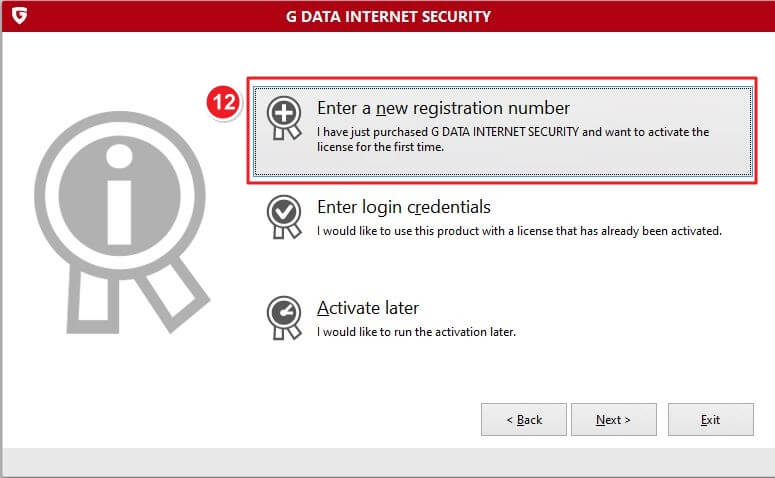
Choose Enter a new registration number if this is your first activation. Alternatively, you can select Enter login credentials if you already have an existing account.
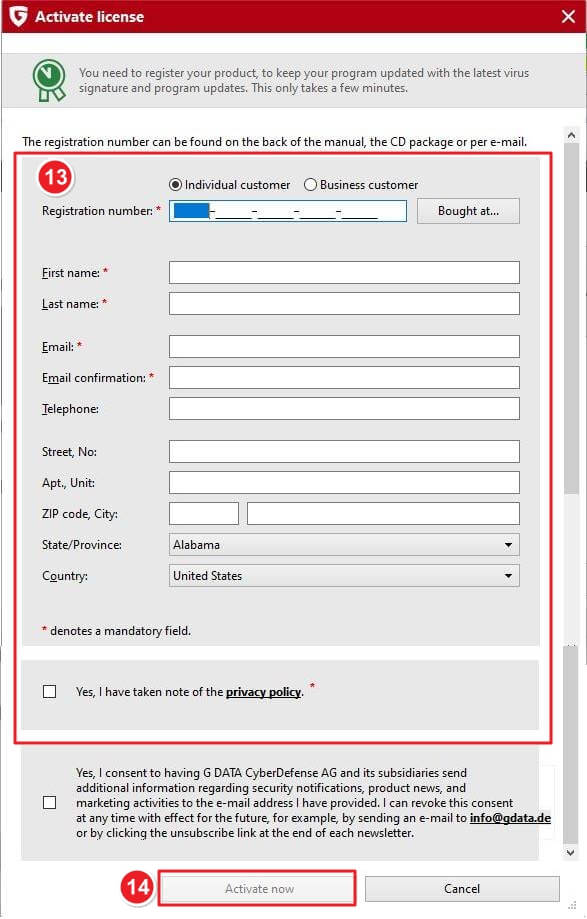
Fill in all required fields:
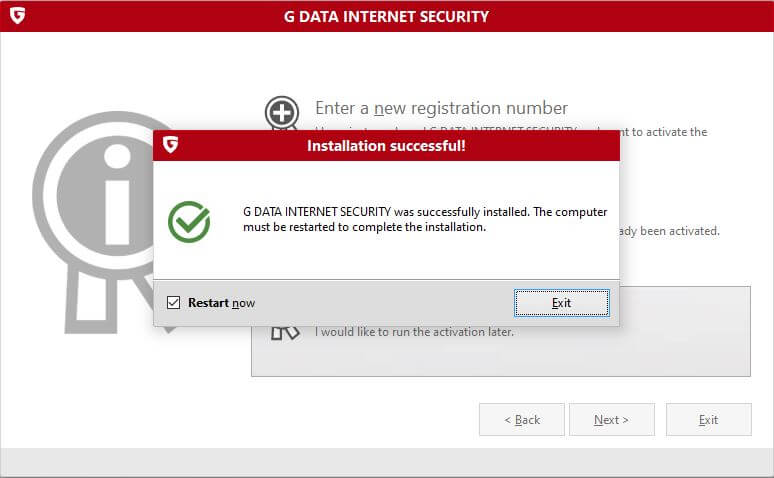
Once activation completes, you’ll see “Installation Successful!” Tick Restart now and click Exit to finish setup.
If there are any further problems with the installation or activation, please write to us. Simply use our contact form and send a screenshot of the error message at the same time. We will be happy to help you.
Your Keys.Express Team
SKU: 5665, 5664, 5804, 5666, 5805, 5806, 5807, 5808, 4692, 4693, 4694, 4695, 4696, 4697, 4698, 4699, 4700, 4701, 4702, 4703, 5776, 5777, 5778, 5779, 5780, 4704, 5821, 5822, 5662, 5663, 5824, 5825, 5826, 4677, 4679, 4680, 4681, 4682, 4683, 4684, 4685, 4686, 4687, 4688, 4689, 4690, 5741, 5746, 5752, 5784, 4691, 4678


