Steps to add products to On Sale category for a newsletter special discount:
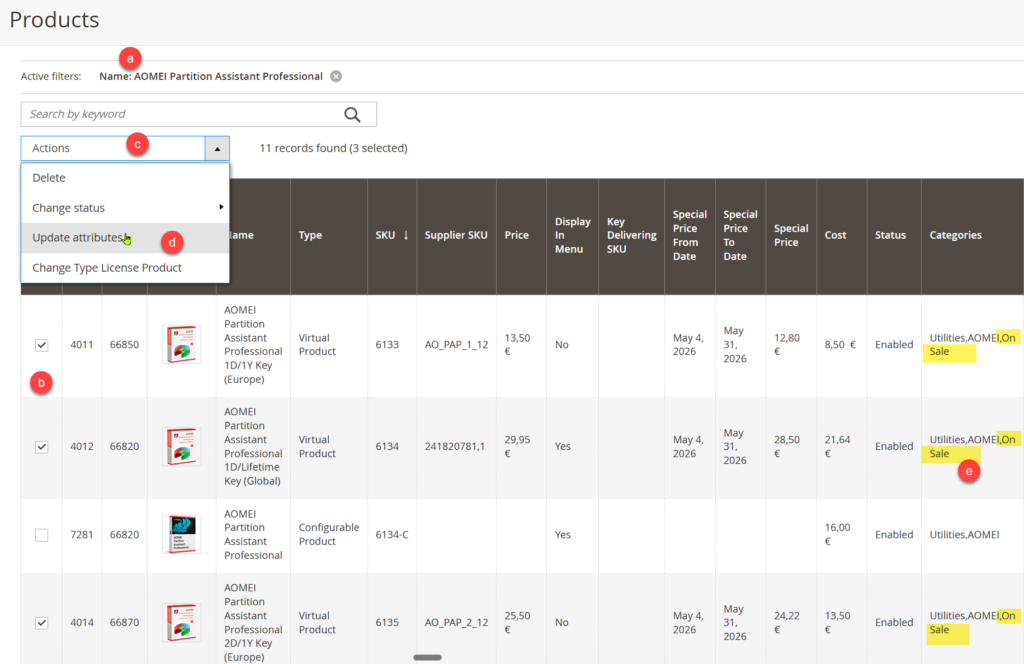
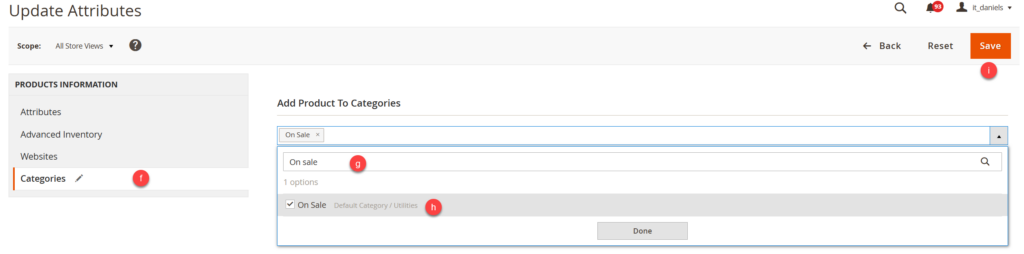
1) Add all products to On Sale Category using Bulk Action > Update Attributes > Categories > Add Product to Categories > Save
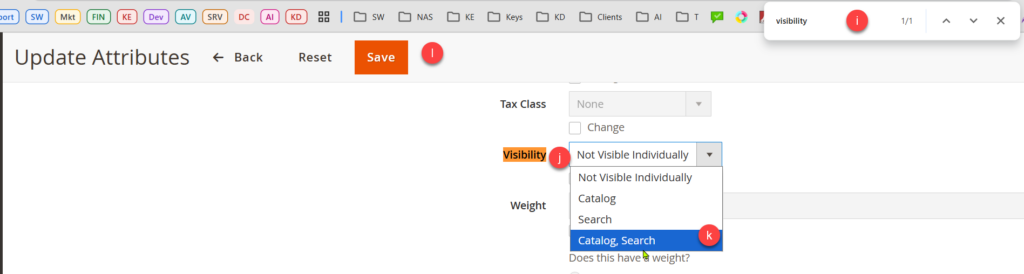
2) Change visibility of all products from not visible individually to Visible in Search and Catalog (same bulk action method, but under Update Attributes > Attributes > )
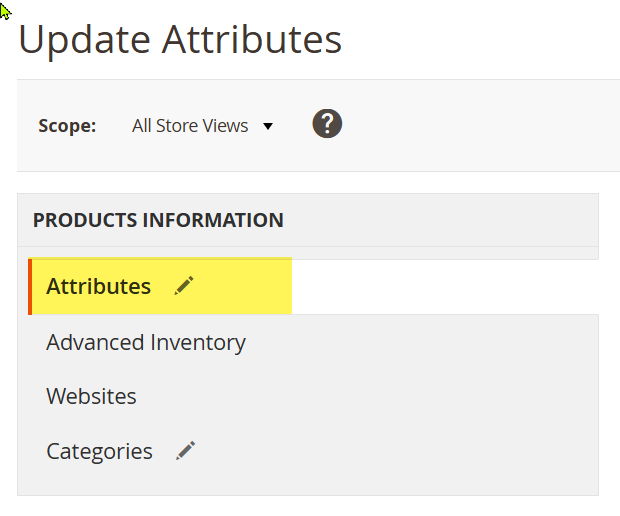
3) CTRL+F search for Visibility Check the box Change and modify to Catalog, Search
Position the On Sale Category in the Menu #
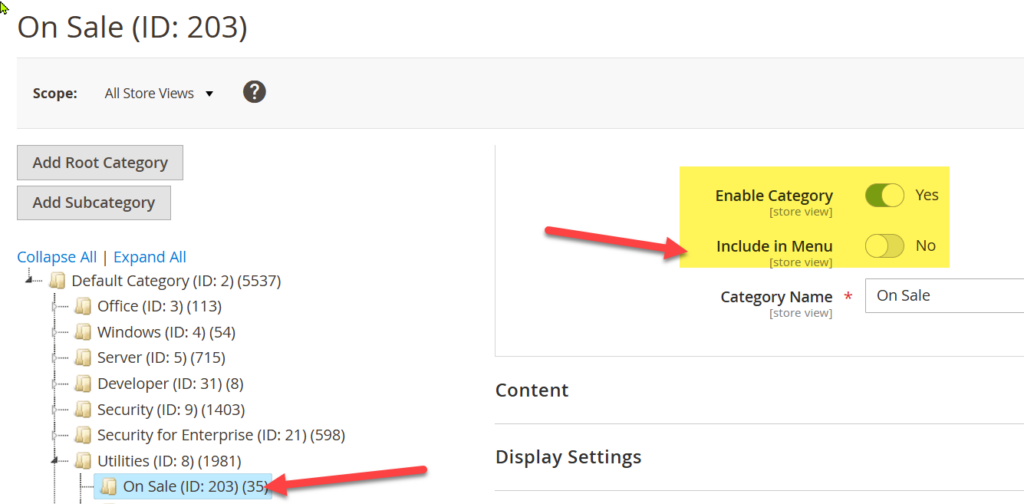
4) Under Catalog > Categories find the On Sale subcategory and move it to the new place
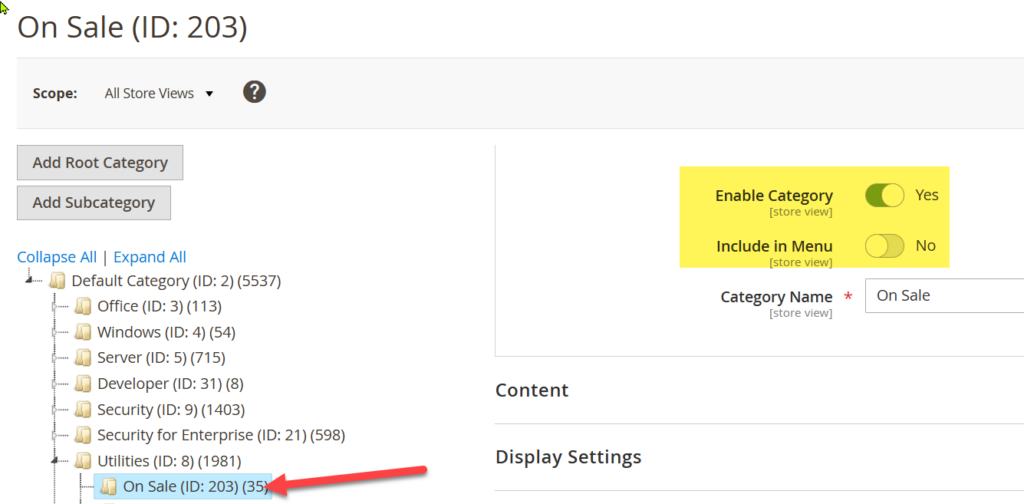
Make sure the subcategory On Sale is set to Yes under Include in Menu (enabled)
5) Reload indexes, clear cache
To do after the sale ends #
After the sale, remove all products from On Sale category, before adding new ones:
6) filter by On Sale category, mark all
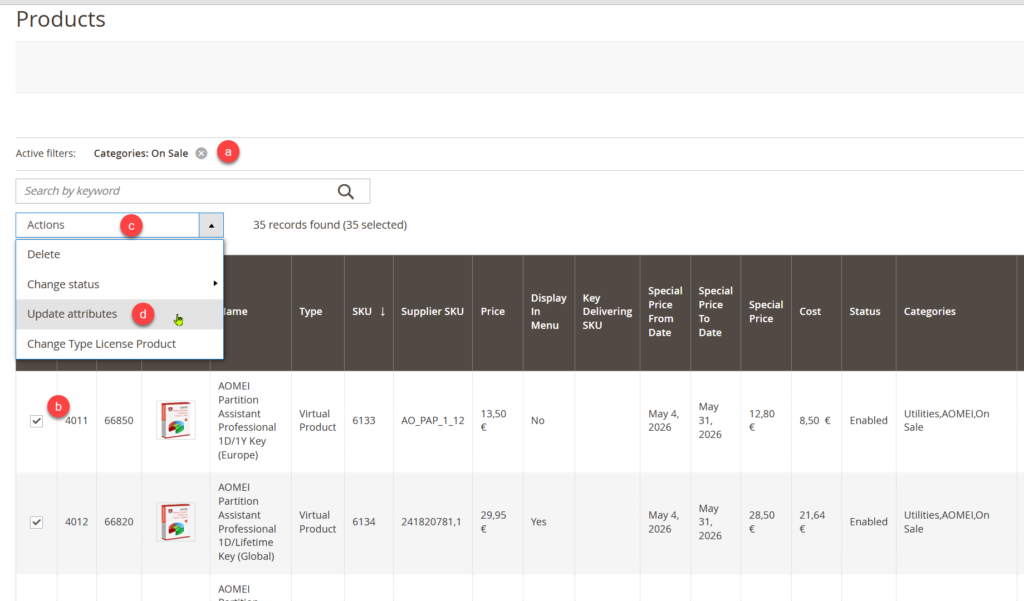
7) Bulk Action > Update Attributes > Attributes
8) Bulk Action > Remove Product from Categories On Sale
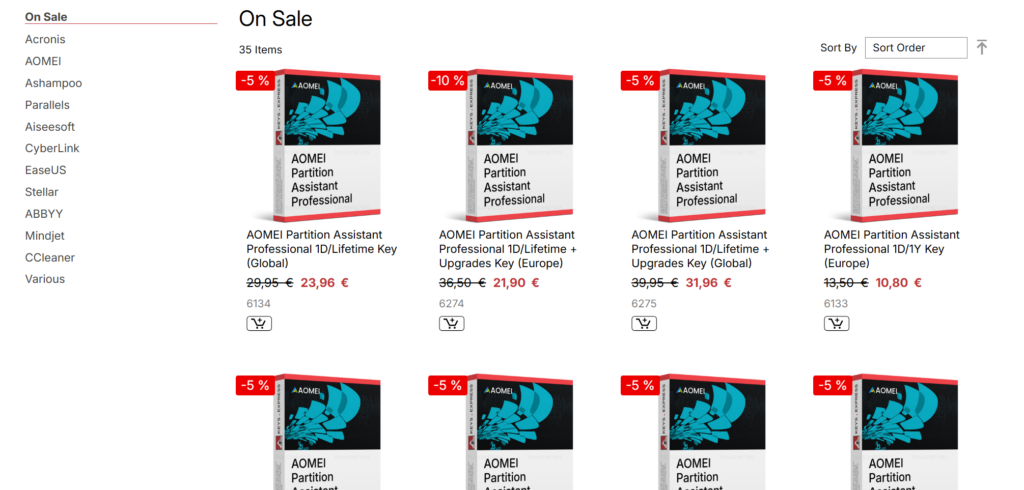
Show the On Sale category in Menu #
find the on sale category with ID 203 under Catalog > Categories
You can enable it and set to include it in the menu from here.