
- Open your Facebook profile by signing in to your account.
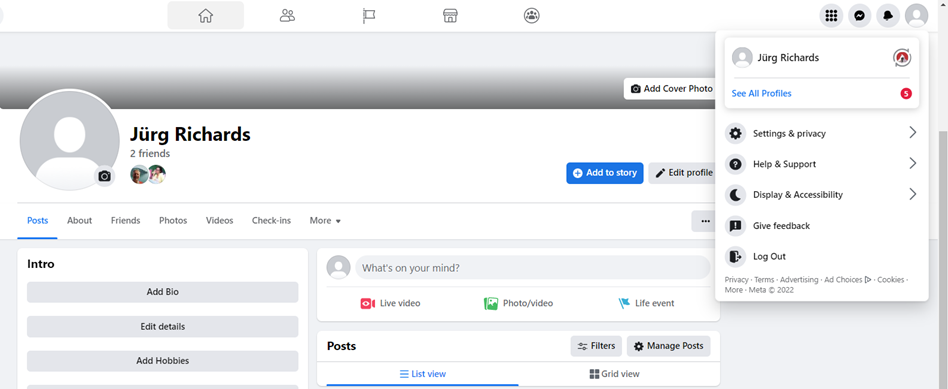
2. Once signed in, you can easily see the notifications on your sidebar like this comment below..
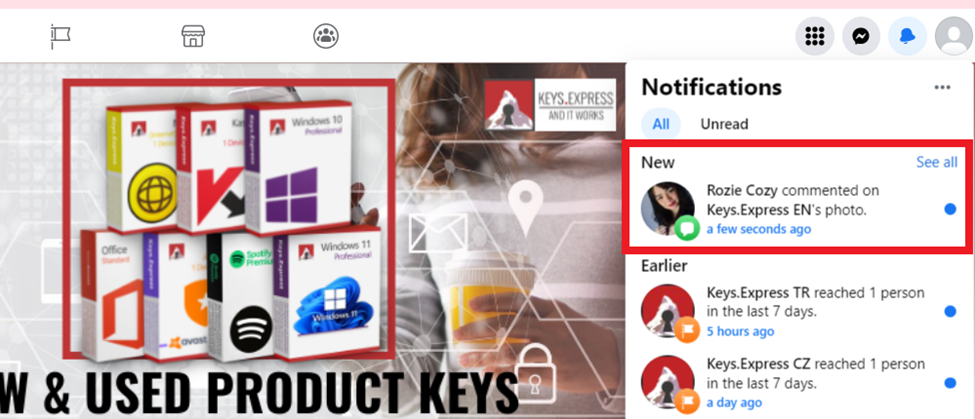
3. Click on the Comment notification to see the full text/comment of the author.
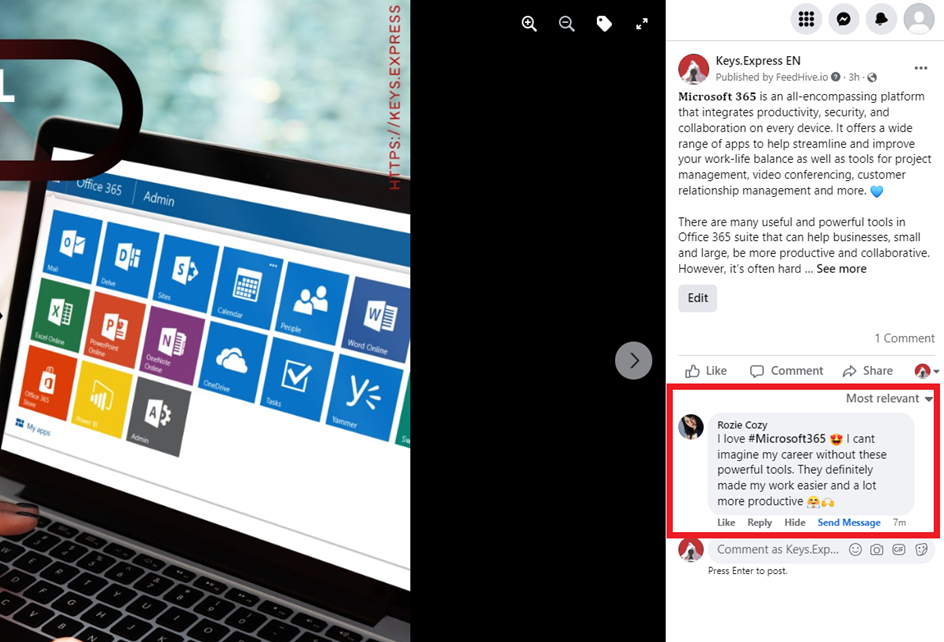
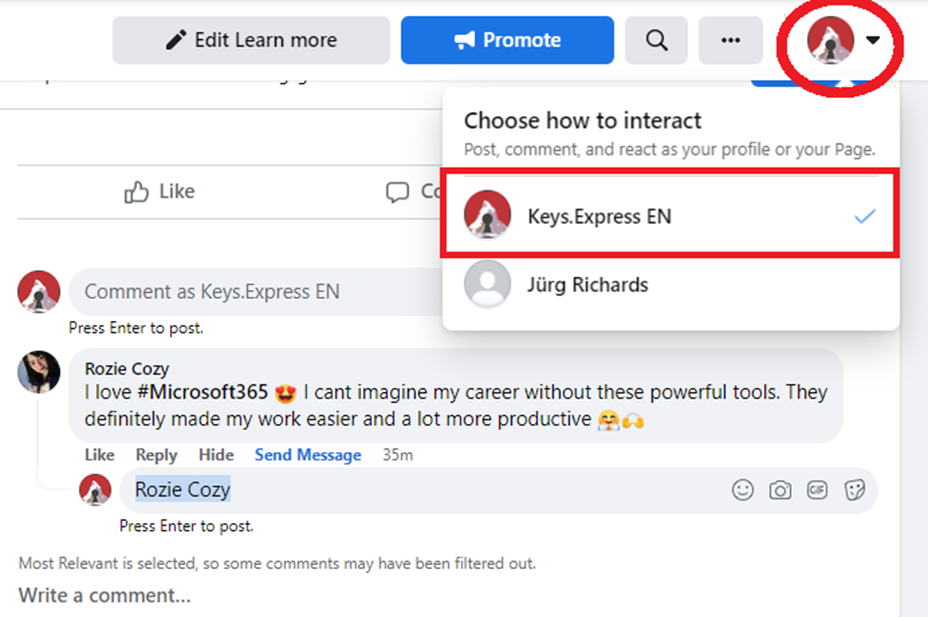
4. On the upper sidebar, you can choose whether you wish to interact as your personal Facebook profile or as Keys.Express admin. Make sure to choose the one with the Keys.express logo in it with the page title like the one below.
5. Click on the ‘Reply’ button. Facebook will auto mention the author in the comment box.
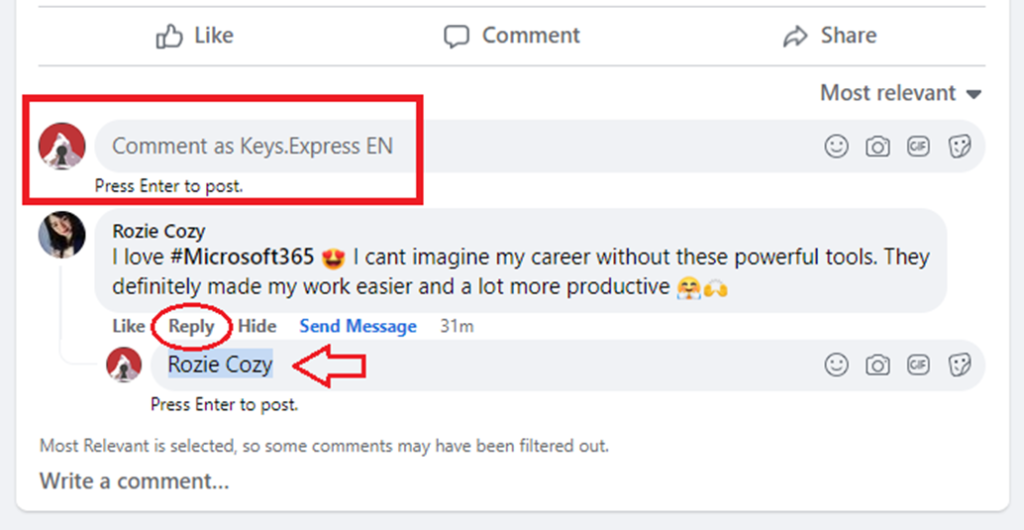
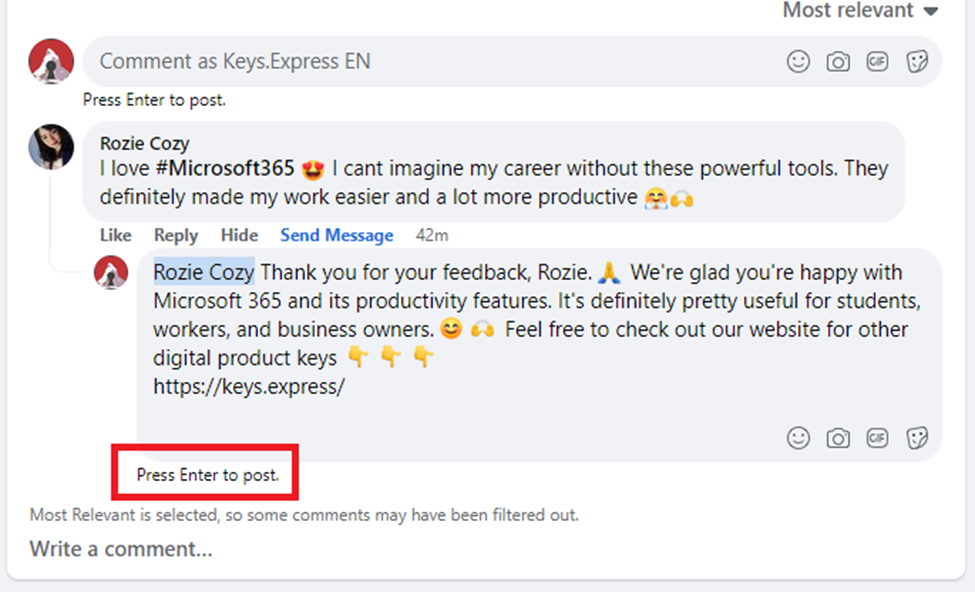
6. Craft a well-thought of response in the comment box and hit on ENTER to reply.
7. Lastly, double check your comment if it has the logo profile in the comment section like this below:
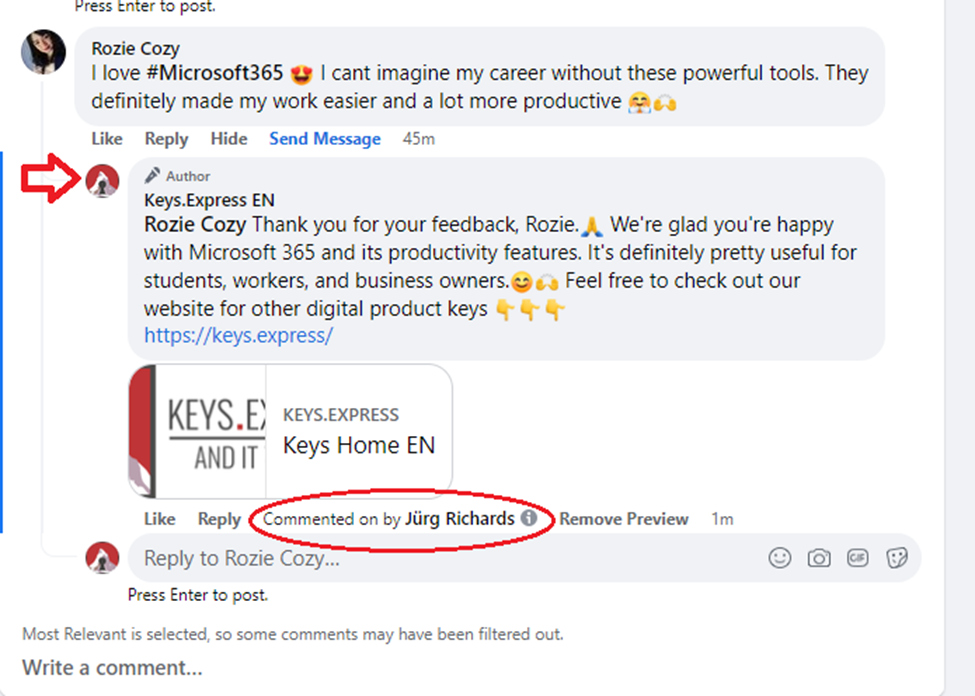
8. NOTE: The name encircled is the name of the admin who responded to the comment. This is just for internal reference in case there are multiple admins assigned in the page. =)


