What are the main features and advantages of Stellar Toolkit for MS SQL?
SQL Repair – Fixes corrupt MDF, NDF, and backup files.
Log Analysis – Audits transaction logs for data changes.
Password Recovery – Resets lost SQL database user passwords.
Database Conversion – Interconverts SQL, MySQL, Access, and SQLite.
Flexible Export – Saves repaired data to live or new databases.
Workflow Excellence – Supports stable long-term database recovery and admin efficiency.
Download: Stellar Toolkit for MS SQL
SQL Repair – Fixes corrupt MDF and NDF database files.
Backup Extractor – Recovers data from corrupt .bak backup files.
Password Recovery – Resets lost SA and user passwords.
Log Analyzer – Audits the LDF transaction log for changes.
Database Converter – Interconverts SQL, MySQL, Access, SQLite, SQL Anywhere.
Important – Repairs existing databases; it does not create backups.
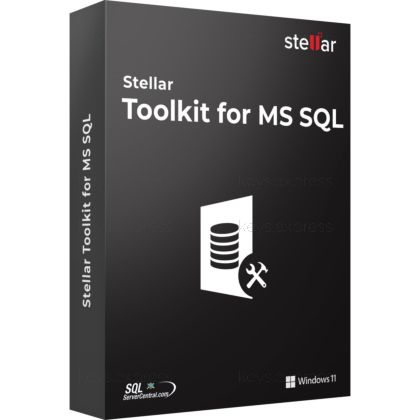
Stellar Toolkit for MS SQL is a five-in-one suite for SQL Server administrators that bundles database repair, backup extraction, password recovery, log analysis, and database conversion. It works on corrupt MDF, NDF, .bak, and .ldf files in read-only mode, so the original source is never altered during recovery.
Five Tools – Repair, extract, reset, analyze, and convert.
No Size Limit – Repairs SQL databases of any size.
Parallel Saving – Saves up to four tables simultaneously.
Deleted Record Recovery – Restores accidentally deleted SQL table rows.
Read-Only Engine – Leaves the original corrupt file untouched.
Wide Compatibility – Supports SQL Server 2025 down to 7.0.
It is a five-in-one Windows suite that repairs corrupt SQL Server databases (MDF and NDF), extracts data from damaged .bak backups, resets SA and user passwords, audits LDF transaction logs, and interconverts database formats. The repair engine runs in read-only mode, so a recovery-pending or suspect database can be rebuilt without touching the original file. This matters when DBCC CHECKDB with REPAIR_ALLOW_DATA_LOSS is the only native option but would discard rows. Recovered objects include tables, indexes, stored procedures, triggers, and deleted records, all viewable in preview before saving.
It is built for SQL Server DBAs and IT teams who must rebuild a database when a backup is missing, corrupt, or would itself cause data loss on restore. Stellar documents recovery of a 200 GB corrupt database and of MDF files damaged by Mallox ransomware, where the schema and records were reconstructed from the corrupt file directly. The forensic Log Analyzer also suits administrators who need to trace which Insert, Update, Delete, Create, Alter, or Drop operation changed the data. The practical advantage over native tools is the preview-and-select workflow, letting you confirm recoverable objects before writing anything back to a live instance.
It handles MDF and NDF database files, .bak backups (Full, Differential, and Transaction Log), and .ldf log files. Databases from SQL Server 2025, 2022, 2019, 2017, 2016, 2014, and earlier versions down to 7.0 are supported, and the bundled converter also reads MySQL, MS Access, SQLite, and SQL Anywhere. Repaired output can be written to a New Database, a Live Database, or exported to CSV, XLS, and HTML. This lets a DBA stage recovered data into a fresh instance or hand a table extract to a colleague without granting server access.
The Corporate edition repairs MDF and NDF files only; the Technician edition adds backup extraction from corrupt .bak files and SA or user password reset; the Toolkit edition adds the SQL Log Analyzer and the database converter on top. A common buyer mistake is choosing Corporate and then needing backup recovery, which Corporate cannot do. Pick the Toolkit only if you need log forensics or cross-engine conversion in addition to repair, extraction, and password reset.
| Feature | Corporate | Technician | Toolkit |
|---|---|---|---|
| Repair MDF / NDF | ✓ | ✓ | ✓ |
| Extract from .bak | ✕ | ✓ | ✓ |
| Reset passwords | ✕ | ✓ | ✓ |
| SQL log analysis | ✕ | ✕ | ✓ |
| Database converter | ✕ | ✕ | ✓ |
No. The toolkit repairs and extracts from databases and backup files that already exist; it does not generate, schedule, or automate new backups. Creating backups stays with SQL Server's native BACKUP command or maintenance plans, while Stellar's role begins when those backups or live databases turn corrupt. The software is also Windows-only, with no native Linux build even though SQL Server itself runs on Linux. As with any repair tool, recovery results depend on how severely the file is damaged, which is why the trial preview is worth running before purchase.
Confirm you actually need the Log Analyzer and the database converter, since the lower Corporate and Technician editions cover repair and extraction alone if that is all your workflow requires. Check that your environment is Windows, including Windows Server 2022, 2019, 2016, or 2012, because there is no Linux version. The free trial scans and previews every recoverable object but cannot save, so use it first to verify your specific corrupt file can be rebuilt before committing.
Yes. It restores databases from suspect or recovery-pending state back to an online, usable condition. This is the situation where native repair would force REPAIR_ALLOW_DATA_LOSS and drop rows, whereas the tool rebuilds the schema and records from the corrupt file instead.
The repair module works directly on the MDF and NDF files and does not need the LDF to recover objects. The LDF is only required by the separate Log Analyzer tool, since that component reads transaction history rather than rebuilding the database.
Yes. When saving a repaired database to a live server, you can connect with either Windows or SQL Server authentication. This lets you write recovered data straight into an existing instance using whichever login model your environment already enforces.
| Operating Systems | Windows 11: Pro / Enterprise Windows 10: Pro / Enterprise Windows 8.1: Core / Pro / Enterprise Windows 8: Core / Pro / Enterprise Windows 7: Professional / Enterprise Windows Server 2022: Standard / Datacenter Windows Server 2019: Standard / Datacenter Windows Server 2016: Standard / Datacenter Windows Server 2012: Standard / Datacenter |
| Processor | Intel compatible x64-based processor. |
| Memory RAM | 16 GB minimum. 32 GB recommended. |
| Hard Disk | 250 MB for installation files. |
| Display | Standard display compatible with the respective operating system. |
| Special Features | Repairs corrupted SQL database MDF and NDF files. Extracts data from corrupt BAK backup files including Full, Differential, and Transaction Log backups. Analyzes SQL log LDF files for Insert, Update, Delete, Create, Alter, and Drop operations. Recovers and resets SA and other SQL Server user passwords. Interconverts MS SQL, MySQL, MS Access, SQLite, and SQL Anywhere databases. Supports parallel processing and fast saving of repaired tables. |
| Note | Requires 64-bit Windows. Supports SQL Server 2022, 2019, 2017, 2016, 2014, and older versions till 7.0. |