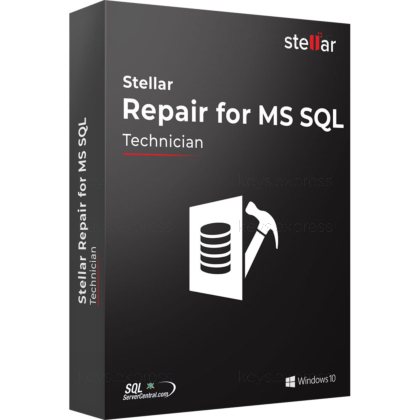
What are the main features and advantages of Stellar Repair for MS SQL Technician?
SQL Repair – Fixes corrupt MDF and NDF database files.
Object Recovery – Restores tables, views, keys, triggers, and procedures.
Backup Extraction – Recovers data from damaged SQL backup files.
Deleted Records – Retrieves lost rows from database tables.
Flexible Export – Saves repaired data to live or new databases.
Workflow Excellence – Supports stable long-term database recovery and admin efficiency.
Download: Stellar Repair for MS SQL Technician

Database file repair – Fixes corrupt MDF and NDF files.
Full object recovery – Restores tables, views, triggers, stored procedures, keys.
Backup extraction – Repairs corrupt .BAK files and extracts databases.
Password reset – Resets SQL Server account and administrator passwords.
Core Capacity – Supports SQL Server 2025 down to 2008.
Important – SQL log analysis requires the Toolkit edition.
Stellar Repair for MS SQL Technician is a database recovery tool that repairs corrupt SQL Server MDF and NDF files and rebuilds their objects. The Technician edition adds backup-file extraction and password reset, and one licence can be used across multiple servers by IT teams and service providers.

No data loss – Repairs severe corruption DBCC CHECKDB cannot fix.
Preview first – Verify recoverable objects before saving anything.
Selective recovery – Restore only the tables you need.
Flexible output – Saves to live database, CSV, HTML, XLS.
Multi-server licence – One Technician licence covers multiple systems.
Parallel processing – Speeds recovery of large multi-gigabyte databases.
It repairs corrupt Microsoft SQL Server database files (.MDF and .NDF) and rebuilds their objects when SQL Server can no longer mount or access them. The tool recovers tables, views, indexes, triggers, stored procedures, keys, rules, and even deleted records while keeping the original hierarchy intact. The Technician edition also extracts databases from corrupt .BAK backup files and resets SQL Server account passwords, two things the Corporate edition cannot do. Recovered data can be written to a live SQL Server database or exported to CSV, HTML, or XLS, and Standard and Advanced scan modes handle different levels of corruption.
The Technician edition sits between Corporate and Toolkit: it includes everything in Corporate plus .BAK backup extraction and SQL password reset, but not the Toolkit's log analysis and file-conversion tools. The Corporate edition repairs MDF and NDF files only and cannot open backup files or reset passwords. A single Technician licence can be used across multiple systems, which suits IT consultants and service providers maintaining several SQL servers. If you need to examine SQL Server transaction logs, only the Toolkit edition includes the Log Analyzer.
| Feature | Corporate | Technician | Toolkit |
|---|---|---|---|
| Repair MDF & NDF | ✓ | ✓ | ✓ |
| Deleted records | ✓ | ✓ | ✓ |
| Save to live DB | ✓ | ✓ | ✓ |
| BAK extraction | ✕ | ✓ | ✓ |
| Password reset | ✕ | ✓ | ✓ |
| Log analysis | ✕ | ✕ | ✓ |
| File converter | ✕ | ✕ | ✓ |
It supports databases created in SQL Server 2025, 2022, 2019, 2017, 2016, 2014, and earlier versions. It repairs primary (MDF) and secondary (NDF) data files, and the Technician edition additionally handles corrupt .BAK backup files. The engine recovers ROW- and PAGE-compressed data and supports XML data types, sparse columns, and filestream data. Repaired output can be written to a new or live database, or exported as CSV, HTML, or XLS so you can read it without a running SQL Server instance.
Yes, the Technician edition repairs a corrupt .BAK file and extracts the database from it, which the Corporate edition cannot do. This matters when your only usable copy is a backup that fails to restore through SQL Server's native restore process. The backup extractor locates the retrievable data inside the .BAK and rebuilds it into a database you can mount. Note that it is a repair-and-extraction tool, not a backup scheduler, so it does not create new backups on its own.
Confirm whether you need SQL transaction-log analysis or database file conversion, because both tools are only in the Toolkit edition, not Technician. The Technician tier is the right fit if your work centres on repairing databases, pulling data out of corrupt .BAK files, and resetting SQL passwords across several servers. Run the free demo first, since it scans and previews every recoverable object but cannot save them, letting you confirm your specific database is recoverable before buying. Also keep in mind that the tool repairs an offline copy of the corrupt file rather than fixing a live production database in place.
Yes, alongside Windows the tool is also available for Linux SQL Server environments. This lets administrators repair corrupt MDF and NDF files on Linux-hosted SQL Server deployments without moving them to a Windows machine first.
The full Technician edition repairs an unlimited number of SQL databases. This is the practical reason consultants choose it, since one licence covers repeated recovery jobs across multiple client servers.
No, it is a do-it-yourself tool that does not require scripting or deep SQL Server knowledge. It automatically detects installed SQL Server instances on the system, so you can point it at a corrupt file and recover objects through a guided interface.
| Operating Systems | Windows 11: Home / Pro / Education / Enterprise 64-bit Windows 10: Home / Pro / Education / Enterprise 64-bit Windows 8.1: Core / Pro / Enterprise 64-bit Windows 8: Core / Pro / Enterprise 64-bit Windows Server 2022: Essentials / Standard / Datacenter 64-bit Windows Server 2019: Essentials / Standard / Datacenter 64-bit Windows Server 2016: Essentials / Standard / Datacenter 64-bit Windows Server 2012: Foundation / Essentials / Standard / Datacenter 64-bit |
| Processor | Intel compatible x64-based processor |
| Memory RAM | 16 GB minimum. 32 GB recommended. |
| Hard Disk | 250 MB for installation files. |
| Display | Standard display compatible with the respective operating system. |
| Special Features | Repairs corrupt MDF and NDF files. Recovers all database objects including deleted records. Saves repaired database to New Database, Live Database, HTML, XLS, and CSV. Supports SQL and Windows authentication. Extracts database objects from corrupted BAK backup files. Resets SQL Server admin and user passwords. Shows pre-recovery preview of recovered database objects. Supports parallel processing for faster database recovery. |
| Note | 64-bit only. Requires Microsoft SQL Server to be installed and its services running for database recovery. Internet connection required for activation and software updates. |

