↑
Back to Top
What are the main features and advantages of EaseUS Data Recovery Wizard 18 Pro?
Deleted Recovery – Restores lost files from accidental deletion fast.
Formatted Rescue – Recovers data from formatted or inaccessible drives.
Deep Scanning – Searches thoroughly for hard-to-find missing files.
Preview Control – Lets you check recoverable files before saving.
Broad Support – Works with SSDs, HDDs, USB, and cards.
Digital Reliability – Supports dependable long-term recovery across changing storage.
Download: EaseUS Data Recovery Wizard 18 Pro

Unlimited Recovery – Restores files with no 2GB cap.
Deep Scan – Locates files after formatting or deletion.
Preview Before Recovery – Check recoverable files before restoring them.
File Repair – Fixes corrupted photos, videos and documents.
Core Capacity – Recovers over 1000 file types reliably.
Important – Commercial use rights and Windows Server support are not included in this edition.
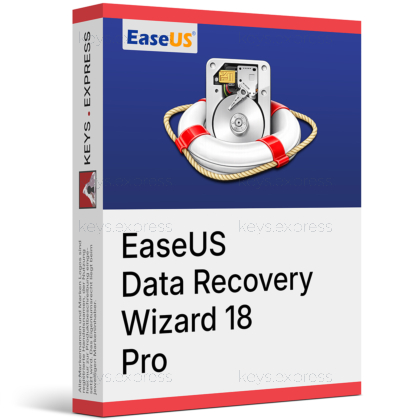
EaseUS Data Recovery Wizard 18 Pro is Windows software that recovers deleted, formatted, or lost files from internal drives, SSDs, USB sticks, SD cards, and RAID arrays. It removes the free version's 2GB limit and adds a redesigned interface with the option to recover files directly to cloud storage.

No Size Limit – recover any amount of lost data.
Wide Device Support – Works with SSDs, RAID and cameras.
BitLocker Recovery – Retrieves files from encrypted Windows partitions.
Pause And Resume – Stop long scans and continue later.
Free Tech Support – Guided help during difficult recovery cases.
Cloud Recovery – Restore recovered files directly to cloud storage.
It scans Windows storage devices to retrieve data lost to deletion, formatting, partition loss, system crashes, or virus attacks. The software supports more than 1000 file types, including documents, photos, videos, audio, emails, and archives. Two scan modes let you choose between a fast quick scan for recently deleted items and a sector-level deep scan for harder cases. Version 18 added a redesigned interface and direct recovery to cloud storage, and the Pro license removes the 2GB recovery cap of the free edition.
On Windows it recovers from NTFS, FAT, exFAT, and EXT2/EXT3/EXT4 file systems across HDDs, SSDs, USB flash drives, SD cards, external drives, RAID, and NAS. It also identifies camera and drone media from brands such as GoPro, Canon, Sony, and DJI, which matters when a memory card is wiped after a shoot. The tool can recover files from BitLocker-encrypted partitions, and the preview lets you confirm a file is intact before saving it. Recovered data should always be written to a different, healthy drive to avoid overwriting other lost files.
The Free edition recovers up to 2GB at no cost, Pro removes that limit for unlimited recovery on a single PC, and the Technician edition adds commercial use rights plus use across multiple computers. All three share the same recovery engine, quick and deep scan modes, and supported file types, so the scan results are identical regardless of edition. Pro fits an individual recovering their own files; Technician is built for IT services and businesses that recover data for clients.
| Feature | Free | Pro | Technician |
|---|---|---|---|
| Recovery limit | 2GB | Unlimited | Unlimited |
| 1000+ file types | ✓ | ✓ | ✓ |
| Priority tech support | ✕ | ✓ | ✓ |
| Multiple computers | ✕ | ✕ | ✓ |
| Commercial use rights | ✕ | ✕ | ✓ |
No. The Pro license covers personal or internal use on a single computer and does not grant commercial use rights. If you recover data for paying clients or need the software installed on multiple machines, EaseUS requires the Technician edition. Pro also does not cover Windows Server operating systems. For a home user or one workstation Pro is enough, but a repair shop, data-recovery business, or IT department should choose Technician to stay compliant and cover more devices.
Stop using the affected drive immediately, because every new write can overwrite the sectors holding your lost files and make them unrecoverable. Install EaseUS Data Recovery Wizard on a different drive than the one you are recovering from, for the same reason. Run a quick scan first to catch recently deleted items, then a deep scan if the file is not found. Use the preview to confirm each file opens correctly, and save recovered data to a separate healthy drive rather than the original.
No, this is the Windows edition and runs only on Windows. macOS users need the separate EaseUS Data Recovery Wizard for Mac, which supports Apple file systems such as APFS and HFS+ instead of NTFS.
Yes. The free version runs the same quick and deep scans and previews every recoverable file, so you can confirm your data is found before buying. The free edition recovers up to 2GB, while the Pro license lifts that cap for unlimited recovery.
| Operating Systems | Windows 11: Home / Pro / Education / Enterprise Windows 10: Home / Pro / Education / Enterprise Windows 8.1: Core / Pro / Enterprise Windows 8: Core / Pro / Enterprise Windows 7 SP1: Starter / Home Basic / Home Premium / Professional / Ultimate / Enterprise Windows 7: Starter / Home Basic / Home Premium / Professional / Ultimate / Enterprise Windows Vista: Starter / Home Basic / Home Premium / Business / Ultimate / Enterprise Windows XP: Home / Professional Windows Server 2025: Standard / Datacenter Windows Server 2022: Standard / Datacenter Windows Server 2019: Essentials / Standard / Datacenter Windows Server 2016: Essentials / Standard / Datacenter Windows Server 2012: Foundation / Essentials / Standard / Datacenter Windows Server 2008: Standard / Enterprise / Datacenter Windows Server 2003: Standard / Enterprise / Datacenter |
| Processor | 32 bit or 64 bit CPU |
| Memory RAM | 1GB RAM or more |
| Hard Disk | 200MB minimum free space for installation |
| Display | Standard display compatible with the respective operating system |
| Special Features | Hardware Disk Recovery. SD Card Recovery. NAS and Linux Recovery. RAID Recovery. Crashed PC Recovery with bootable USB media. Supported file systems: FAT FAT12 FAT16 FAT32, exFAT, NTFS, NTFS5, EXT2, EXT3, EXT4, HFS+, ReFS, ZFS. |
| Note | Internet connection required for license activation, product updates, and downloading the NAS and Linux recovery module. |

