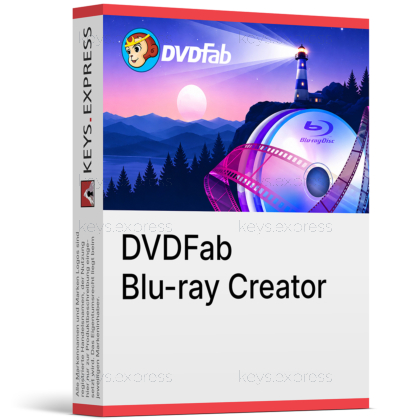
What are the main features and advantages of DVDFab Blu-ray Creator?
Disc Authoring – Creates Blu-ray discs from common video formats.
Menu Customization – Builds polished menus for easier playback navigation.
Format Flexibility – Saves projects as disc, ISO, or folder.
Video Editing – Trims crops and adjusts videos before burning.
Fast Processing – Uses hardware acceleration for quicker creation tasks.
Creative Freedom – Supports dependable long-term Blu-ray authoring and media organization.
Download: DVDFab Blu-ray Creator

Disc Authoring – Build standard BD-50/BD-25 discs from video.
Flexible Output – Burn to disc, ISO, or folder.
Menu Designer – Customizable static and dynamic themed templates.
Built-in Editor – Crop, trim, watermark, add subtitles, adjust color.
Core Capacity – Over 200 input video formats supported.
Important – No 4K UHD output; HD Blu-ray only.
DVDFab Blu-ray Creator is a Windows and Mac tool that turns ordinary video files into playable Blu-ray discs, ISO images, or folders. It builds new discs from your own footage for home-theater playback rather than copying commercial Blu-rays.
Player Compatibility – Output plays on standalone Blu-ray players.
Lossless Audio – Keeps DTS-HD, TrueHD, and Atmos tracks.
Faster Burning – GPU acceleration speeds up disc creation.
Batch Discs – Combine many clips onto one disc.
Media Metadata – Generates .nfo files for Plex servers.
Home Archiving – Preserve camcorder and phone footage offline.
DVDFab Blu-ray Creator turns ordinary video files into standard Blu-ray discs, ISO images, or Blu-ray folders that play on standalone players. It accepts more than 200 input formats, including MP4, MKV, AVI, M2TS, MOV, and WMV, so footage from camcorders, phones, and downloads can go onto one disc. Output tops out at Full HD 1080p, with DTS-HD, TrueHD, and TrueHD Atmos audio preserved. It is an authoring tool, meaning it builds new discs from your own files rather than copying or decrypting commercial Blu-rays.
No. DVDFab Blu-ray Creator authors standard high-definition Blu-rays at 1080p or 720p only, not 4K Ultra HD discs. For 2160p output with HDR10 or Dolby Vision and BD-66/BD-100 capacity, DVDFab sells a separate product called UHD Creator. Buyers who specifically want 4K disc authoring should confirm they are purchasing UHD Creator, because the "Blu-ray Creator" name does not include UHD output.
No, copying or ripping protected commercial discs is outside this tool's scope. DVDFab Blu-ray Creator only authors new discs from unprotected video files you already have, such as home recordings or downloaded clips. To back up or decrypt store-bought Blu-rays, DVDFab offers separate Blu-ray Copy and Blu-ray Ripper products. DVDFab's own fair-use policy also states the software is intended for personal use, not redistribution of copied content.
The program reads over 200 video formats, with confirmed support for MKV, MP4, AVI, M2TS, TS, MOV, WMV, 3GP, FLV, M4V, and VOB. On the output side it writes to BD-R and BD-RE blanks in BD-25 and BD-50 sizes, plus AVCHD DVDs in BD-9 and BD-5 for users without a Blu-ray burner. You can also skip physical media and save the result as an ISO image or Blu-ray folder on your drive. External subtitles in SRT and ASS can be attached during authoring.
They let you finish a disc without a separate editing app: the built-in editor handles cropping, trimming, watermarks, brightness and contrast, custom chapters, and external subtitles before burning. The menu library supplies static and dynamic themed templates, and every element—background art, thumbnails, fonts, colors, and Play/Pause buttons—can be changed and saved as a reusable default. Each template can switch audio tracks and subtitle streams, so a single disc can hold multiple languages. For a wedding or birthday compilation, this means you can arrange clips, add a titled menu, and preview the result live before committing a blank disc.
First confirm you need HD Blu-ray authoring rather than 4K, since this product caps at 1080p and 4K requires the separate UHD Creator. Check that you have a Blu-ray burner and blank BD-25 or BD-50 media for physical discs; otherwise plan to output an ISO or folder instead. Note that the software requires a live internet connection to run, and the optional Detail Refiner AI processes in DVDFab's cloud and needs its own module authorization rather than being an unlimited built-in feature. Finally, remember it creates discs from your own files and does not rip or unlock commercial Blu-rays.
DVDFab offers three sibling Creator tools that share the same editor and menu engine but differ by disc standard and resolution:
| Feature | DVD Creator | Blu-ray Creator | UHD Creator |
|---|---|---|---|
| Max resolution | SD (DVD) | Full HD 1080p | 4K UHD |
| Disc capacity | DVD-5 / DVD-9 | BD-25 / BD-50 | Up to BD-100 |
| HDR10 / Dolby Vision | ✕ | ✕ | ✓ |
| Themed disc menus | ✓ | ✓ | ✓ |
| ISO / folder output | ✓ | ✓ | ✓ |
Yes, DVDFab Blu-ray Creator is available for both Windows and macOS. Feature coverage is close across platforms, though some GPU-accelerated and AI enhancements are tuned more heavily for Windows hardware.
Yes, DVDFab offers a free trial of Blu-ray Creator. It lets you test menu design, video editing, and output to ISO or folder before deciding whether the full version fits your workflow.
| Operating Systems |
Windows 11: Home / Pro / Education / Enterprise |
| Processor | Pentium II 500 MHz or higher |
| Memory RAM | 2GB RAM or more |
| Hard Disk | 465.9 MB installer size. 100GB free hard disk space or more required for Blu-ray creation workspace. |
| Display | Standard display compatible with the respective operating system. |
| Special Features | Blu-ray disc, ISO, and folder creation. BD-R, BD-RE, BD-50, BD-25, BD-9, and BD-5 output support. MKV, MP4, AVI, M2TS, TS, MOV, WMV, WMA, 3GP, FLV, M4V, and VOB input support. Static and dynamic Blu-ray menu templates. Custom menu backgrounds, thumbnails, text fonts, colors, sizes, and playback buttons. Built-in video editor with crop, trim, watermark, filters, subtitle editing, brightness, contrast, saturation, and chapter customization. GPU acceleration with multi-core CPU, NVIDIA CUDA, and Intel Quick Sync. Automatic NFO metadata file generation for media servers. |
| Note | A Blu-ray drive is required. Live Internet connection required for software activation. Administrator privileges are required for installation. |
| Operating Systems | macOS Sequoia 15 macOS Sonoma 14 macOS Ventura 13 macOS Monterey 12 macOS Big Sur 11 macOS Catalina 10.15 macOS Mojave 10.14 macOS High Sierra 10.13 |
| Processor | 1GHz Intel processor or higher. |
| Memory RAM | 2GB RAM or more. |
| Hard Disk | 362.9 MB installer size. 100GB free hard disk space or more required for Blu-ray creation workspace. |
| Display | Standard display compatible with the respective operating system. |
| Special Features | Blu-ray disc, ISO, and folder creation. BD-R, BD-RE, BD-50, BD-25, BD-9, and BD-5 output support. MKV, MP4, AVI, M2TS, TS, MOV, WMV, WMA, 3GP, FLV, M4V, and VOB input support. Static and dynamic Blu-ray menu templates. Custom menu backgrounds, thumbnails, text fonts, colors, sizes, and playback buttons. Built-in video editor with crop, trim, watermark, filters, subtitle editing, brightness, contrast, saturation, and chapter customization. GPU-accelerated conversion engine support. Automatic NFO metadata file generation for media servers. |
| Note | A Blu-ray drive is required. Live Internet connection required for software activation. Administrator privileges are required for installation. |


