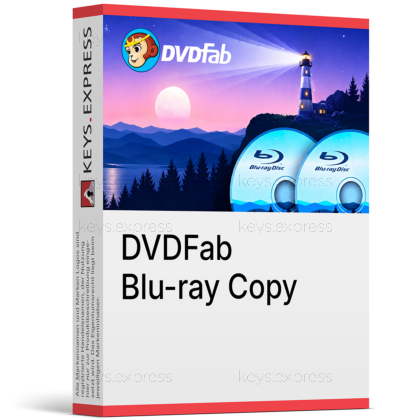
What are the main features and advantages of DVDFab Blu-ray Copy?
Disc Backup – Creates Blu-ray copies for easier media preservation.
Quality Retention – Preserves strong video quality during copy tasks.
Flexible Modes – Offers multiple copy options for different backup needs.
Broad Support – Works with discs folders and ISO files.
Fast Processing – Uses hardware acceleration for quicker copy performance.
Digital Reliability – Supports dependable long-term Blu-ray backup and organization.
Download: DVDFab Blu-ray Copy

Five Copy Modes – Full Disc, Main Movie, Clone, Merge, Customize.
Protection Removal – Removes AACS, BD+, BD-J, region and country codes.
Flexible Output – Writes to disc, ISO image, or folder.
Quality Options – 1:1 lossless or BD50-to-BD25 compression, 3D kept.
Performance Metric – GPU acceleration copies BD50 to BD25 in ~15 minutes.
Important – Personal use only; no commercial use rights.
DVDFab Blu-ray Copy is a dedicated module for backing up 1080p Blu-ray movie discs to blank media, ISO files, or folders. It strips disc encryption during the copy, so the backup plays on a standard Blu-ray player without the original disc.
Collection Protection – Guards discs against scratches, aging, and loss.
Space Saving – Fits a BD50 film onto cheaper BD25.
Newest Discs – Cloud decryption handles brand-new encrypted discs.
Clean Backups – BluPath drops fake titles and redundant chapters.
Media Server Ready – Generates .nfo metadata for Plex and Kodi.
Fast Batches – Queue multiple discs with GPU-accelerated copying.
DVDFab Blu-ray Copy backs up standard 1080p Blu-ray movie discs to a blank BD, a blank DVD in BD format, an ISO file, or a folder on your hard drive. It removes encryption such as AACS, BD+, BD-J, and region or country codes during the copy, so the backup runs on a normal Blu-ray player without the original disc. Five modes let you take the full disc, only the main movie, a bit-for-bit clone, a custom selection of titles and audio tracks, or merge several discs into one. The Main Movie and Customize modes keep the output small when you only want the feature film and a single audio track. It processes both commercial and homemade Blu-rays, but it handles 1080p Blu-ray only, not 4K Ultra HD.
It reads Blu-ray discs, Blu-ray ISO files, and Blu-ray folders, then writes to BD-R/BD-RE 25 and 50 media, blank DVDs, ISO images, or folders. Output sizes include BD-50, BD-25, BD-9, and BD-5, so a dual-layer BD-50 can be shrunk to a single-layer BD-25 when disc space is tight. 3D Blu-rays are supported and the 3D effect is preserved in the backup. If you pick BD-5 or BD-9 output onto a blank DVD, the result is a Blu-ray-format disc that only plays in a Blu-ray player, not a standard DVD player. To turn a Blu-ray into an MP4 or MKV file for a phone or tablet, you need DVDFab Blu-ray Ripper instead, since Copy preserves the disc structure.
The free version is limited to two copy modes, Full Disc and Main Movie, and it can only decrypt Blu-rays released roughly a year ago or earlier. The full version adds Clone/Burn, Merge, and Customize, and uses the Cloud Decryption Service to handle brand-new encrypted releases in real time. That cloud step matters for collectors who buy new box sets, because the free version often reports a recent disc as unrecognizable until a manual program update arrives. If you only copy older catalogue titles in one click, the free modes may be enough.
| Feature | Free Version | Full Version |
|---|---|---|
| Full Disc & Main Movie | ✓ | ✓ |
| Clone, Merge & Customize | ✕ | ✓ |
| Decrypt older discs | ✓ | ✓ |
| Real-time cloud decryption | ✕ | ✓ |
No to both, and these are common buyer assumptions that this module does not cover by itself. Blu-ray Copy removes AACS, BD+, BD-J, and region codes, but the Cinavia audio watermark needs the separate DVDFab Blu-ray Cinavia Removal add-on, which then works inside the Full Disc and Main Movie modes. 4K Ultra HD Blu-rays are handled by a different product, DVDFab UHD Copy, so a 1080p Blu-ray license will not back up your UHD discs. Cinavia matters because licensed players made after February 2012 can mute the audio on an untreated backup. Confirm which discs you actually own before buying, since a UHD-heavy collection needs the UHD tool.
It suits disc collectors who want shelf backups that survive scratches and disc rot while still playing on a standard living-room Blu-ray player. The Meta Info feature generates an .nfo file and syncs metadata to servers like Plex and Kodi, so a stored library shows correct posters and titles instead of bare filenames. BluPath identifies the genuine main-movie playlist and drops the fake titles and looping chapters some studios add to confuse copiers, keeping the right chapter order. For large collections, the multitasking queue plus GPU acceleration let you load several discs and walk away. Note that each licensed account is capped at 100 disc copies per week, which is generous for home use but a real ceiling for high-volume work.
Making a personal backup of a disc you own is allowed in some countries but restricted in others, because bypassing copy protection can fall under anti-circumvention laws. DVDFab's own Fair Use Policy limits the software to personal use and prohibits sharing copied content with third parties. Check your local rules before copying protected discs.
DVDFab's ExactRead checks decrypted data against the disc specification and flags drive read errors, so lightly scratched discs can often still be copied. Heavily damaged or dirty discs may stall with read errors, and switching to a second Blu-ray drive frequently rescues borderline cases. Cleaning the disc first improves the odds.
An internet connection is required for registration and for the Cloud Decryption Service that unlocks newly released encrypted discs in real time. Once an older disc's protection is already recognized, the copy itself does not depend on a fast connection. The cloud lookup sends only the disc's encryption signature, not its content.
| Operating Systems |
Windows 11: Home / Pro / Education / Enterprise |
| Processor | Core 2 Quad or above |
| Memory RAM | 2 GB RAM |
| Hard Disk | 100 GB free hard disk space |
| Display | Standard display compatible with the respective operating system |
| Special Features | Lossless backup or compression of Blu-ray discs. 1:1 copy from BD-50 to BD-50 and BD-25 to BD-25. Compression from BD-50 to BD-25. 2D and 3D Blu-ray copy support. Output to blank Blu-ray disc, ISO image file, or folder. Copy modes Full Disc, Main Movie, Clone Burn, Merge, and Customize. Removal of common Blu-ray protections including AACS, BD+, BD-J, region codes, and country codes. GPU acceleration with Multi-Core CPUs, NVIDIA CUDA, AMD, and Intel Quick Sync. |
| Note | NVIDIA GeForce GTX 260 or above required. A Blu-ray drive is required. Live Internet connection required. |
| Operating Systems |
macOS Catalina 10.15 |
| Processor | 1 GHz Intel processor or above |
| Memory RAM | 2 GB RAM or above |
| Hard Disk | 100 GB free hard disk space |
| Display | Standard display compatible with the respective operating system |
| Special Features | Lossless backup or compression of Blu-ray discs. 1:1 copy from BD-50 to BD-50 and BD-25 to BD-25. Compression from BD-50 to BD-25. 2D and 3D Blu-ray copy support. Output to blank Blu-ray disc, ISO image file, or folder. Copy modes Full Disc, Main Movie, Clone Burn, Merge, and Customize. Removal of common Blu-ray protections including AACS, BD+, BD-J, region codes, and country codes. GPU acceleration with Multi-Core CPUs and VideoToolbox. |
| Note | A Blu-ray drive is required. Live Internet connection required. |


