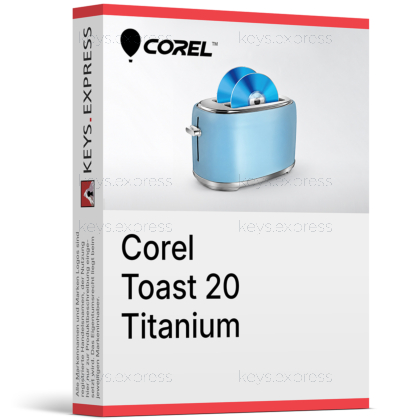
What are the main features and advantages of Corel Toast 20 Titanium?
Disc Burning – Burns, copies, and secures discs with ease.
Media Conversion – Converts videos and audio into popular formats.
Screen Capture – Records on-screen activity for tutorials and saves.
Menu Authoring – Creates DVDs with chapters and custom menus.
File Security – Protects sensitive data on discs and USBs.
Creative Freedom – Supports dependable long-term media creation and archiving.
Download: Corel Toast 20 Titanium

Disc Burning – Burn CDs, DVDs, and data archives.
Media Conversion – Convert and rip discs to digital formats.
Screen Capture – Record screen, webcam, and voiceover audio.
Encrypted Backup – Password-protect files on disc or USB.
Core Capacity – Includes 20 customizable DVD menu templates.
Important – Blu-ray authoring needs a separate plug-in.
Corel Toast 20 Titanium is a Mac-only digital media suite built around disc burning, media conversion, and disc-based backup. It combines DVD authoring, screen capture, and encrypted file protection in a single application.
All-in-One Suite – Burn, convert, capture, and secure media.
DVD Authoring – Design custom menus with Template Designer.
Disc Recovery – Restore files from scratched or damaged discs.
Strong Encryption – Protect private data on disc or USB.
Apple Silicon Ready – Native support for M1 and newer Macs.
Format Flexibility – Rip LPs, tapes, and old recordings.
Corel Toast 20 Titanium is a Mac disc-burning and digital media suite that burns, copies, converts, captures, and secures CDs and DVDs. It authors DVDs with custom menus through the Template Designer, rips and converts media between popular formats, and records screen, webcam, and voiceover footage. It also backs up files to disc or USB with strong encryption and can recover readable data from scratched or damaged discs. On the audio side it supports formats including AAC, AIFF, MP3, WAV, M4A, OGG, FLAC, and Dolby Digital AC-3.
It suits Mac users who still work with physical discs — archiving family video, distributing audio projects, or moving data off aging optical media. For someone digitizing a shelf of home DVDs or old LP recordings, Toast captures the analog source and converts it to a shareable digital file without needing separate tools. The disc and USB encryption also fits users who must hand off sensitive files on physical media rather than through the cloud. It is not aimed at Windows users, since Toast is a Mac-only application.
No, Blu-ray Disc authoring is not built into Toast 20 Titanium; it requires the separate Toast Blu-ray Disc plug-in, which is also bundled in Toast 20 Pro. Out of the box, Titanium burns and copies CDs and DVDs, including HD video written to standard DVD media, but writing to actual Blu-ray discs depends on that add-on. If your projects rely on Blu-ray output, Toast 20 Pro includes the plug-in plus a larger template library. Titanium ships with 20 DVD menu templates, compared with more than 100 in Pro.
Toast 20 Pro contains everything in Titanium plus the Blu-ray Disc authoring plug-in, WinZip Mac 9, Corel Painter Essentials 8, Corel AfterShot 3, and over 100 disc menu templates. Titanium covers the core CD and DVD burning, conversion, capture, and encrypted backup, while Pro adds Blu-ray output, file compression, and fuller photo-editing and digital-painting tools. Choose Titanium if you only burn CDs and DVDs and want a media manager; choose Pro if Blu-ray authoring or the creative apps matter to your work.
| Feature | Toast 20 Titanium | Toast 20 Pro |
|---|---|---|
| CD/DVD burning & copy | ✓ | ✓ |
| Blu-ray disc authoring | Add-on | ✓ |
| DVD menu templates | 20 | 100+ |
| Disc & USB encryption | ✓ | ✓ |
| Corel Painter Essentials 8 | ✕ | ✓ |
| WinZip Mac 9 | ✕ | ✓ |
No, Toast 20 Titanium does not rip, copy, or convert encrypted or copy-protected content such as commercial movie DVDs. It is built for discs and media you own the rights to — home videos, personal audio, data files, and unprotected discs. In practice you can duplicate your own data DVDs or back up a home-burned disc, but store-bought films with copy protection are blocked by design. This is a deliberate licensing limitation, not a fault in the software.
Toast 20 Titanium runs only on macOS and supports macOS Mojave 10.14 (64-bit) through macOS Sonoma, including Monterey and Ventura. It is native on both Apple Silicon (M1 and newer) and Intel Macs, so it runs without Rosetta translation on current hardware. There is no Windows edition of Toast, so it cannot be installed on a PC. A DVD drive is only needed if you install from a physical disc; the digital download removes that requirement.
An internet connection is required for installation, registration, updates, and certain online features. It is not needed for everyday burning, conversion, or backup once the software is installed.
Toast 20 is available in English, French, German, Italian, Spanish, and Japanese. The interface language follows your selection during setup.
Yes. Toast can read and restore accessible data from scratched or damaged CDs and DVDs. This helps rescue files from older optical media before the disc becomes fully unreadable.
| Operating Systems | macOS Sonoma 14 macOS Ventura 13.3 macOS Monterey 12.0 macOS Big Sur 11.0 macOS Catalina 10.15 macOS Mojave 10.14 64-bit |
| Processor | Mac computer with an Apple M1 chip or Intel processor |
| Memory RAM | 2 GB RAM recommended |
| Hard Disk | 1 GB free space to install all components |
| Display | Standard display compatible with the respective operating system |
| Special Features | Burn, author, copy, and secure CDs, DVDs, and USBs. Create DVD menus, chapters, and custom layouts with Template Designer. Convert media to popular digital formats. Secure Burn file security and encryption tool. Akrilic AI-powered photo art creator. MultiCam Capture Lite screen recording and webcam video capture. Blu-ray plug-in available as a separate purchase for Toast Titanium. |
| Note | Internet connection required for installation, registration, and updates. Registration required for product use. DVD drive required for installation from disc. Does not rip, capture, or copy encrypted or copy-protected content. |


