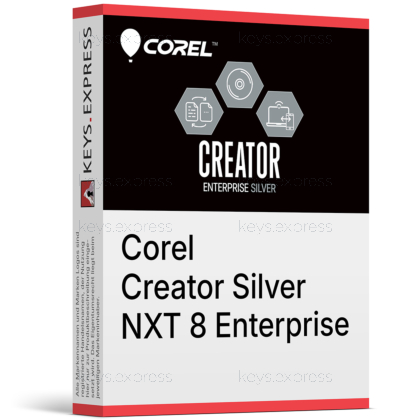
What are the main features and advantages of Corel Creator Silver NXT 8 Enterprise?
Disc Burning – Creates and copies discs with straightforward desktop tools.
Secure Encryption – Protects discs and USB data with password security.
Virtual Drives – Mounts disc images quickly without physical media.
Media Authoring – Builds DVDs with menus and organized structure.
Easy Deployment – Supports managed rollout for business IT environments.
Workflow Excellence – Supports dependable long-term media handling and archiving.
Download: Corel Creator Silver NXT 8 Enterprise

Disc Burning – Copy and burn data to CD, DVD, Blu-ray.
Media Encryption – FIPS 140-2 certified password protection for discs.
Backup and Archive – Back up entire hard disc, files and settings.
Enterprise Deployment – Network deployable and virtual environment ready.
Core Capacity – Burns up to 50GB onto one Blu-ray.
Important – Video, photo and DVD editing tools not included.
Corel Creator Silver NXT 8 Enterprise is the entry-level tier of the Roxio Creator NXT 8 digital media suite, focused on disc burning, encryption and data backup for business rollout. It gives organizations standardized burning and archiving tools without the creative editing applications found in the Gold and Platinum tiers.
Standardized Burning – Consistent disc tools across many workstations.
Data Protection – Archive critical files before hardware failures.
Secure Sharing – Password-protect discs and USB media.
Easy Rollout – Deploy across networks and virtual desktops.
Offline Operation – Works without an internet connection required.
Large Capacity – Span big projects across multiple discs.
It is the burning, encryption and backup tier of Corel's Roxio Creator NXT 8 suite for Windows. It copies and burns data, music and media to CD, DVD and Blu-ray, and can burn to multiple drives at once. It encrypts discs and USB sticks with a FIPS 140-2 certified module and backs up an entire hard disc, files, settings and programs to optical media. The creative editing applications are reserved for the higher tiers, so Silver stays focused on disc and data tasks.
No. Video editing, photo editing, audio editing and DVD authoring are not part of the Silver edition. According to Corel's official comparison, DVD authoring and photo and audio editing are Gold-and-Platinum features, while full video editing and audio conversion are Platinum-only. Silver itself covers disc burning, encryption, and file backup and archiving. Buyers who need the VideoWave editor, PhotoSuite or MyDVD authoring should choose Gold or Platinum instead.
All three tiers share the same burning, encryption and backup core, and they differ by how many creative editing tools they add on top. Silver stops at burning and data protection; Gold adds DVD authoring plus photo and audio editing; Platinum adds the full video editor and audio/video conversion. The table below shows the verified split so you can match the edition to your team's tasks.
| Feature | Silver | Gold | Platinum |
|---|---|---|---|
| Copy & burn discs | ✓ | ✓ | ✓ |
| Disc & USB encryption | ✓ | ✓ | ✓ |
| File backup & archive | ✓ | ✓ | ✓ |
| DVD authoring (MyDVD) | ✕ | ✓ | ✓ |
| Photo editing | ✕ | ✓ | ✓ |
| Audio editing | ✕ | ✓ | ✓ |
| Video editing | ✕ | ✕ | ✓ |
| Audio & video conversion | ✕ | ✕ | ✓ |
It protects data through built-in disc backup and archiving that can back up an entire hard disc, plus files, settings and programs, to optical media. Encryption is part of the same core, so backed-up discs and USB sticks can be locked with passwords using a FIPS 140-2 certified module. For large datasets it can span a project across multiple discs or write up to 50GB onto a single Blu-ray. Because it writes to physical media kept offline, those archives stay isolated from ransomware and drive failures that hit live systems.
It writes to CD-R/RW, DVD+R/RW, DVD-R/RW, dual-layer DVD±R, DVD-RAM, and BD-R/RE including dual-layer Blu-ray. For disc images it reads ISO, C2D, BIN/CUE and GI, and writes ISO and GI. It runs on Windows 11 and 10 and can burn to several connected drives at the same time, which speeds up batch jobs in a duplication workflow. This format range covers standard data, audio and backup discs, but note that it does not author video DVDs, since MyDVD belongs to the higher tiers.
Confirm that your teams only need burning, encryption and backup, because Silver does not include the video, photo, audio or DVD-authoring tools. It is Windows-only, with no macOS build, so Mac users would need Roxio Toast instead. On the deployment side it is network deployable and runs in virtualized and VDI environments without an internet connection, which suits locked-down or air-gapped sites. If a department later needs creative editing, that is the point to step up to Gold or Platinum rather than adding separate tools.
Yes. Corel currently lists Creator Silver NXT 8 among its actively supported Roxio products, alongside Gold NXT 8 and Platinum NXT 8. This matters for business buyers because it means the burning and encryption components remain on a maintained product line rather than a discontinued release.
The Silver NXT 8 edition ships in English, French, Italian, German, Spanish, Dutch and Japanese. The interface language is selected at deployment, which lets a multinational team standardize on one burning and backup tool across regional offices.
| Operating Systems |
Windows 11: Home / Pro / Education / Enterprise |
| Processor | Intel 1.6 GHz Pentium 4 processor or AMD equivalent. |
| Memory RAM | 1 GB RAM. |
| Hard Disk | 1 GB free space for installation. DVD and Blu-ray copy and video authoring may require up to tens of GB of additional free space. |
| Display | Standard display compatible with the respective operating system. |
| Special Features | Burn, copy, and secure discs. Back up and archive files. FIPS 140-2 certified encryption module for discs and USB sticks. Create virtual disc drives and load disc images quickly. Recordable formats: CD-R and RW, DVD+R and RW, DVD-R and RW, DVD-R DL, DVD+R DL, DVD-RAM, BD-R and RE, BD-R and RE DL. Disc image formats: read ISO, C2D, BIN and CUE, and GI; write ISO and GI. Burn MP3 and audio CDs. Verified to be deployable in Enterprise. Roxio Central for access to media tools. |
| Note | 1024 x 768 DirectX 9.0c compatible graphics card with at least 16-bit color setting required. Sound card required. DVD-ROM drive required. No Internet connection required. Does not rip or copy encrypted or copy protected content. |


