↑
Back to Top
What are the main features and advantages of Acronis True Image 2020 Standard?
Full Backup – Protects entire systems, files, and folders reliably.
Quick Recovery – Restores data fast after crashes or corruption.
Disk Cloning – Simplifies moving systems to replacement drives.
Boot Media – Helps recover devices that no longer start.
Ransomware Defense – Monitors suspicious encryption and protects backup data.
Digital Reliability – Supports stable long-term protection for everyday computing.
Download: Acronis True Image 2020

Full-image backup – Protects entire disks, partitions, or selected files and folders.
Active disk cloning – Duplicates a running Windows system without restarting it.
Acronis Survival Kit – Bootable recovery drive restores systems that no longer start.
Active Protection – Blocks ransomware and cryptomining attacks in real time.
Core Capacity – AES-256 encrypted backups to external drives, NAS, FTP.
Important – Acronis Cloud storage, commercial use rights, and Windows Server support are not included in this edition.
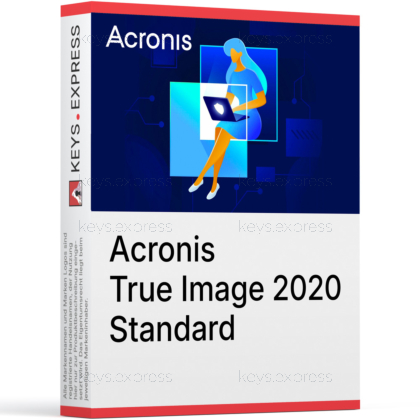
Acronis True Image 2020 Standard is a one-time purchase backup program for complete local data protection on Windows PCs and Macs. It combines disk imaging, cloning, recovery media, and anti-ransomware defense in a single dashboard.
One-time purchase – Local backup features without any running subscription.
Complete disaster recovery – Restore a full system after drive failure or infection.
Ransomware defense – Active Protection stops attacks before files get encrypted.
Fast SSD migration – Clone an old disk directly onto new hardware.
Mobile device backup – Secures iOS and Android data to local storage.
Flexible backup targets – External drives, NAS, network shares, and FTP supported.
Acronis True Image 2020 Standard creates exact images of complete disks and partitions as well as backups of individual files and folders, and restores them after data loss. Backups can be stored on external drives, NAS devices, network shares, or FTP servers, with incremental and differential modes that only save changes after the first full backup. This keeps storage use and backup time low when you protect a system regularly. In practice, it lets you roll a PC back to a working state after a failed update, a defective hard disk, or a malware infection without reinstalling Windows and all applications manually.
No, the Standard edition works with local and network storage only and does not include Acronis Cloud storage. Cloud backup, automatic cloud replication of local backups (Dual Protection), and Office 365 backup are reserved for the Advanced and Premium subscription editions. The upside is that local backups in the Standard edition have no volume limit, so you can protect as much data as your own drives can hold. If off-site cloud copies are a requirement for you, choose Advanced or Premium instead; if you back up to your own external drives or NAS, Standard covers the complete workflow.
The Standard edition is the only one-time purchase in the True Image 2020 family, while Advanced and Premium are annual subscriptions with cloud features. Advanced adds 250 GB of Acronis Cloud storage, cloud replication, and Office 365 backup; Premium raises cloud storage to 1 TB and adds blockchain-based file notarization (Acronis Notary) and electronic signatures (ASign). All three editions share the same local backup, cloning, recovery, and anti-ransomware core.
| Feature | Standard | Advanced | Premium |
|---|---|---|---|
| License model | One-time | Subscription | Subscription |
| Local backup | ✓ | ✓ | ✓ |
| Disk cloning | ✓ | ✓ | ✓ |
| Anti-ransomware protection | ✓ | ✓ | ✓ |
| Acronis Cloud storage | ✕ | 250 GB | 1 TB |
| Cloud replication | ✕ | ✓ | ✓ |
| Office 365 backup | ✕ | ✓ | ✓ |
| Blockchain notarization | ✕ | ✕ | ✓ |
| Electronic signatures | ✕ | ✕ | ✓ |
The Acronis Survival Kit turns one external drive into a combined bootable rescue medium and backup container, created in a few clicks from within the program. If the computer no longer boots after a disk failure or a damaged Windows installation, you start the machine directly from this drive and restore the saved system image. This removes the most common recovery problem: a backup that exists but cannot be reached because the operating system is gone. Universal Restore additionally lets you recover a system image to a replacement computer with different hardware, which is useful when the original machine cannot be repaired.
Yes, the Standard edition includes disk cloning, and on Windows it can clone an active system disk while Windows keeps running, without a restart into a recovery environment. This makes the typical upgrade from an old hard disk to a larger drive or a faster SSD a single, direct operation: connect the new drive, clone, swap, and boot. The clone contains the operating system, programs, settings, and data, so nothing has to be reinstalled. For Mac users, True Image 2020 also added active cloning of a running macOS system.
The Standard edition fits home users who back up to their own external drives or NAS and want to avoid an ongoing subscription for that. Because local backup volume is unlimited, it works well for people with large photo, video, or project archives that would be expensive to keep in capped cloud plans. It also suits anyone who maintains family PCs and needs a dependable way to return a machine to a known-good state after failed updates or infections, using the Survival Kit instead of a full Windows reinstall. Users who require off-site cloud copies or Office 365 mailbox backup should look at the Advanced edition instead.
Check that local or network storage is sufficient for your backup plan, because this edition has no Acronis Cloud storage and no automatic cloud replication. Confirm that you are protecting personal computers: True Image is Acronis' home product line, and commercial deployments or Windows Server machines are covered by Acronis' separate business backup products, not by this license. Also plan for a spare external drive if you want to use the Survival Kit, since the bootable rescue medium works best on a dedicated disk. If those points fit your setup, the Standard edition delivers the full local backup, cloning, and recovery feature set in the 2020 family.
Yes, the Standard edition is available for both Windows and macOS. The 2020 release added active cloning of a running Mac system and the option to restrict backups to selected Wi-Fi networks.
Yes, the Acronis Mobile app backs up iOS and Android devices to your local computer or NAS, since the Standard edition has no cloud target. It also supports moving data between Android and iOS devices, which helps when switching phone platforms.
Yes, after the first full image you can run incremental or differential backups that store only changed data. This shortens daily backup runs considerably and keeps backup archives smaller on external drives or NAS storage.
Try & Decide creates a temporary safe mode in which you can install software or open questionable files and then discard all changes if something goes wrong. It is a practical way to test unknown downloads without risking the working system.
| Operating Systems |
Windows 10: Home / Pro / Education / Enterprise |
| Processor | Pentium 1 GHz |
| Memory RAM | 1 GB RAM |
| Hard Disk | 3.5 GB free space on hard disk 602 MB download size |
| Display | Standard display compatible with the respective operating system |
| Special Features | Full image backup Backup of files and folders Cloning of active drives Archiving All-in-one recovery tool Universal Restore and boot media Continuous backup Event-based backup scheduling Acronis Active Protection ransomware defense Conversion to virtual machine Changed Block Tracker support Mobile device backup to local PC or NAS over Wi-Fi |
| Note | Internet connection required for product activation and for features that use Acronis Cloud. Administrator privileges required. CD-RW or DVD-RW drive or USB drive required for bootable media creation with about 600 MB free space. Windows 10 IoT edition, Windows 10 LTSB, and Windows 10 LTSC are not supported. Windows Embedded editions of Windows 8.1 and Windows 8 are not supported. Windows 7 security components require KB4490628 and KB4474419. |
| Operating Systems | macOS Catalina 10.15 macOS Mojave 10.14 macOS High Sierra 10.13 macOS Sierra 10.12 OS X El Capitan 10.11 |
| Hard Disk | 218 MB download size |
| Display | Standard display compatible with the respective operating system |
| Special Features | Full Mac backup to local or network storage Disk cloning Recovery of specific files and folders under Mac OS X Parallels Desktop 14 or higher support Backups in Power Nap mode Recovery of APFS volumes Wi-Fi mobile device backup to Mac |
| Note | Administrator privileges required. If your Mac includes the Apple T2 chip, select Medium Security and Allow booting from external media in Secure Boot settings. To create bootable media, use a removable drive with 4 GB or more of free space formatted with Mac OS Extended. The version of macOS Recovery must match the version of macOS installed on your Mac. CD and DVD media are not supported. On macOS High Sierra 10.13 and macOS Mojave 10.14, additional permissions are required for disk backup, disk cloning, and ransomware protection. |
| Operating Systems | Android 5.0 or later |
| Memory RAM | Requirements met by any device running the supported OS version |
| Display | Standard display compatible with the respective operating system |
| Special Features | Backup of photos Backup of videos Backup of contacts Backup of calendars Backup of messages Android only Wireless backup to local PC, Mac, or NAS Browse mobile backups on local computer Data migration between Android and iOS Backup of storage cards |
| Note | Standard license supports local backup destinations for mobile backups |
| Operating Systems | iOS 10.0 or later |
| Memory RAM | Requirements met by any device running the supported OS version |
| Display | Standard display compatible with the respective operating system |
| Special Features | Backup of photos Backup of videos Backup of contacts Backup of calendars Backup of reminders iOS only Wireless backup to local PC, Mac, or NAS Browse mobile backups on local computer Data migration between iOS and Android |
| Note | Standard license supports local backup destinations for mobile backups |


