
↑
Back to Top
What are the main features and advantages of Acronis Cyber Protect Home Office Essentials?
Local Backup – Protects files and full systems reliably.
Quick Recovery – Restores data fast after crashes or errors.
Disk Cloning – Simplifies drive upgrades and hardware migration.
Ransomware Defense – Helps stop malicious encryption before damage spreads.
Rescue Media – Supports recovery even when Windows will not start.
Digital Reliability – Delivers stable long-term protection for everyday computing.
Download: Acronis Cyber Protect Home

Full image backup – Complete system snapshots restorable even to new hardware.
Active disk cloning – Replicates a running drive without stopping work.
Rescue media – Bootable all-in-one drive recovers unbootable systems.
Ransomware protection – Blocks encryption attacks and restores affected files.
Core Capacity – Backup coverage across Windows, macOS, Android and iOS.
Important – Cloud backup storage and Windows Server support are not included in this edition.
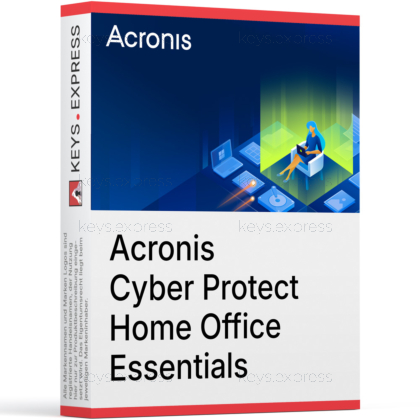
Acronis Cyber Protect Home Office Essentials is the entry edition of Acronis' backup line (continued today under the Acronis True Image name) and combines local image backup with built-in anti-ransomware defense. It is designed for users who store backups on external drives or a NAS instead of in the cloud.
Disaster recovery – Restore a failed computer from one full image.
Hardware migration – Clone an old drive directly to a new SSD.
Ransomware rollback – Automatically reverses unauthorized file encryption from backups.
Local control – Backups stay on your own drives or NAS.
Mobile coverage – Android and iOS backups stored on your computer.
Efficient scheduling – Incremental and differential backups save space and time.
Essentials creates local backups of a complete machine or of selected files and folders, on a flexible schedule, with incremental and differential modes that only store changed data after the first full backup. A finished image can be restored to the same computer or to different hardware, which matters when a drive dies and the replacement machine is not identical. The same image technology powers active disk cloning, so a working Windows or macOS system can be copied to a new drive while it is still running. Built-in Acronis Active Protection monitors for ransomware and cryptojacking processes and restores files that were encrypted before the attack was stopped.
No, Essentials is a local-backup edition and includes no Acronis Cloud storage. Backups are written to internal disks, external USB drives, or network locations such as a NAS, so you need your own storage media before the first backup run. Acronis reserves cloud storage for the higher tiers: Advanced starts at 50 GB with upgrades to 500 GB, and Premium starts at 1 TB with upgrades to 5 TB. If you want an automatic offsite copy for fire or theft scenarios, plan an upgrade or rotate an external drive to another location manually.
Only partially: in Essentials, real-time anti-malware protection, on-demand antivirus scans, and web filtering are available as a 30-day free trial, not as permanent features. Permanently included are anti-ransomware and anti-cryptojacking protection, videoconference app protection on Windows, and vulnerability assessments that flag outdated software. In practice this means Essentials works alongside an existing antivirus such as Microsoft Defender rather than replacing it. Buyers who want Acronis to handle continuous malware scanning as well should look at the Advanced edition, where these components are included without time limit.
All three editions share the same local backup, recovery, and cloning engine; the differences are cloud storage, permanent anti-malware, and document verification tools. The verified differences are summarized below.
| Feature | Essentials | Advanced | Premium |
|---|---|---|---|
| Local backup, cloning | ✓ | ✓ | ✓ |
| Anti-ransomware | ✓ | ✓ | ✓ |
| Cloud storage | ✕ | 50–500 GB | 1–5 TB |
| Real-time anti-malware | Trial only | ✓ | ✓ |
| Microsoft 365 backup | ✕ | ✓ | ✓ |
| Blockchain notarization | ✕ | ✕ | ✓ |
| Electronic signatures | ✕ | ✕ | ✓ |
Essentials fits users who already own external drives or a NAS and want image-based recovery without paying for bundled cloud storage they would not use. A typical case is replacing an aging hard disk with an SSD: active cloning copies the running system in one pass, so Windows or macOS boots from the new drive without reinstalling programs. It also suits home office setups where a complete machine image must be restorable after a disk failure, including onto replacement hardware that differs from the original. Anyone who needs offsite cloud copies or Microsoft 365 mailbox backup should choose Advanced instead, because Essentials cannot add cloud storage within the edition.
Yes, it is the same product line: Acronis renamed True Image to Cyber Protect Home Office in 2021 and reverted to the Acronis True Image name with the July 2024 release. The Essentials tier exists under both names with the same role as the local-backup edition. In practice you may see either name in the installer, account portal, or documentation depending on the version, and backups remain compatible across the renaming. This matters for buyers comparing listings, since some shops still sell the product under the Cyber Protect Home Office label while Acronis support pages now reference True Image.
First, confirm you have a local backup destination with enough free space, because Essentials writes only to internal, external, or network storage. Second, check whether any required protection is Windows-only: web filtering during the anti-malware trial and videoconference app protection are not available on macOS. Third, decide whether the 30-day limit on real-time anti-malware is acceptable, since after the trial Essentials keeps anti-ransomware but relies on your separate antivirus for general malware. Finally, verify that none of your data lives only in Microsoft 365, as mailbox and OneDrive backup is reserved for the Advanced and Premium editions.
Yes, active disk cloning replicates a Windows or macOS system drive while the operating system is in use, without booting from rescue media. This is the standard method for migrating to a larger or faster drive in one session.
Yes, the Acronis Mobile app backs up Android and iOS devices, and since Essentials has no cloud storage, those mobile backups are stored locally on your computer. Photos, contacts, and other phone data can then be restored to the same or a different device.
Yes, the same license can be installed on Windows PCs or Macs, and image backup, scheduling, and cloning work on both platforms. Note that some protection components, such as videoconference app protection, are limited to Windows.
| Operating Systems |
Windows 11: Home / Pro / Education / Enterprise |
| Processor | Intel Core 2 Duo 2 GHz or equivalent processor with SSE instruction support |
| Display | Standard display compatible with the respective operating system |
| Special Features |
Local full-image and file-level backup |
| Note | Essentials provides local backup and anti-ransomware protection. Cloud is not available. Windows Embedded, IoT editions, Windows 10 LTSB, and Windows 10 LTSC are not supported. |
| Operating Systems |
macOS Tahoe 26 |
| Display | Standard display compatible with the respective operating system |
| Special Features |
Local Mac backup |
| Note | Essentials provides local backup and anti-ransomware protection. Cloud is not available. Try&Decide and Acronis Universal Restore are not available on macOS. Requires Full Disk Access on macOS Big Sur 11, macOS Monterey 12, and macOS Ventura 13 for backup, cloning, and protection to work properly. |
| Operating Systems | Android 10.0 or later |
| Memory RAM | Requirements met by any device running the supported OS version. |
| Display | Standard display compatible with the respective operating system |
| Special Features |
Mobile backup and restore for photos |
| Note | Requires Acronis Mobile and an Acronis account. Essentials does not include cloud storage or other cloud-based features. |
| Operating Systems | iOS 15.0 or later |
| Memory RAM | Requirements met by any device running the supported OS version. |
| Hard Disk | 18.2 MB app size |
| Display | Standard display compatible with the respective operating system |
| Special Features |
Mobile backup and restore for contacts |
| Note | Requires Acronis Mobile and an Acronis account. Essentials does not include cloud storage or other cloud-based features. |





