↑
Back to Top
What are the main features and advantages of Acronis Cyber Protect Home Office Advanced?
Cloud Backup – Protects files and system images offsite securely.
Active Defense – Helps block ransomware and other digital threats.
Quick Recovery – Restores data fast after crashes or corruption.
Disk Cloning – Simplifies drive migration and hardware replacement.
Flexible Restore – Recovers single files or full systems easily.
Digital Reliability – Supports long-term protection and smoother recovery workflows.
Download: Acronis Cyber Protect Home

Full image backup – Complete system images stored locally or in the cloud.
Acronis Cloud storage – 500 GB included for encrypted off-site backup copies.
Integrated anti-malware – Real-time protection, antivirus scans and web filtering.
Microsoft 365 backup – Direct cloud backup of Outlook.com and OneDrive.
Active disk cloning – Clone a running Windows or Mac system.
Important – Windows Server support and central business management are not included.
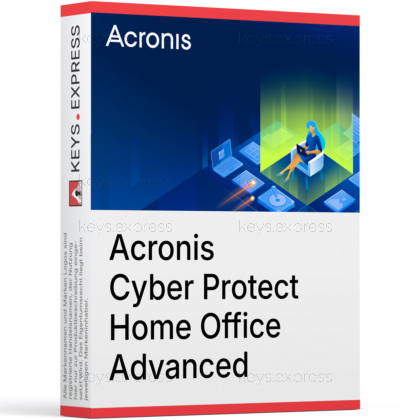
Acronis Cyber Protect Home Office Advanced combines disk-image backup and anti-malware protection in a single application for Windows PCs and Macs. It is the mid-tier edition of the product family and the lowest tier that includes Acronis Cloud storage and antivirus functionality.
One recovery tool – Backup and malware defense managed in one console.
Hardware-failure recovery – Restore a full system to new or replacement hardware.
Off-site protection – Cloud copies survive theft, fire or disk failure.
Ransomware rollback – Blocks attacks and restores files damaged before detection.
Mobile device backup – Automatic backups for iOS and Android content.
Vulnerability assessment – Flags outdated software that attackers commonly exploit.
It creates full disk images, file and folder backups, and cloud backups of your computer, and it protects the same machine against malware and ransomware in real time. A full image backup captures the operating system, installed programs, settings and data in one archive, so after a disk failure you restore a working system instead of reinstalling everything manually. Backups can run on a schedule to local drives, network storage or the included 500 GB of Acronis Cloud space. The same license also backs up an unlimited number of iOS and Android devices through the Acronis mobile app.
Yes, Advanced includes real-time anti-malware protection, on-demand antivirus scans, web filtering and vulnerability assessments. On Windows it additionally protects videoconferencing applications and blocks illicit cryptomining processes. This matters for the buying decision because the cheaper Essentials edition ships only with anti-ransomware protection, while the full real-time antivirus is limited to a 30-day trial there. With Advanced, a damaged file that ransomware encrypted before the attack was blocked can be restored automatically from a protected backup copy.
Essentials covers local backup and cloning only, Advanced adds cloud storage and full anti-malware, and Premium extends the cloud capacity and adds document certification tools. The verified differences within the product family:
| Feature | Essentials | Advanced | Premium |
|---|---|---|---|
| Full image backup | ✓ | ✓ | ✓ |
| Active disk cloning | ✓ | ✓ | ✓ |
| Cloud backup storage | ✕ | 500 GB | Up to 5 TB |
| Real-time anti-malware | Trial only | ✓ | ✓ |
| Microsoft 365 backup | ✕ | ✓ | ✓ |
| Blockchain notarization, e-signatures | ✕ | ✕ | ✕ |
Yes, Advanced creates direct cloud-to-cloud backups of a personal Microsoft 365 account, covering Outlook.com mailboxes and OneDrive content. The backup runs from Microsoft's servers to Acronis Cloud, so the computer does not need to stay switched on for it to complete. This closes a common gap: Microsoft synchronizes OneDrive data but does not keep independent long-term copies, so a deleted or ransomware-damaged file can disappear from every synced device at once. Essentials does not include this function at all.
Acronis Cyber Protect Home Office Advanced is a consumer and home-office product and does not support Windows Server operating systems; protecting servers requires the separate Acronis Cyber Protect business line. The included cloud storage is fixed at 500 GB on this tier, so users with photo or video libraries larger than that need the Premium edition, which scales to 5 TB. Blockchain-based file certification and electronic signatures are also reserved for Premium. Videoconference app protection and cryptojacking protection work on Windows only, not on macOS.
First, estimate the data volume you want in the cloud: a full image of a typical laptop with 256 to 512 GB of used space fits within the 500 GB allowance, while larger media collections do not. Second, decide whether you will use the integrated antivirus as your main protection; running it alongside another resident security product on the same machine is not recommended practice. Third, check the platforms involved, since system backup covers Windows and macOS while phones and tablets are backed up through the iOS and Android apps. If you only need local backups to an external drive, the cheaper Essentials edition already covers that workflow.
Yes, it is the same product line. Acronis renamed True Image to Cyber Protect Home Office in 2021, and the vendor later returned to the Acronis True Image name. Backups created under either name remain compatible within the product family.
Yes, backups can be protected with AES-256 encryption and a password set by the user. Data sent to Acronis Cloud is encrypted in transit and at rest, so an off-site copy does not expose private files.
Yes, Active Disk Cloning replicates a running Windows or macOS system without booting from rescue media. This is the practical route when migrating from an old hard disk to a new SSD, because the system stays usable during the copy.
Yes, on Windows the Universal Restore function recovers a full system image to dissimilar hardware by adjusting drivers during recovery. This lets you move to a replacement machine after a hardware failure instead of rebuilding the installation from scratch.
| Operating Systems |
Windows 11: Home / Pro / Education / Enterprise |
| Processor | Intel Core 2 Duo 2 GHz or equivalent processor that supports SSE instructions |
| Memory RAM | 2 GB RAM |
| Hard Disk | 960.08 MB download size 700 MB free space required for Windows installation |
| Display | Standard display compatible with the respective operating system |
| Special Features | Disk backup to local storage and Acronis Cloud File backup to local storage and Acronis Cloud Antivirus and anti-malware protection Anti-ransomware protection Real-time protection Antivirus scans Web filtering Cryptomining detection Videoconference protection Vulnerability assessment Hard disk cloning Data archiving File synchronization Online dashboard Acronis bootable media Universal Restore |
| Note | Requires internet connection for activation, protection updates, and cloud-based features. Requires administrator privileges. Windows 7, Windows 8, and Windows 8.1 require Microsoft updates KB4474419 and KB4490628. Windows Embedded, IoT editions, Windows 10 LTSB, Windows 10 LTSC, Windows 10 in S mode, and Windows on ARM are not supported. |
| Operating Systems | macOS Tahoe 26 macOS Sequoia 15 macOS Sonoma 14 macOS Ventura 13 macOS Monterey 12 |
| Processor | Apple silicon with M1, M2, or M3 chip Intel x86 |
| Memory RAM | 2 GB RAM |
| Hard Disk | 499.03 MB download size |
| Display | Standard display compatible with the respective operating system |
| Special Features | Backup of selected disks or entire Mac contents to local or network storage or to Acronis Cloud Backup of selected files and folders to local or network storage or to Acronis Cloud Antivirus protection Anti-ransomware protection Real-time protection Antivirus scans Vulnerability assessment Disk cloning Data archiving Online dashboard Creating Acronis bootable media macOS recovery in the bootable media environment Recovery of specific files and folders under macOS |
| Note | Requires internet connection for activation, updates, vulnerability assessment, and cloud-based features. Requires administrator privileges. Grant Full Disk Access or backup, cloning, and protection will not work properly. Mac machines with Intel Core 2 Duo processors are not supported. On Intel-based Macs with Apple T2 chip, set Secure Boot to No Security and allow booting from external media. |
| Operating Systems | Android 10.0 or later |
| Memory RAM | Requirements met by any device running the supported OS version |
| Hard Disk | 4.4 MB app package size |
| Display | Standard display compatible with the respective operating system |
| Special Features | Back up photos, videos, contacts, and mobile data Back up to the cloud and to a local Windows or Mac computer at the same time AES-256 encrypted mobile backups Browse backups for item-level recovery or full recovery Access backups from the current device or other mobile devices Continuous backup while charging Save battery mode Wi-Fi only backup option or backup via cellular connection Recover to the same device, a wiped device, or a new device Data migration between Android and iOS |
| Note | Requires the Acronis Mobile app. Local backup to a Windows or Mac computer requires an active Acronis Cyber Protect Home Office subscription for laptops or desktops. Internet connection required for cloud features and account-based access. |
| Operating Systems | iOS 15.0 or later iPadOS 15.0 or later |
| Memory RAM | Requirements met by any device running the supported OS version |
| Hard Disk | 18.2 MB app size |
| Display | Standard display compatible with the respective operating system |
| Special Features | Back up contacts, photos, videos, calendars, and reminders Back up to the cloud and to a local Windows or Mac computer at the same time Browse backups for item-level recovery or full recovery Access backup files from the current device or other mobile devices Encrypt mobile backups for greater privacy Save Power Mode to reduce battery use Continuous backup while charging Wi-Fi only backup option or backup via cellular connection Recover to the same device or another device Data migration between iOS and Android |
| Note | Requires the Acronis Mobile app. Local backup to a Windows or Mac computer requires an active Acronis Cyber Protect Home Office subscription for laptops or desktops. Internet connection required for cloud features and account-based access. |


