
For a detailed guide with screenshots, visit our step-by-step tutorial.
iobit_malware_fighter_setup.exe) in your Downloads folder.Go to your Keys.Express product page or the official IObit Malware Fighter section. Under the “Download Files” section, click on the IObit Malware Fighter 64-bit link to download the installer.
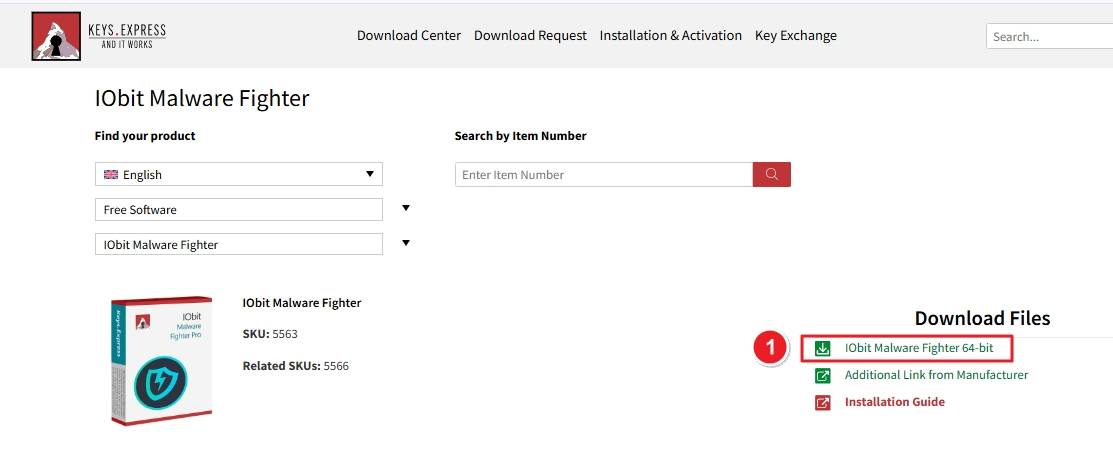
After downloading, open File Explorer and navigate to your Downloads folder. Look for the file named something like iobit_malware_fighter_setup.exe. Double-click to launch the installer.

A User Account Control (UAC) window will appear asking permission to make changes to your device. Click Yes to continue — this is a standard Windows security confirmation.

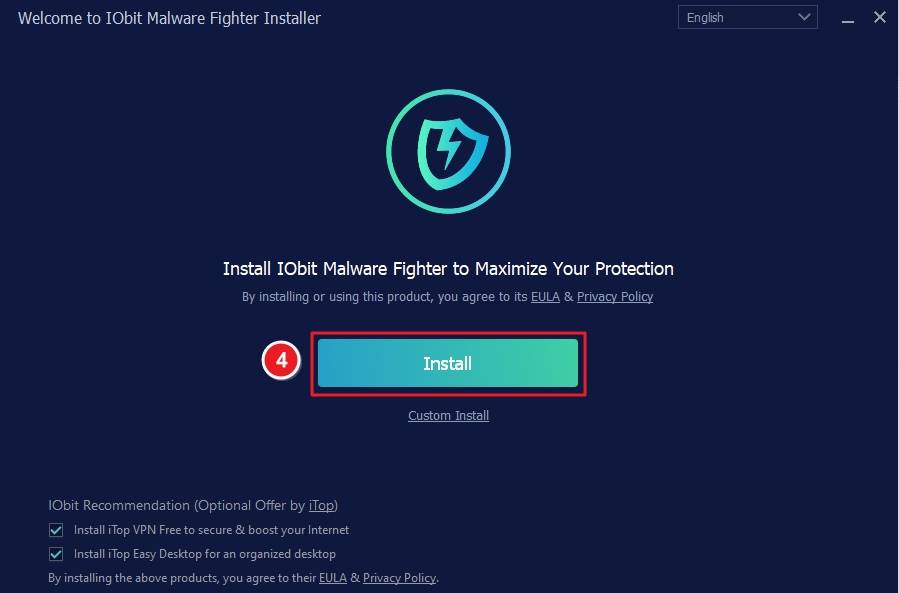
You’ll see the IObit Malware Fighter Installer window. Click Install to start the installation process immediately.
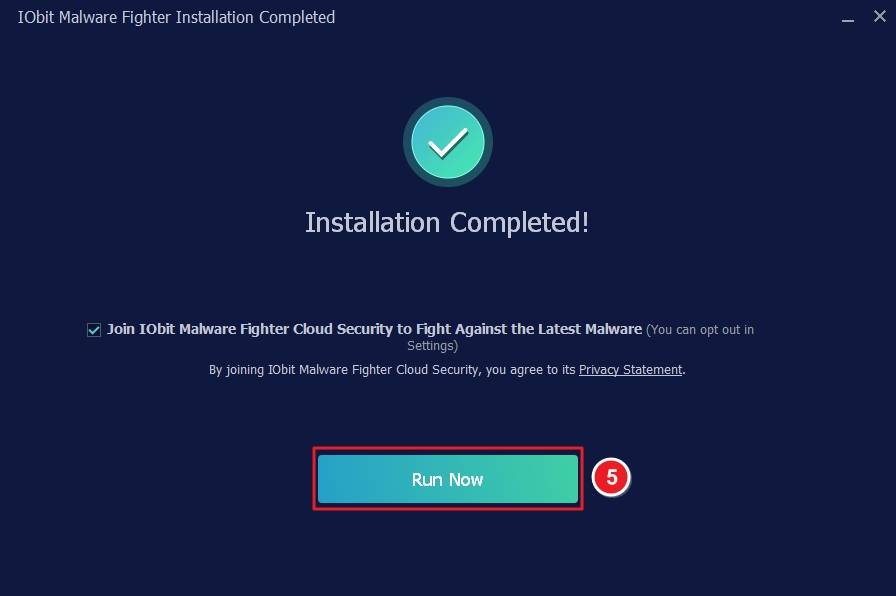
Once the progress bar finishes, you’ll see a message — “Installation Completed!” Click Run Now to open IObit Malware Fighter.
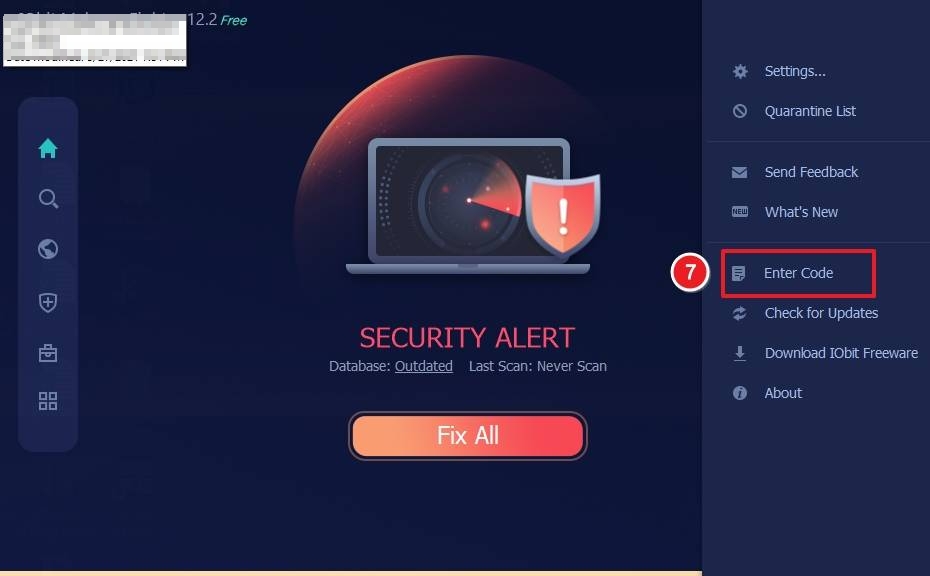
When the application opens, click the ☰ (menu) icon in the top-right corner of the screen to access additional options.

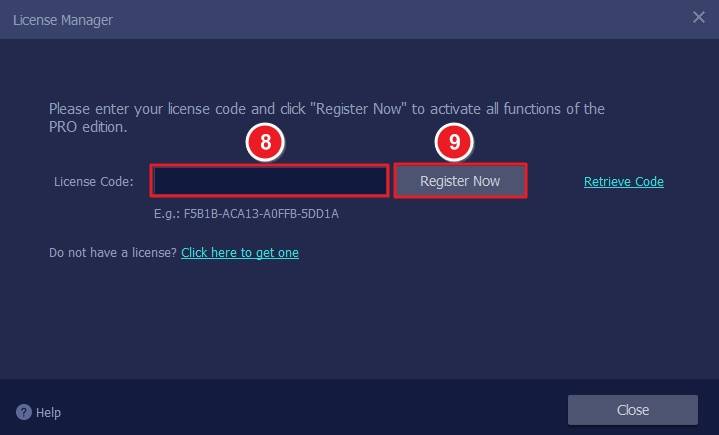
From the dropdown list, select Enter Code. A new window titled License Manager will appear.
In the License Code field, paste or type your provided activation key. Click Register Now to activate your IObit Malware Fighter PRO edition.
If you have any further problems with the installation or activation, please write to us. Simply use our contact form and send a screenshot of the error message at the same time. We will be happy to help you.
Your Keys.Express Team
SKU: 5563, 5566


