
For a detailed guide with screenshots, visit our step-by-step tutorial.
TrendMicro_17.8_HE_Full_Maximum_Security.exe) will be saved in your Downloads folder.Go to the official product download page and locate Trend Micro Max Security under Security Solutions.
Click the green download button labeled Trend Micro Max Security to begin downloading the setup file.

After downloading, open your Downloads folder. You’ll find a file named:TrendMicro_17.8_HE_Full_Maximum_Security.exe
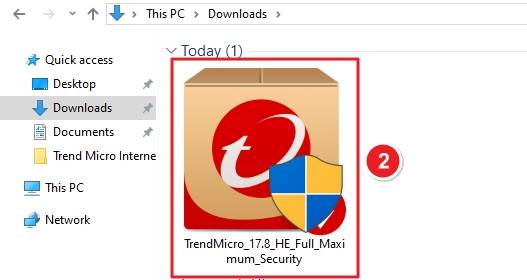
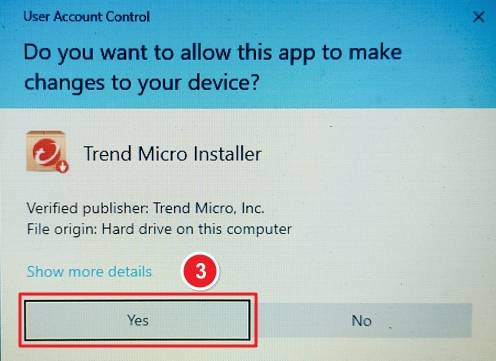
Double-click the downloaded file. If Windows asks for permission under User Account Control, click Yes to proceed.
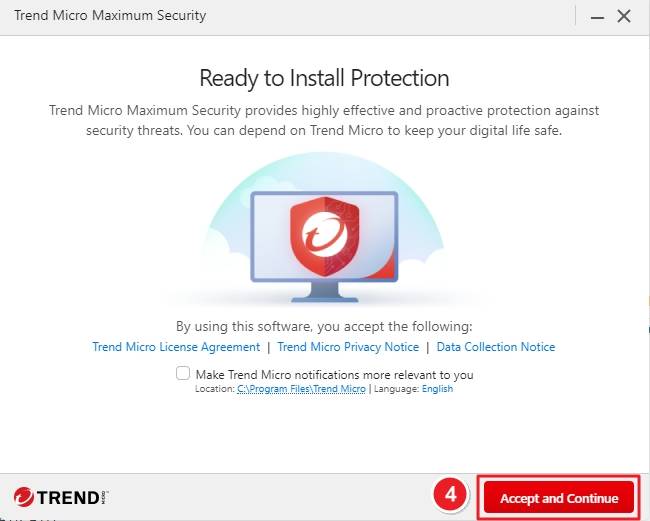
The Trend Micro installer will open with a screen titled “Ready to Install Protection.”
Review the terms and click Accept and Continue to move forward.
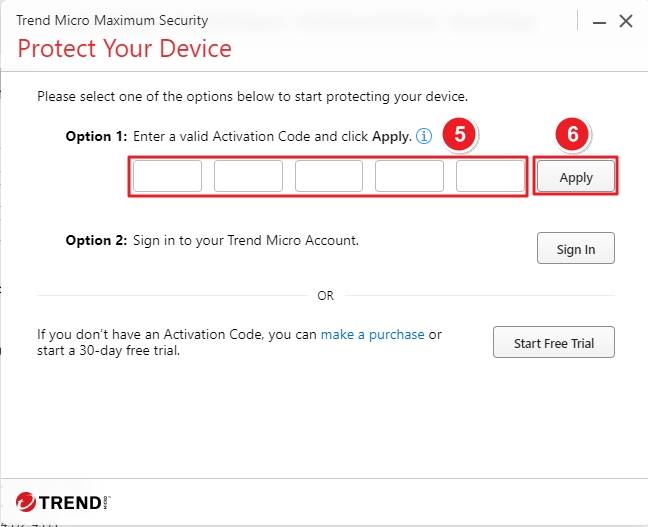
You’ll now see the Protect Your Device window. Under Option 1, enter your activation code in the provided boxes. Then click Apply to validate the license. Alternatively, sign in with your Trend Micro account if you already have one.
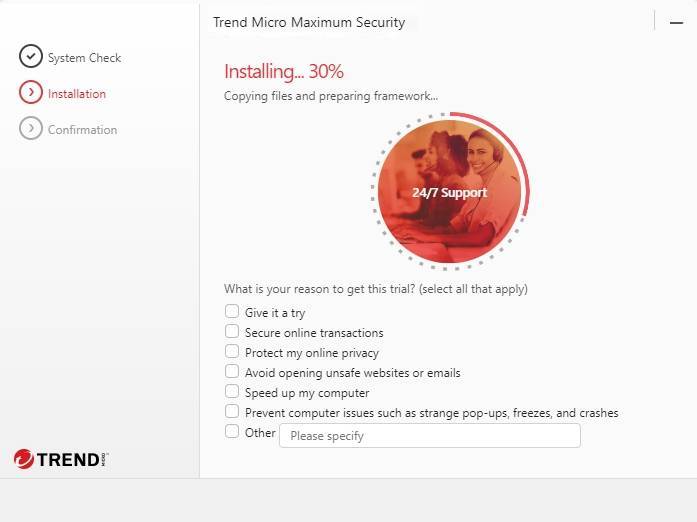
The installation will begin automatically. A progress bar will appear, showing steps like Copying files and preparing framework. You can check boxes for your reason to try Trend Micro (optional).
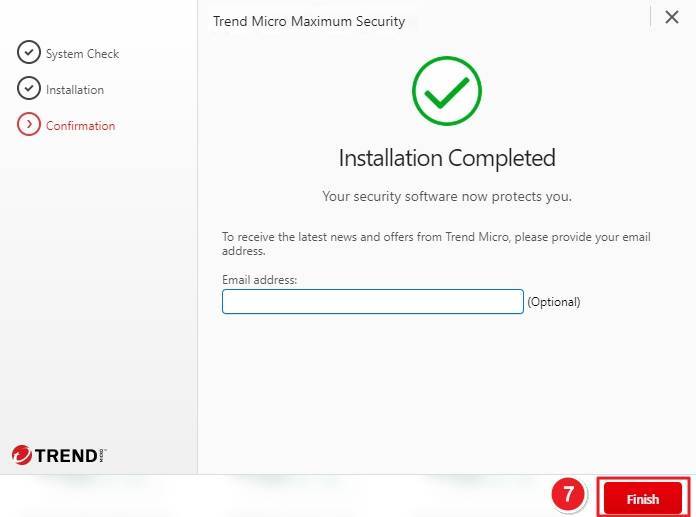
Once installation is finished, you’ll see a confirmation message — Installation Completed. You can optionally enter your email address to receive updates. Finally, click Finish to close the installer.
If you have any further problems with the installation or activation, please write to us. Simply use our contact form and send a screenshot of the error message at the same time. We will be happy to help you.
Your Keys.Express Team
SKU: 5341, 5342, 5343, 5167, 5344, 5345, 5346, 5168, 5347, 5348, 5349, 5169, 4966, 4967, 4968, 4969, 4970, 4971, 4972, 4973, 4974, 4975, 4976, 4977, 4570, 4571, 4572, 4573, 4574, 4575, 4576, 4577, 4578, 4579, 4580, 4581, 4582, 4583, 4584, 4585, 4586, 4587, 4588, 4589, 4590, 4591, 4592, 4593


