
For a detailed guide with screenshots, visit our step-by-step tutorial.
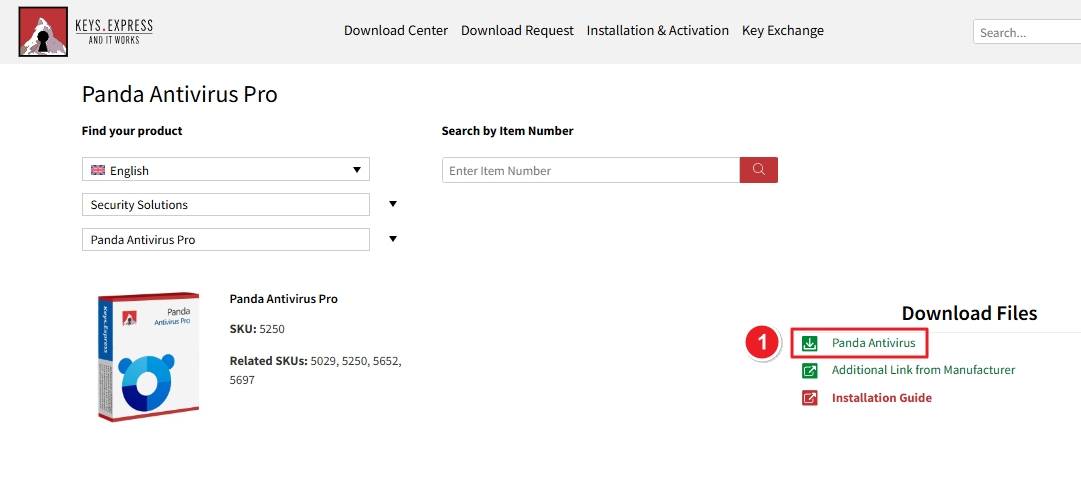
Visit the official Download Center (such as Keys.Express or Panda’s official site). Under “Security Solutions,” select Panda Antivirus Pro, then click Download Panda Antivirus.
Locate the downloaded file in your Downloads folder. It will appear with the Panda bear icon and a shield overlay.
Double-click to launch the setup.

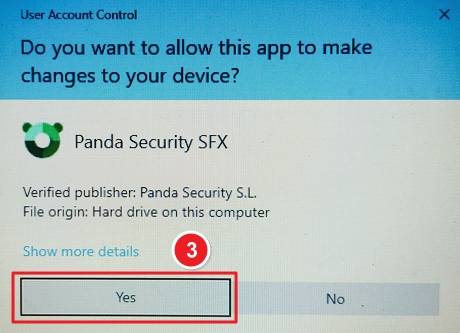
A User Account Control (UAC) prompt will appear asking: “Do you want to allow this app to make changes to your device?” Click Yes to continue.
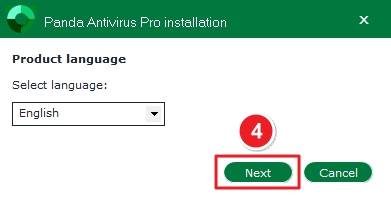
From the language dropdown, select your preferred option (e.g., English). Click Next to proceed.
Review the license terms and click ACCEPT AND INSTALL to proceed.

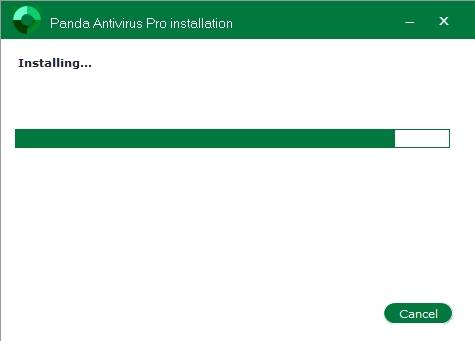
Wait for the green progress bar to complete. The installation usually takes a few minutes depending on system speed.
Once installation completes, Panda Antivirus Pro will perform a first-time system check to ensure proper setup and protection.

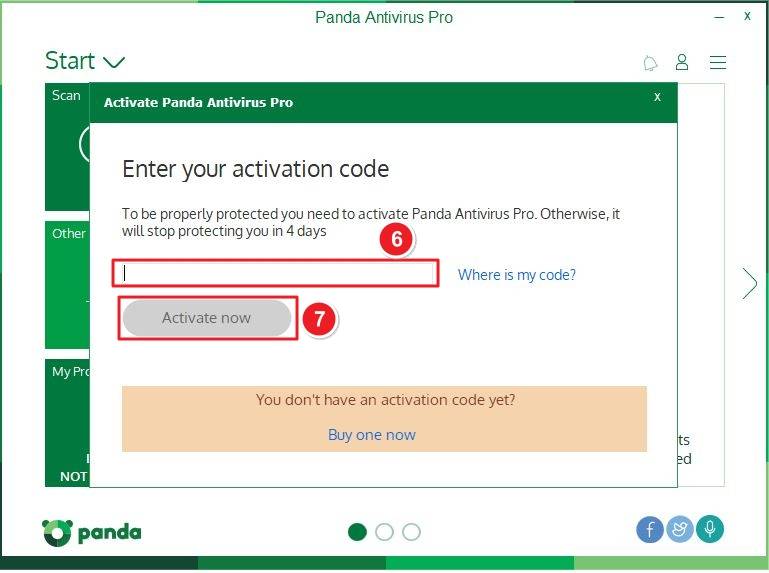
In the activation window: Enter your activation code in the input box. Click Activate now to enable full protection. If you don’t have a code, click Buy one now to purchase a license.
If there are any further problems with the installation or activation, please write to us. Simply use our contact form and send a screenshot of the error message at the same time. We will be happy to help you.
Your Keys.Express Team
SKU: 5250, 5029, 5652, 5697


