
Works for Professional and Enterprise editions of Visual Studio 2017, 2019, 2022, and 2026. The flow is the same across editions.
For a detailed guide with screenshots, visit our step-by-step tutorial.
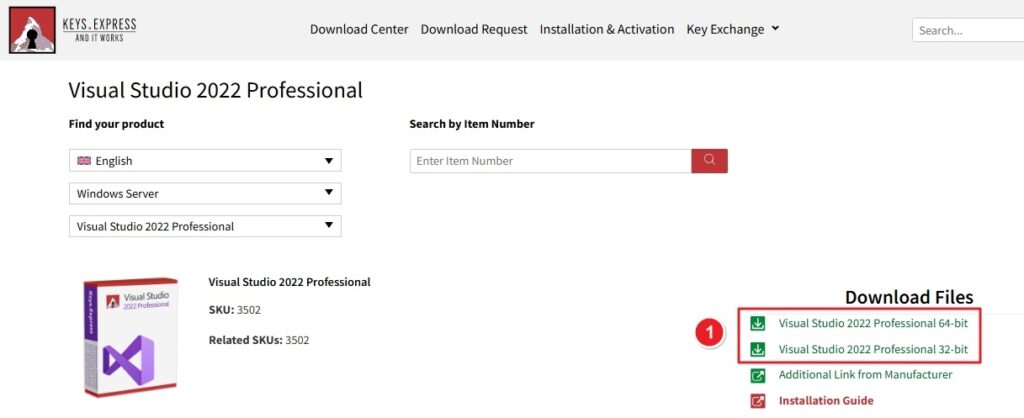
1. Go to the Keys.Express Download Center. Click the Visual Studio link under “Download Files” to start the download.
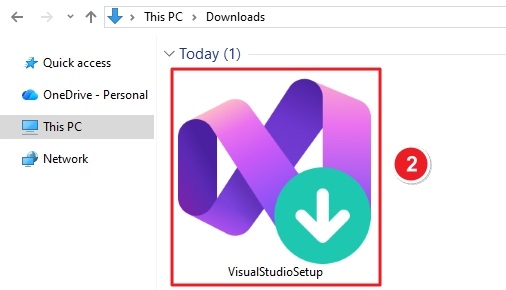
2. Open your Downloads folder. Double-click VisualStudioSetup.exe
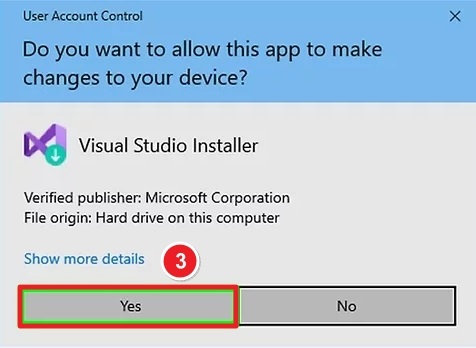
3. When Windows shows User Account Control: Click Yes to allow the installer to make changes
4. Read the license and privacy notice. Click Continue
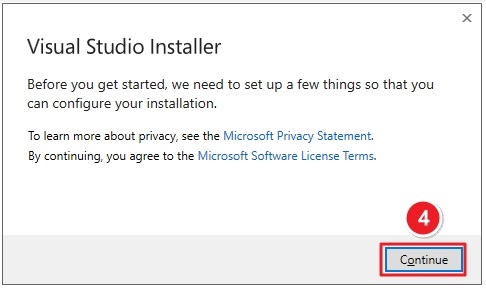
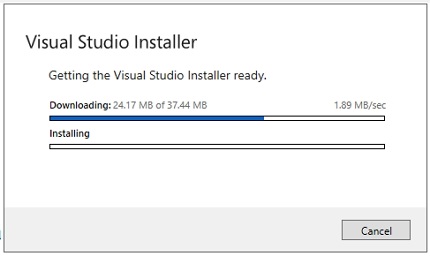
The installer will prepare required files automatically.
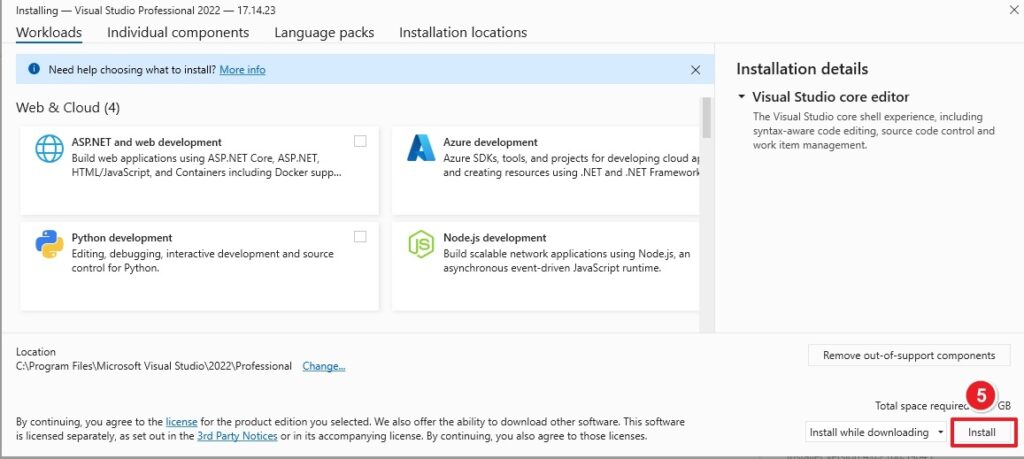
5. Choose workloads based on your needs, such as:
You can change or add workloads later.
Click Install to proceed.
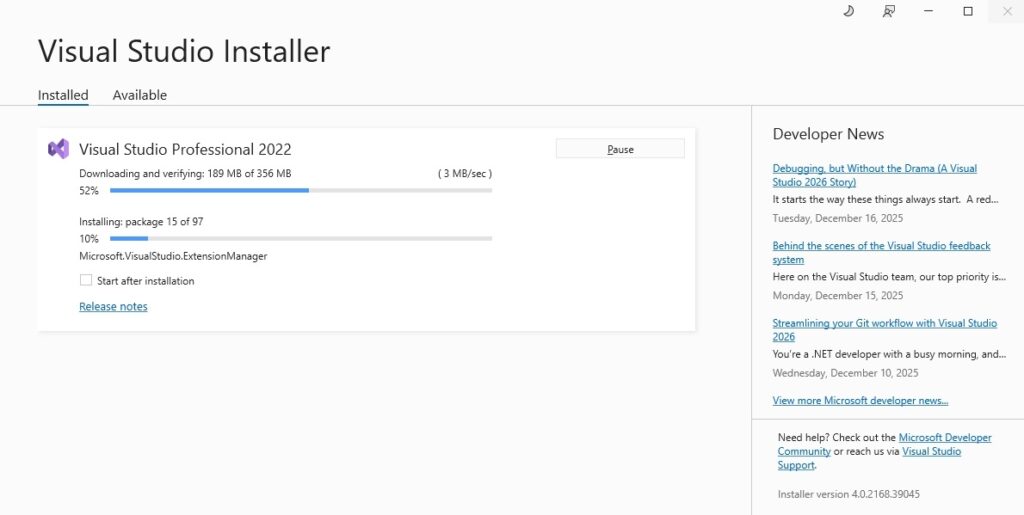
Visual Studio will now:
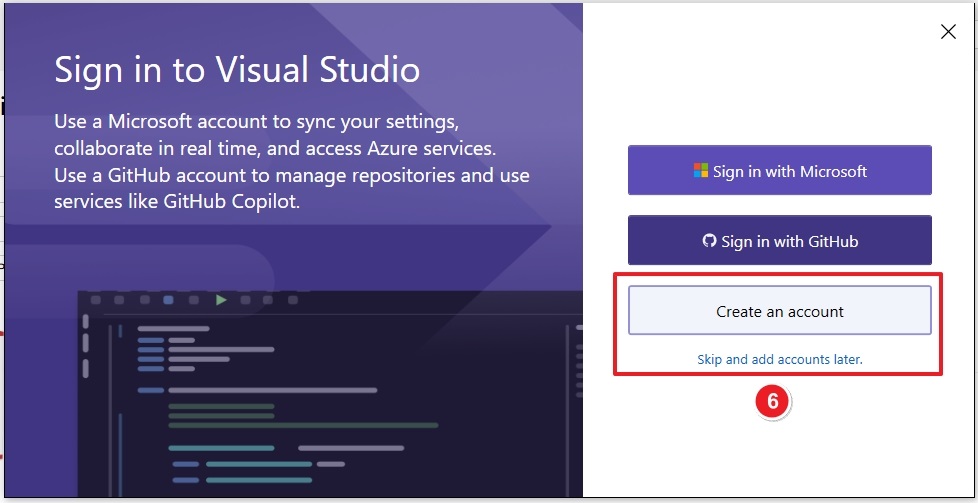
6. Create an Account or Skip
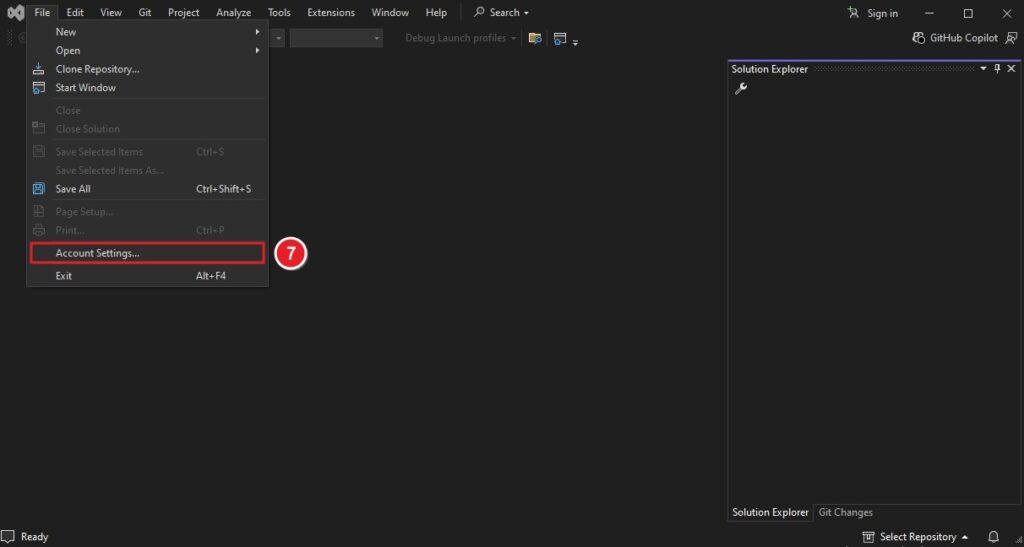
7. Open Visual Studio. Go to File → Account Settings
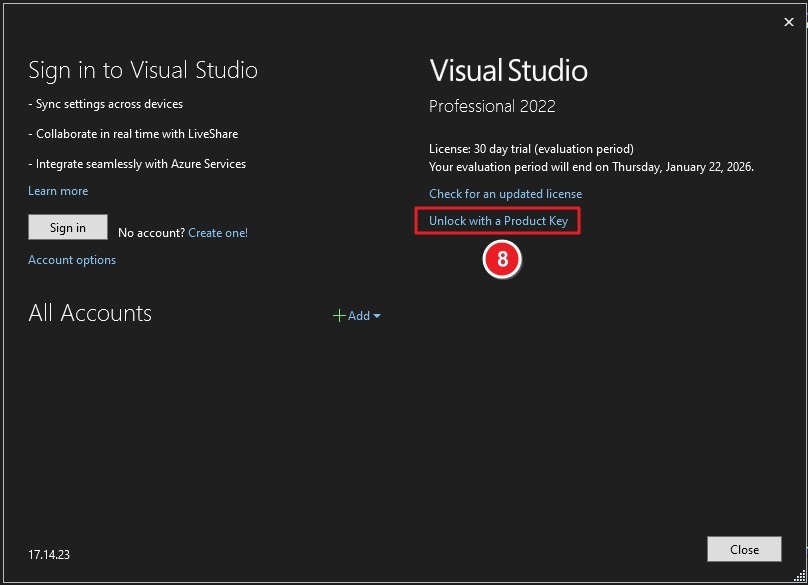
In the Account Settings window: Click Unlock with a Product Key
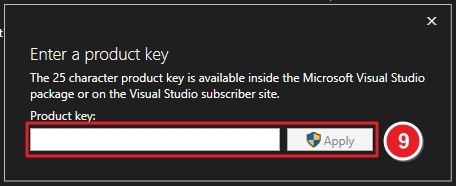
✔ Visual Studio will validate the key
✔ Once accepted, your Professional license is activated
If you have any further problems with the installation or activation, please write to us. Simply use our contact form and send a screenshot of the error message at the same time. We will be happy to help you.
Your Keys.Express Team
SKU: 3501, 3502, 3504, 3505, 3506, 3671, 3672


