
1. Click on the download button in the Download Center. The download will start automatically.
2. Go to the download folder of your PC and double-click on the “setup” application file you have just downloaded.

3. Click Install and follow the instructions of the installation program.

4. Sign in with your AVG Account or create a new account.
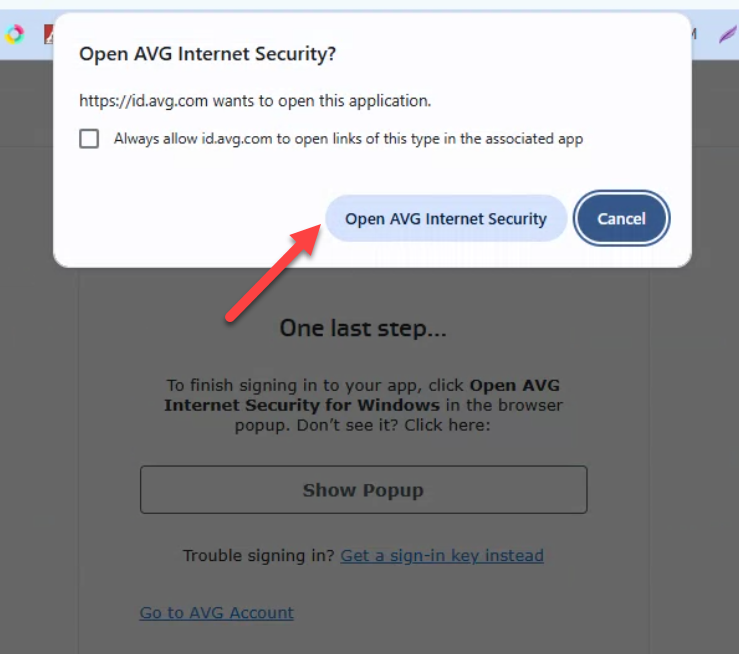
5. After signing in in your browser, you also need to log in from the AVG client you just installed. It will confirm your account and ask to go back to the AVG app on your PC. Click Open AVG Internet Security
6. Close the sign in screen and open the menu on the top right
7. Select Enter activation code

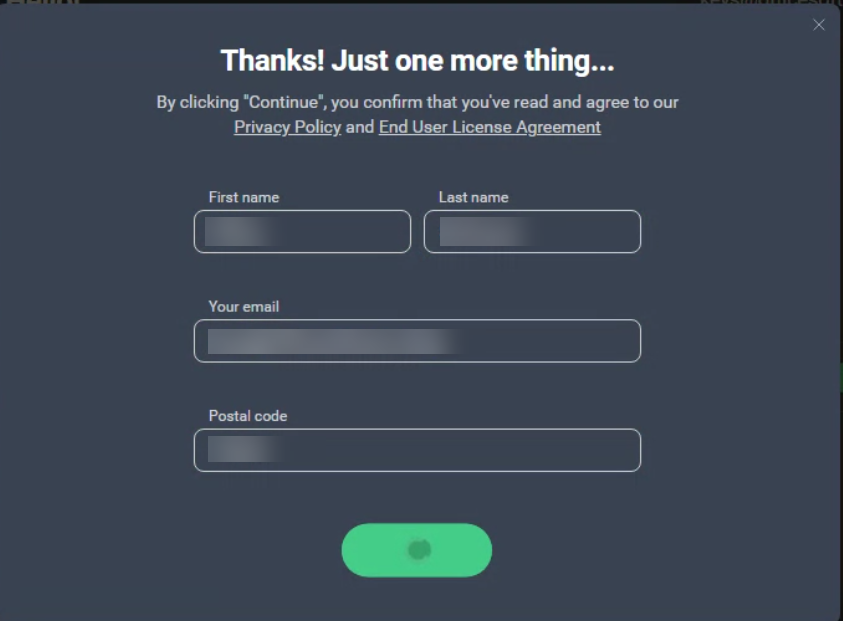
8. After entering the key, you need to add your contact details.
9. Open the Subscription tab
10. Check that your subscription is valid for the time of the key you purchased.

11. You are done. Enjoy your new antivirus!
Please Note:
AVG Internet Security is the successor product for AVG Antivirus. If you purchased a key for AVG Antivirus, it will activate AVG Internet Security.
If a key should not work, we will replace it for free! You will run no risk. We mostly sell volume licenses that need to be activated within a certain period of time. When you have followed all the instructions correctly and – as described in the video – downloaded the file, unpacked (if necessary) and installed it, but the key cannot activate the software, then it could be that the key has expired (it is sometimes not clear how long the product key has been on the market). In this case, we kindly ask you to fill out the form on our support service center attaching a screenshot with the error message. We will then immediately send you a new activation key.
SKU: 5240, 5212, 5241, 5994, 5220, 5242, 5995, 5243, 5244, 5996, 5287, 5245, 5997, 5998, 5999, 5000, 5100, 5200, 4846, 4847, 4848, 4849, 4850, 4851, 4852, 4853, 4854, 4855, 4856, 4857, 4858, 4859, 4860, 4154, 4155, 4156, 4157, 4158, 4159, 4160, 4161, 4162, 4163, 4164, 4165, 4166, 4167, 4168, 4169, 4170, 4171, 4172, 4173, 4174


