
For a detailed guide with screenshots, visit our step-by-step tutorial.
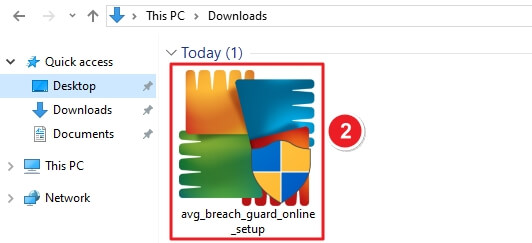
avg_breach_guard_online_setup.
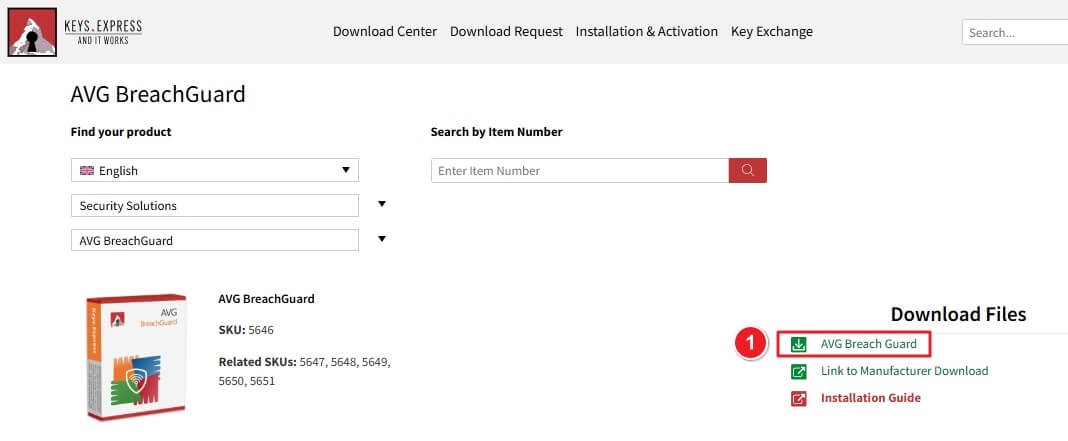
Visit your Keys.Express Download Center. Click the green AVG Breach Guard button under Download Files.
Navigate to your Downloads folder. Find the installer named avg_breach_guard_online_setup. Double-click the file to start installation.
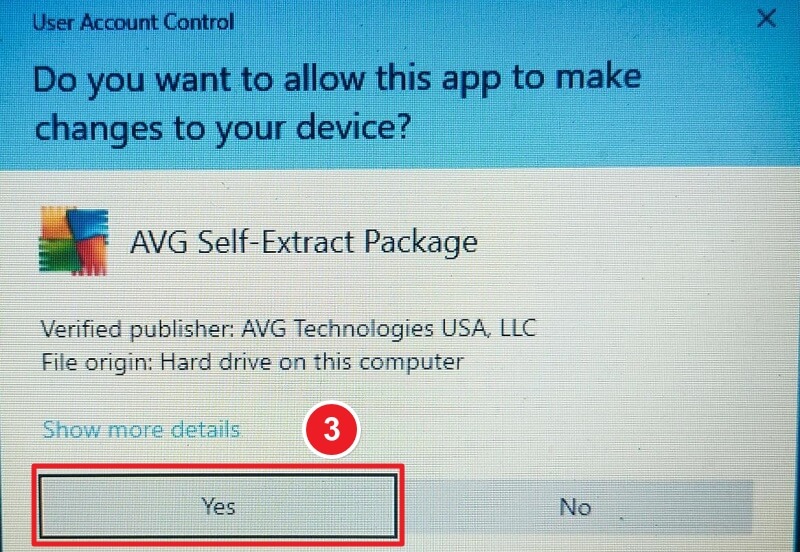
A Windows prompt may appear: “Do you want to allow this app to make changes to your device?” Click Yes to proceed.
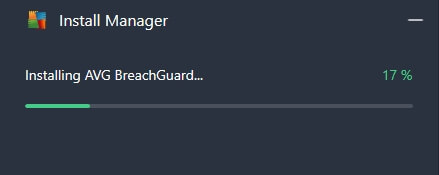
The Install Manager window will open, showing installation progress. Wait until it reaches 100%.
Once ready, the welcome screen will appear. Click the Install button to begin the AVG BreachGuard setup.

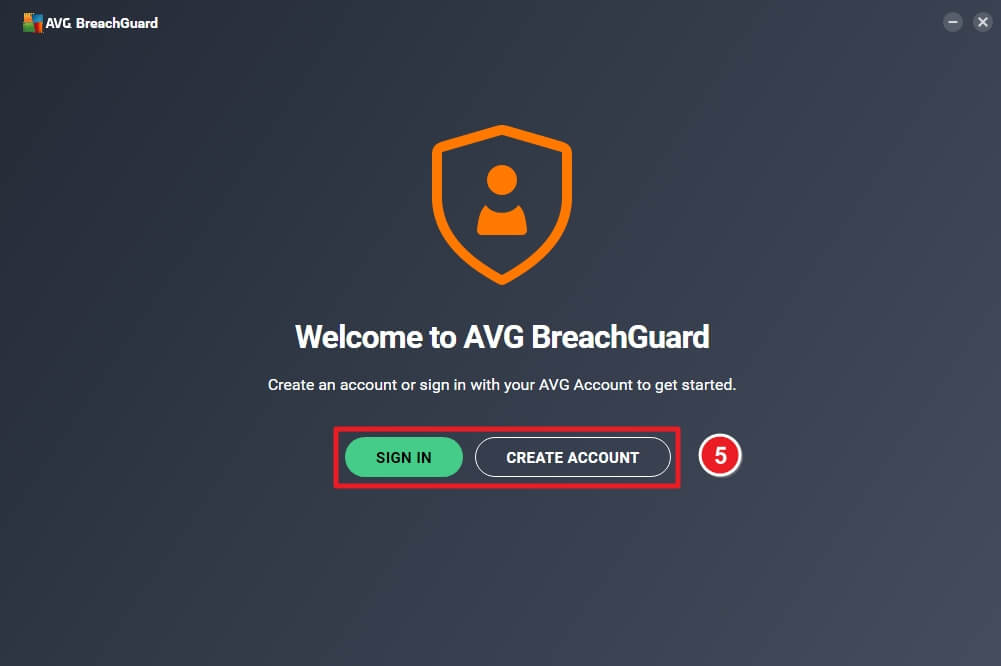
After installation, you’ll be Choose the Sign In or Create Account.
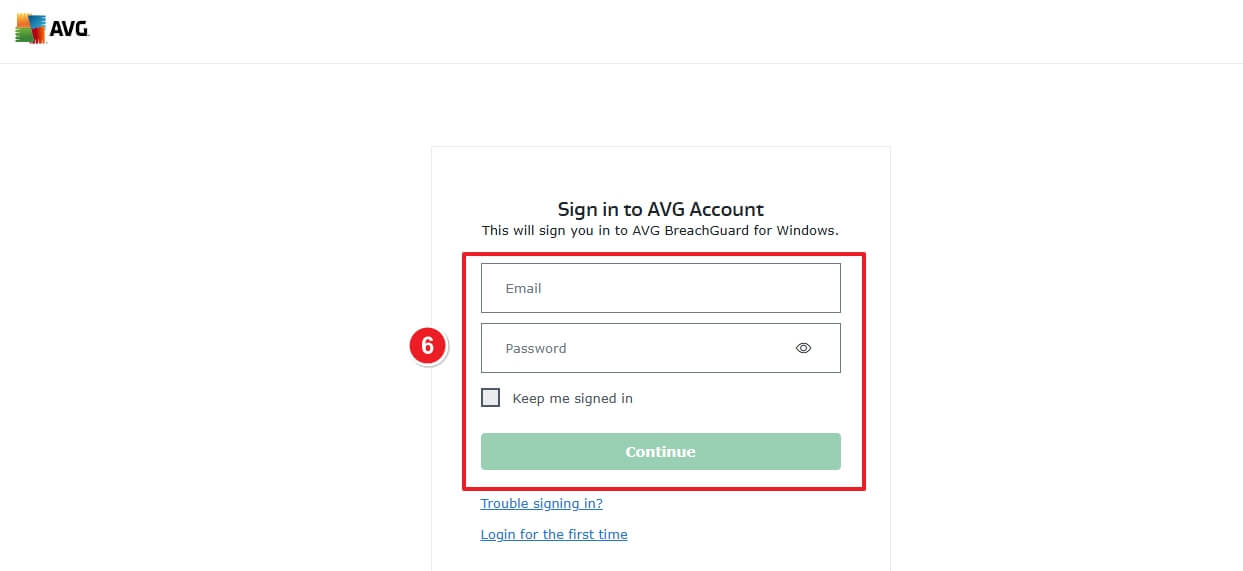
Enter your Email and Password. Click Continue to proceed.
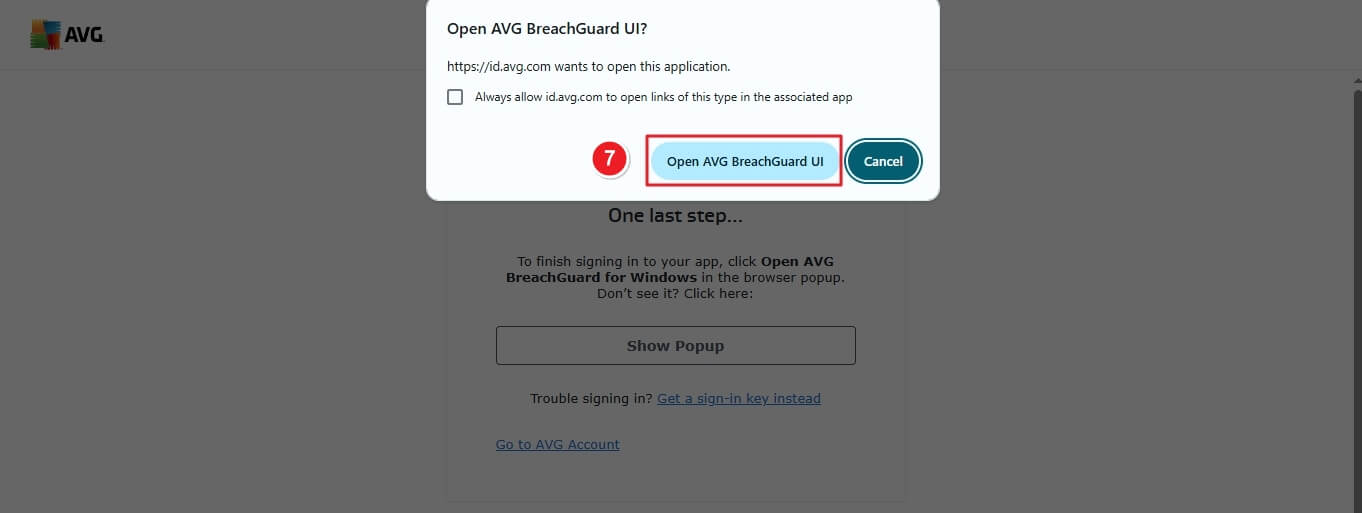
You may be asked to open the app via browser confirmation. Click Open AVG BreachGuard UI.
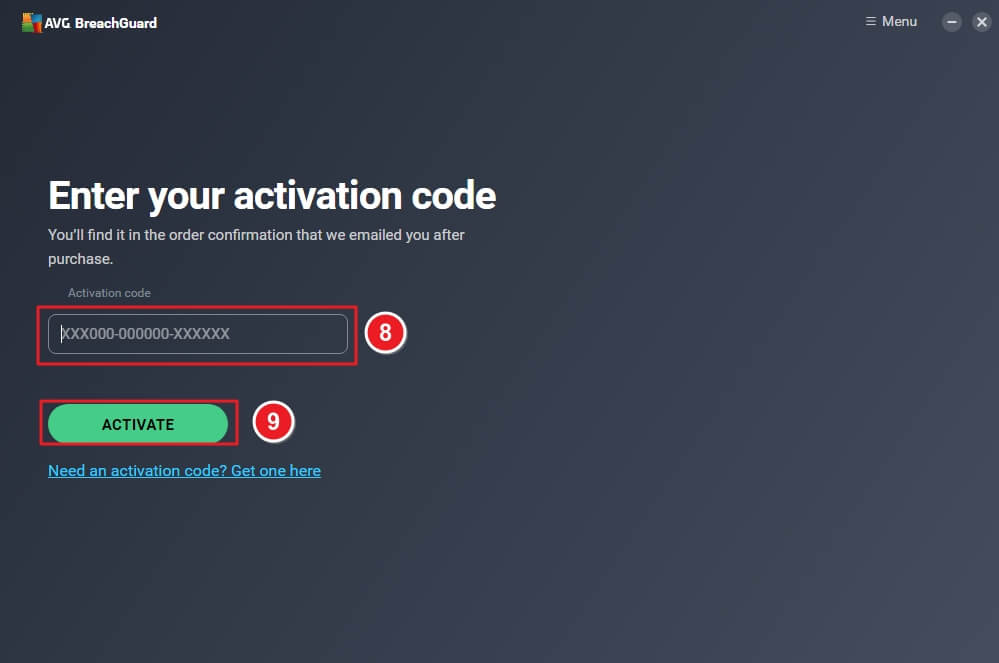
Enter the Activation Code provided in your order confirmation email. Click Activate to finalize setup.
AVG BreachGuard is now successfully installed and activated on your computer.
If there are any further problems with the installation or activation, please write to us. Simply use our contact form and send a screenshot of the error message at the same time. We will be happy to help you.
Your Keys.Express Team
SKU: 5646, 5647, 5648, 5649, 5650, 5651


