Installation Guide for AVAST Internet Security

Quick Steps

For a detailed guide with screenshots, visit our step-by-step tutorial below.

  1. Download the Installer
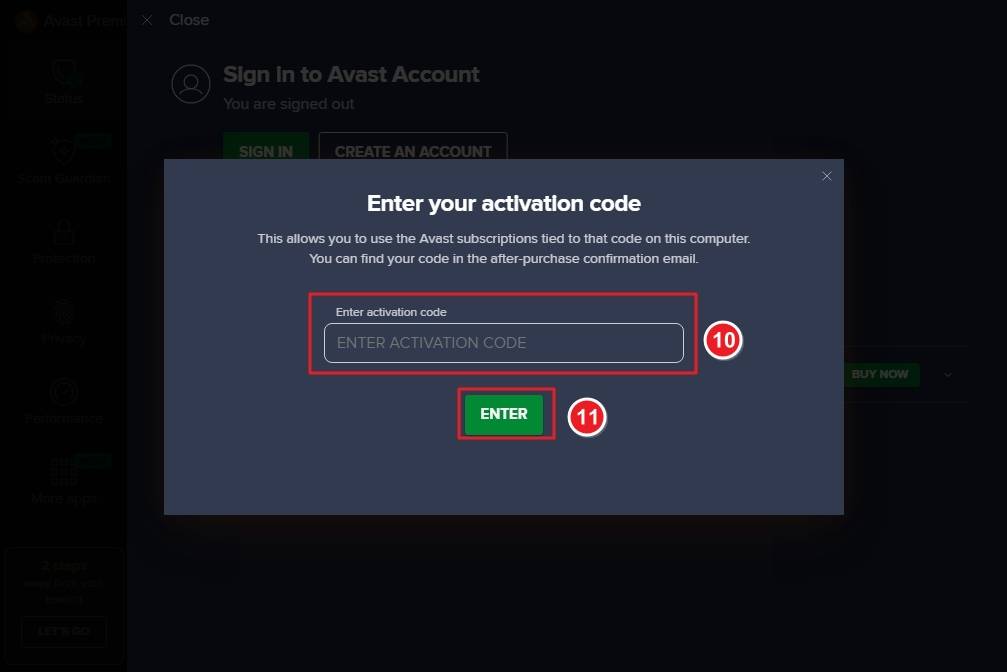
    Visit the official Avast Antivirus download page and click the Download button next to Avast Antivirus Pro.
  2. Locate the Downloaded File
    Once the download is complete, open your Downloads folder and find the file named avast_premium_security_setup_online.exe.
  3. Run as Administrator
    Right-click the setup file and choose Run as administrator to start the installation process.
  4. User Account Control Prompt
    If prompted by User Account Control, click Yes to allow the installer to make changes to your computer.
  5. Begin Installation
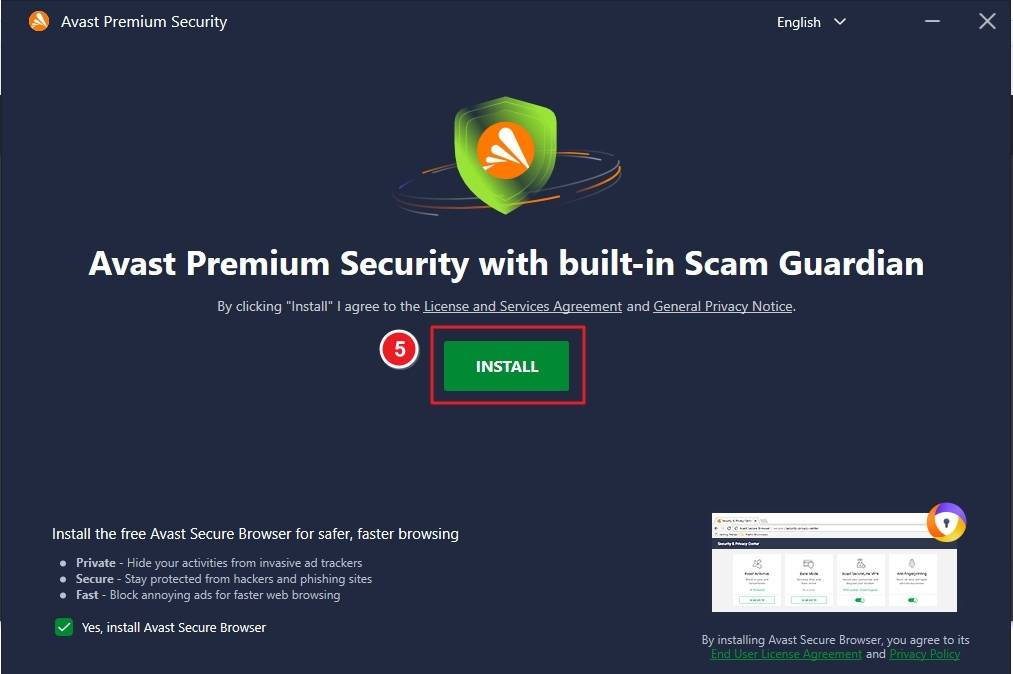
    When the setup window appears, click Install to start installing Avast Antivirus Pro. The installation may take a few minutes to complete.
  6. Wait for Installation
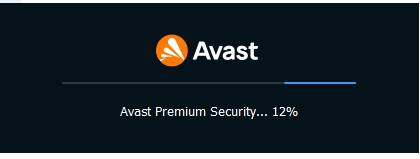
    Allow the installer to download and install necessary components automatically.
  7. Complete Setup
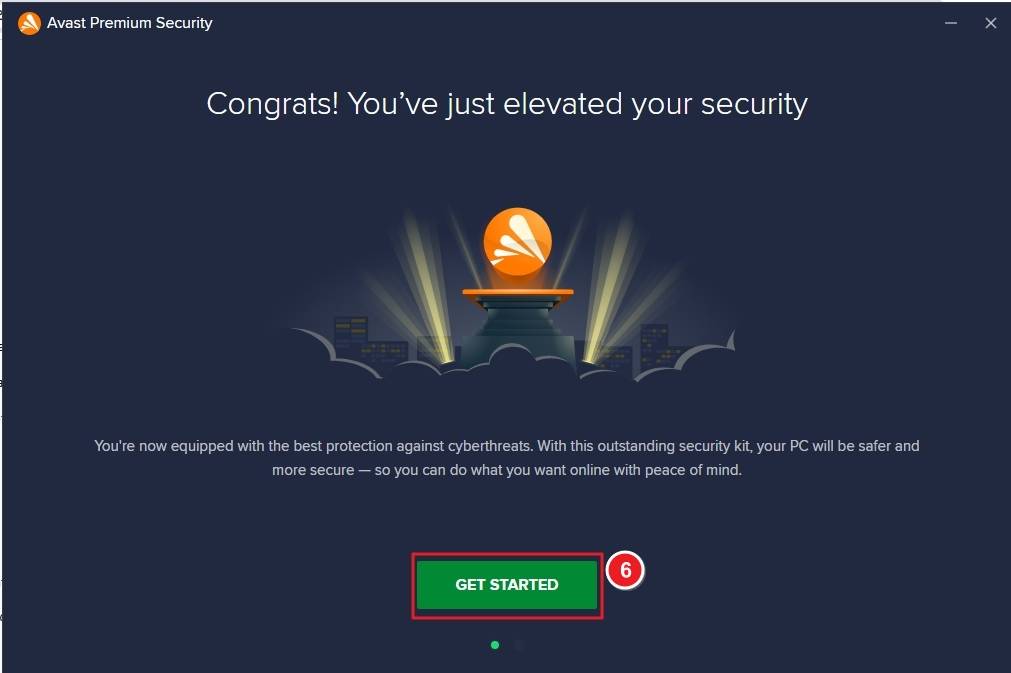
    When the “Congrats! You’ve just elevated your security” message appears, click Get Started to open the main Avast interface.
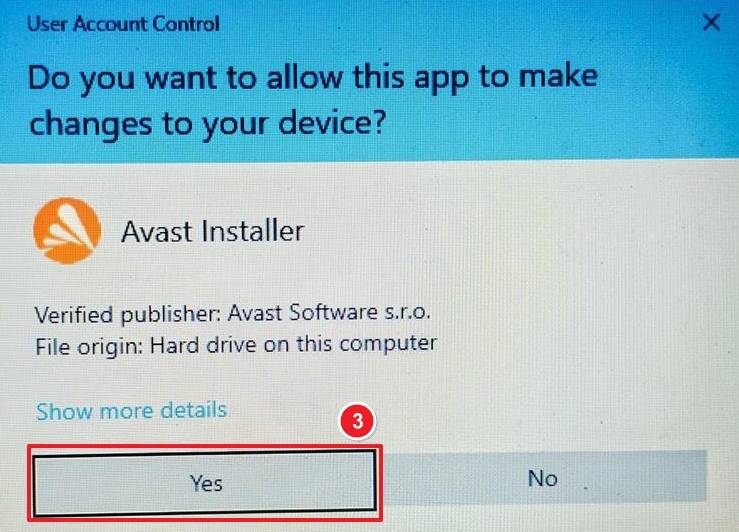
  8. Activate Your Product
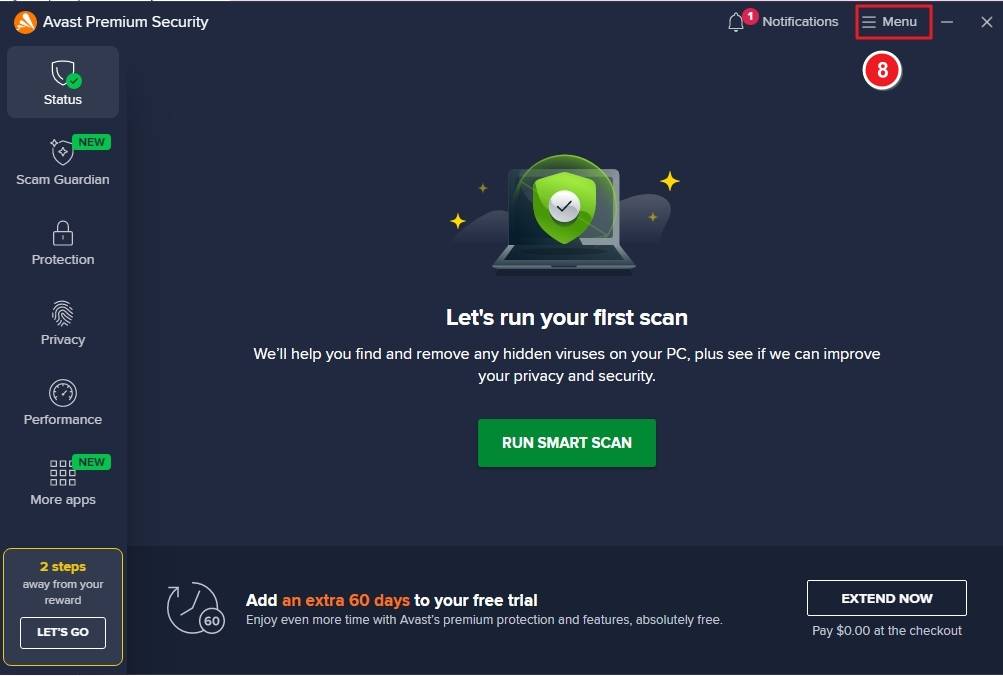
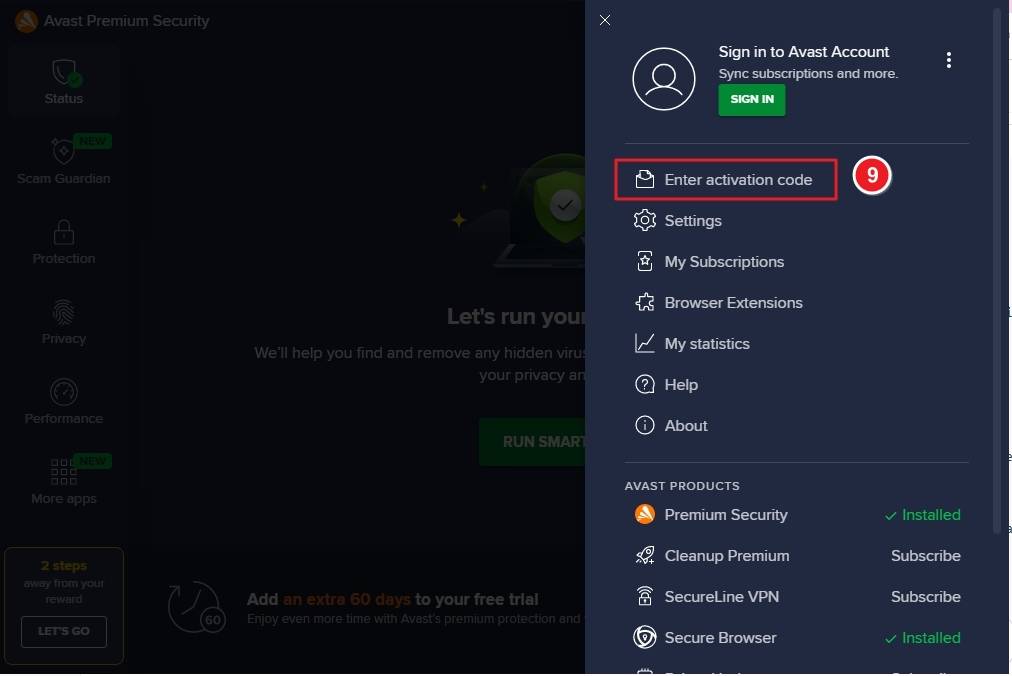
    In the main Avast dashboard, click the Menu button, then select Enter activation code. Type your license key and click Enter to activate your subscription.

Detailed Walkthrough

Open the Avast Antivirus download page and click Download under Avast Antivirus Pro.
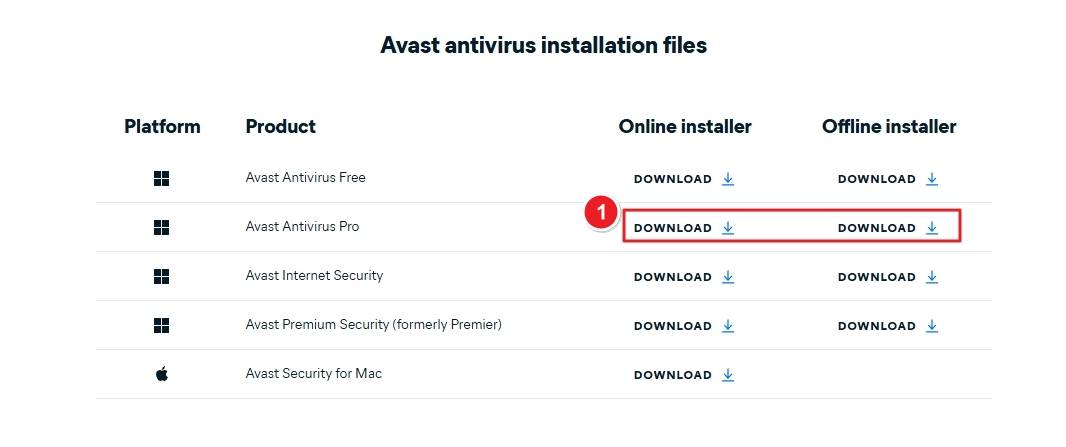
Go to your Downloads folder and find the file avast_premium_security_setup_online.exe.
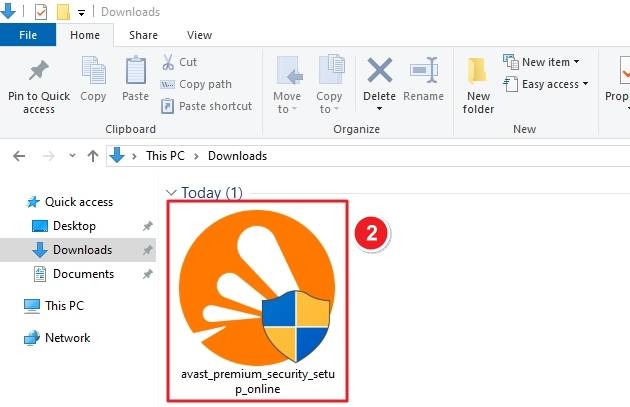
Right-click the installer and select Run as administrator to start setup. When prompted by Windows, click Yes to allow Avast Installer to make changes to your computer.
Click Install on the Avast setup window to begin installation.
Wait for Avast to install the core components. The progress bar will show the percentage completed.
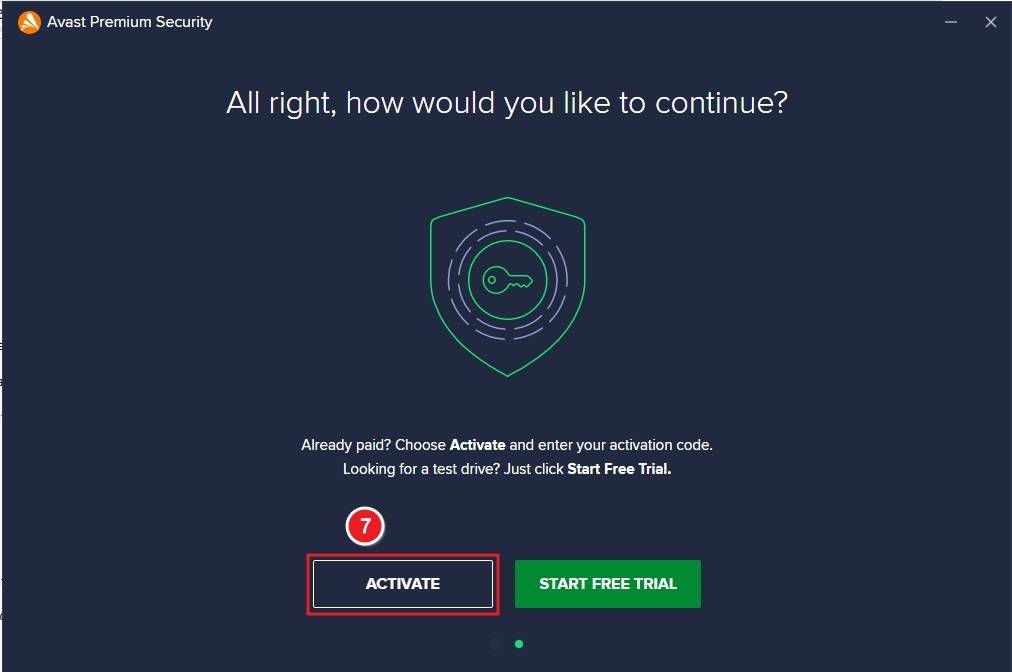
Once installation is complete, click Activate if you already have a license, or Start Free Trial to test the software.
Click Menu in the top-right corner, select Enter activation code, then paste your activation key and click Enter.
If you experience any issues during installation or activation, please contact our support team via the Avast Support Center. Attach a screenshot of the error for faster resolution.

Your Keys.Express Team


SKU: 5081, 5082, 5083, 5084, 5085, 5086, 5087, 5088, 5089, 5090, 5091, 5092, 5685, 5686, 5687, 5688, 5689, 5690, 5691, 5692, 5693, 5694, 5695, 5799

Contact Details