↑
Back to Top
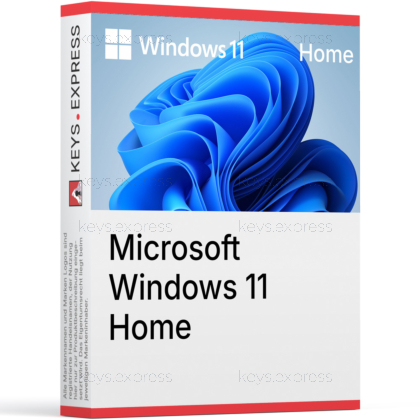
What are the key benefits and main advantages of Microsoft Windows 11 Home Retail?
Modern Interface – Clean design with centered Start menu.
Faster Multitasking – Snap layouts organize windows in seconds.
Gaming Ready – DirectX 12 support and better performance tools.
Built-in Security – Defender protections against common malware threats.
Device Integration – Works smoothly with apps and peripherals.
Regular Updates – Security improvements delivered automatically over time.
"Original Equipment Manufacturer" key. Is stored in the BIOS for reuse.
A Microsoft account is required for activation.
Download: Windows 11 Home OEM
Modern Desktop – Start menu, Snap layouts, Widgets, and Microsoft Store.
Windows Security – Built-in Defender antivirus, firewall, and SmartScreen.
Device Encryption – Basic drive encryption on supported hardware only.
Microsoft Account – Required for first-time Home setup and Store sign-in.
Edge Browser – Chromium-based browser with profile and family settings.
Important – Full BitLocker Drive Encryption, Hyper-V, and Remote Desktop hosting are not included in this edition.
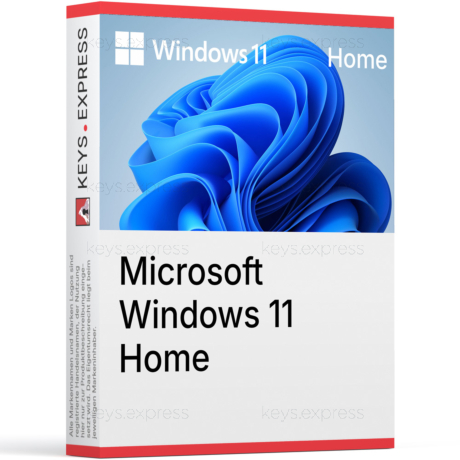
Windows 11 Home Retail is the consumer edition of Microsoft's current desktop operating system, intended for personal PCs, home users, and households. The Retail license is transferable to another device after the previous installation is removed, which Pro OEM keys do not allow.
Daily Productivity – Familiar Windows workflow with refreshed Snap layouts.
Microsoft Store – Direct install of vetted apps, including Android apps via the Amazon Appstore where available.
Family Safety – Built-in screen time, content filters, and activity reports.
Defender Protection – Real-time antivirus without a separate purchase.
Gaming Support – DirectX 12 Ultimate, Auto HDR, and DirectStorage on compatible hardware.
Transferable License – Retail key can be moved to a new PC.
Windows 11 Home is Microsoft's consumer desktop operating system for running applications, games, and web tools on x64 or ARM64 PCs that meet the Windows 11 hardware bar. It supports up to 128 GB of RAM and one physical CPU socket, which covers every mainstream consumer laptop and desktop. The Home edition focuses on personal use, family accounts, and Microsoft Store applications. Enterprise management tools such as Group Policy Editor (gpedit.msc) and domain join are not exposed in Home. For a single PC at home or a family computer, this is the matching edition; for office or business management features, Pro is the correct choice.
It is best suited for private users, students, and household PCs that will never be joined to a company directory or managed centrally. The Retail variant in particular fits buyers who plan to upgrade hardware later, because the license can be detached from the old PC and reactivated on a new one once the previous installation is removed. It is not suited for users who need to host Remote Desktop sessions (the Home edition can connect out as a client but cannot accept incoming RDP), encrypt drives with full BitLocker management, or run Hyper-V virtual machines natively. Freelancers who only need Office and a browser are usually fine on Home; those who run Windows Sandbox, virtualized test environments, or company-managed devices should choose Pro.
No. Windows 11 Home does not include full BitLocker Drive Encryption, Hyper-V, or Remote Desktop host capability. Home offers only "Device encryption" on devices that pass Microsoft's hardware check (Modern Standby and TPM 2.0 with the correct firmware support); the BitLocker management console, BitLocker To Go for removable drives, and group-policy BitLocker controls are Pro-only. Hyper-V Manager and Windows Sandbox are also absent in Home, so virtualization workloads need a third-party product such as VirtualBox or VMware Workstation. Remote Desktop in Home is client-only, meaning the PC can connect to another machine via RDP but cannot itself be the host. Buyers who need any of these features should select Windows 11 Pro instead.
The two share the same kernel, Start menu, app compatibility, and security baseline, but Pro adds business-oriented management, virtualization, and encryption features that Home does not expose. Both editions require TPM 2.0, Secure Boot, and a supported 64-bit CPU. Both ship with Windows Defender, SmartScreen, and Windows Update; only Pro supports Windows Update for Business deferral policies. The table below lists the practical differences relevant to a buying decision.
| Feature | Windows 11 Home | Windows 11 Pro |
|---|---|---|
| Full BitLocker | ✕ | ✓ |
| Device Encryption | Limited | ✓ |
| Hyper-V | ✕ | ✓ |
| Windows Sandbox | ✕ | ✓ |
| RDP Host | ✕ | ✓ |
| Domain Join | ✕ | ✓ |
| Entra ID Join | ✕ | ✓ |
| Group Policy | ✕ | ✓ |
| Maximum RAM | 128 GB | 2 TB |
Yes. Out-of-box experience (OOBE) in Windows 11 Home requires both a working internet connection and a Microsoft Account sign-in to complete first-time setup. Local-account creation during OOBE is not officially supported in the Home edition; once setup is finished, a local user account can be added afterward through Settings → Accounts. This matters for buyers who plan to install Windows 11 Home on a machine without Wi-Fi drivers ready, since setup will pause at the network screen. Have a Microsoft Account and an Ethernet cable or hotspot available before starting the installation.
A Windows 11 Home Retail key activates a clean install or a fresh install over an existing Windows installation; it is not designed as a free in-place upgrade voucher for an already-activated Windows 10 device, which Microsoft offers separately when the hardware qualifies. The hard requirements are TPM 2.0, UEFI with Secure Boot, and a CPU on Microsoft's supported list — older PCs that fail the PC Health Check are not eligible. If your Windows 10 PC qualifies, the free upgrade path from Microsoft is the cheaper route; this Retail key is the right choice for a new PC, a self-built system, a hardware replacement, or moving away from an OEM-bound license. Mainstream support for Windows 10 ended on 14 October 2025; Extended Security Updates run only through 13 October 2026 for consumers who enroll.
Run Microsoft's PC Health Check on the target machine first — Windows 11 will refuse to install on hardware without TPM 2.0 and Secure Boot, regardless of license. Confirm you do not need full BitLocker, Hyper-V, Remote Desktop hosting, domain join, or Group Policy; if any of those appear on your list, Pro is the matching edition. Decide whether you want to sign in with a Microsoft Account at first boot, because Home setup expects one. Finally, confirm the machine has at least 4 GB RAM and 64 GB of storage as the Microsoft-stated floor; in real use, 8 GB and an SSD make the experience usable.
| Processor | 1 GHz or faster, dual-core compatible 64-bit processor or System on a Chip. |
| Memory RAM | 4 GB. |
| Hard Disk | 64 GB or larger storage device. |
| Display | High-definition 720p display larger than 9 inches diagonally, 8 bits per color channel. |
| Graphics | DirectX 12 or later compatible graphics with WDDM 2.0 driver. |
| Note | Requires UEFI firmware with Secure Boot capability. Requires TPM 2.0. Internet connection required for setup, activation, updates, and some features. Microsoft account required to complete Windows 11 Home setup. |
keys.express and keys.discount is a web platforms for new and used product keys. The product keys for Windows and other software available in the shop of keys.express and keys.discount are cheap, safe, legal and with activation guarantee.
Here you can find some general information about used software, an overview of the most important legal information as well as answers to frequently asked questions from our customers ("FAQ“)
Used software is available for sale in the European Union as well as in Switzerland according to current jurisdiction provided that the necessary conditions are met. The necessary conditions are as follows:
keys.express and keys.discount ensure that the above mentioned requirements are met and that a legal use of the software is guaranteed. The requirements of the European legislation are also met in Switzerland.
You can find further information on:
There is a lot of legal information about the topic of used software. We are more than happy to answer any questions you may have. You can contact us at any time via welcome(at)keys.express. In the meantime, you can also find a short overview of the most important legal information regarding used software here:
For distance contracts concluded by telephone, on the Internet or when ordering from a catalogue, EU law provides for the possibility for consumers to withdraw from the contract for a certain period of time ("right of withdrawal"). A consumer in this sense is any natural person who concludes a legal transaction for purposes that are predominantly neither commercial nor self-employed. In Switzerland we usually speak of consumers.
Consumers have the right to cancel the contract within fourteen calendar days without giving reasons. The revocation period begins on the day the contract is concluded.
In order to exercise your right of withdrawal from keys.express or keys.discount, you must inform us by means of a clear statement (e.g. a letter, fax or e-mail sent by post) of your decision to withdraw from this contract. For this purpose, you can contact us using the following information:
Keys Distribution Ltd
Suite 2, 215 Main Street
Gibraltar Heights, Gibraltar
Phone +423 7989130
Email: welcome@keys.discount
keys.express and keys.discount also provides a template revocation form. In order to comply with the revocation period, it is sufficient to send the notification of the exercise of the right of revocation to Keys Distribution Ltd before the end of the revocation period.
If you revoke this contract, we must reimburse you for all payments which we have received from you for the corresponding order, including delivery costs (with the exception of additional costs which result from the fact that you have chosen a different type of delivery than the cheapest standard delivery offered by us), immediately and at the latest within fourteen calendar days from the day on which we receive notification of your revocation of this contract. For this repayment we will usually use the same means of payment that you used for the original transaction, unless expressly agreed otherwise with you. In no case will you be charged for this refund.



