↑
Back to Top
What are the essential features and key advantages of Microsoft Windows 11 Enterprise?
Advanced Security – Strong protections for identity, devices, data.
Central Management – Manage fleets with policies and cloud tools.
Credential Guard – Isolates secrets to reduce credential theft.
Application Control – Restrict apps to trusted, approved software.
Virtualization Security – Hardware-backed isolation for safer operations.
Deployment Tools – Streamlined rollout with modern provisioning options.
This product allows a one-time activation for one device. Once used, it cannot be used again, not even for the same device.
MAK Key (Multiple Activation Key) or Volume License Key. One key with multiple activations for different devices.
Download: Windows 11 Enterprise
Advanced security – Credential Guard, Device Guard, and AppLocker for hardened endpoints.
BitLocker encryption – Full drive encryption with central recovery key management.
Hyper-V virtualization – Native hypervisor for running isolated VMs locally.
Remote work – Remote Desktop host, DirectAccess, and Always On VPN support.
Identity management – Microsoft Entra ID join and on-premises Active Directory join.
Core Capacity – Supports up to 6 TB of RAM on x64 hardware.
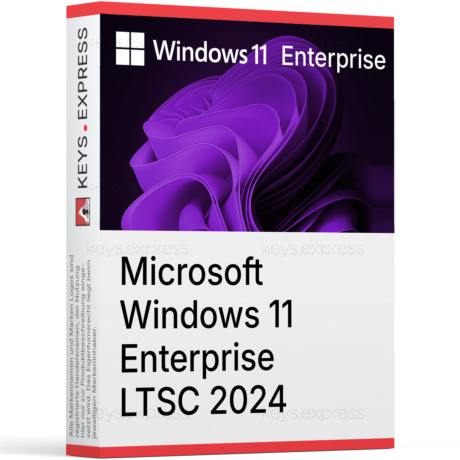
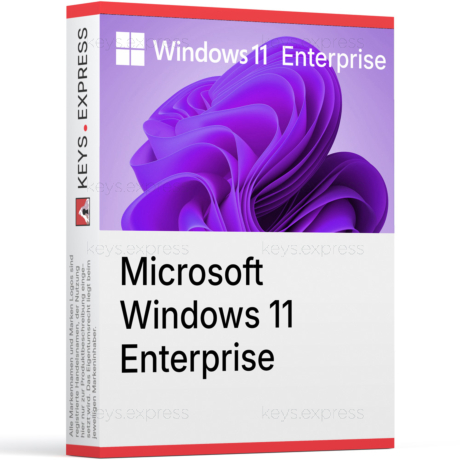
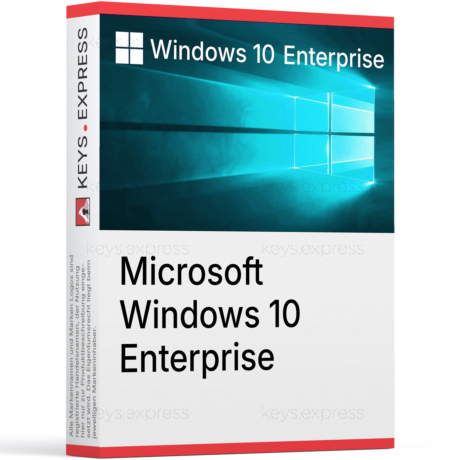
Windows 11 Enterprise is Microsoft's top business edition of the Windows 11 desktop operating system. It extends Windows 11 Pro with additional security, deployment, and management features built for organizations with stricter compliance, identity, and endpoint-control requirements.
Credential Guard – Isolates NTLM and Kerberos secrets using virtualization-based security.
AppLocker control – Defines which apps users may install or execute.
Windows Autopilot – Provisions new devices directly from OEM to user.
Update flexibility – Windows Update for Business with deferral and ring controls.
Long-term servicing – Optional LTSC channel for fixed-function machines.
Granular policy – Group Policy and MDM coverage for thousands of settings.
Windows 11 Enterprise is the desktop client operating system for managed corporate devices, building on Windows 11 Pro with extra security, identity, and deployment features. It runs the same applications and kernel as Pro but exposes Credential Guard, AppLocker, Windows Defender Application Control, and Microsoft Connected Cache for centrally managed estates. Administrators can join devices to either local Active Directory or Microsoft Entra ID and apply Group Policy or Intune policies across the fleet. The edition is built for environments where Windows Autopilot provisioning, conditional access, and per-device security baselines are part of normal IT operations.
It is built for medium and large organizations with a dedicated IT team that manages devices through Intune, Configuration Manager, or Group Policy. Companies that need Credential Guard against pass-the-hash attacks, AppLocker for application allow-listing, or the LTSC channel for kiosks, ATMs, and industrial PCs are the typical buyers. A 20-person creative studio without an IT department will usually be better served by Windows 11 Pro, since most Enterprise-only controls require Entra ID, Intune, or Group Policy infrastructure to be useful. The decision usually depends on whether the organization runs domain-joined or Entra-joined fleets that need uniform policy enforcement.
Enterprise contains every Pro feature and adds a defined set of management and security capabilities, rather than offering a different user interface. The most relevant additions are Credential Guard, AppLocker, Windows Defender Application Control, Microsoft Connected Cache, Microsoft Application Virtualization (App-V), User Experience Virtualization (UE-V), and Windows Autopatch eligibility. Enterprise also offers the Long-Term Servicing Channel (LTSC) for devices that must avoid feature updates for years at a time. Pro covers small businesses well, but the Enterprise-only controls become valuable once an organization runs hundreds or thousands of managed endpoints.
| Feature | Windows 11 Home | Windows 11 Pro | Windows 11 Enterprise |
|---|---|---|---|
| Full BitLocker | ✕ | ✓ | ✓ |
| Hyper-V | ✕ | ✓ | ✓ |
| Remote Desktop host | ✕ | ✓ | ✓ |
| AD / Entra ID join | ✕ | ✓ | ✓ |
| Credential Guard | ✕ | Limited | ✓ |
| AppLocker | ✕ | ✕ | ✓ |
| Windows Autopilot | ✕ | ✓ | ✓ |
| LTSC channel | ✕ | ✕ | ✓ |
| Max RAM (x64) | 128 GB | 2 TB | 6 TB |
Yes, Windows 11 Enterprise supports both local on-premises Active Directory domain join and Microsoft Entra ID join (formerly Azure AD), including hybrid join scenarios. This is the main reason organizations choose it over Windows 11 Home, which supports neither. Group Policy is applied through traditional AD, while Intune-based Mobile Device Management is applied through Entra. Mixed estates can join one identity at a time per device, with conditional access policies enforced through Entra ID regardless of the join type.
Microsoft Defender Application Guard is no longer available starting with Windows 11 version 24H2, including the Windows Isolated App Launcher APIs. Microsoft now recommends AppLocker policies and Microsoft Edge management for the same use case, so organizations migrating from earlier builds should retire MDAG before deployment. The Long-Term Servicing Channel is offered as a separate Enterprise LTSC release and is not the same SKU as the regular Enterprise edition. S mode is not available on Windows 11 Enterprise, Pro, or Education at all. Buyers should also confirm that target hardware meets the firm Windows 11 floor: TPM 2.0, UEFI with Secure Boot, and a supported 64-bit CPU.
Windows 11 Enterprise on x64 supports up to 6 TB of physical RAM, the same ceiling as Windows 11 Pro for Workstations and three times the 2 TB limit of standard Windows 11 Pro. This headroom matters for in-memory databases, large CAD or simulation workloads, and virtualization hosts running multiple high-memory guests on a single workstation. In practice the ceiling is reached only on multi-socket server-class workstations, since most consumer and business motherboards top out far below 1 TB. The ARM64 variant of Windows 11 Enterprise carries the same 6 TB limit on paper.
Confirm that the target devices meet the Windows 11 hardware floor: TPM 2.0, UEFI with Secure Boot, a 64-bit CPU on Microsoft's supported list, and at least 4 GB of RAM and 64 GB of storage. Then check whether your organization actually uses the Enterprise-only controls — Credential Guard, AppLocker, Windows Defender Application Control, Windows Autopilot, or LTSC — because without Intune, Configuration Manager, or Group Policy infrastructure most of them sit idle. Verify the existing identity model: on-prem AD, Entra ID, or hybrid, since this drives how devices are joined and managed. Teams still running Windows 10 in production should also map their upgrade window, given that mainstream Windows 10 support has already ended.
Yes. Hyper-V is included as an optional Windows feature and can be enabled from Windows Features or via PowerShell. It supports nested virtualization, virtual TPM, and shielded VMs, which is useful for running test labs or isolated build environments on a single workstation.
Yes. TPM 2.0 with UEFI Secure Boot is a hard requirement enforced by the installer, with no supported way to disable the check for production use. Without it, BitLocker, Credential Guard, and Windows Hello cannot rely on hardware-backed key storage, which removes most of the security advantages Enterprise was designed to deliver.
Yes. The Remote Desktop server role is included, so a single user can connect to the machine remotely over RDP. Multi-session hosting for several concurrent users at once is reserved for Windows Server and Azure Virtual Desktop, not the desktop Enterprise edition.
No, not in current builds. Microsoft Defender Application Guard, including the Isolated App Launcher APIs, is no longer available starting with Windows 11 version 24H2. Microsoft now points administrators to AppLocker, Microsoft Edge management, and Defender for Endpoint attack-surface-reduction rules for equivalent protections.
| Processor | 1 GHz or faster, dual-core compatible 64-bit processor or System on a Chip. |
| Memory RAM | 4 GB. |
| Hard Disk | 64 GB or larger storage device. |
| Display | High-definition 720p display larger than 9 inches diagonally, 8 bits per color channel. |
| Graphics | DirectX 12 or later compatible graphics with WDDM 2.0 driver. |
| Note | Requires UEFI firmware with Secure Boot capability. Requires TPM 2.0. Internet connection required for setup, activation, updates, and some features. |
keys.express and keys.discount is a web platforms for new and used product keys. The product keys for Windows and other software available in the shop of keys.express and keys.discount are cheap, safe, legal and with activation guarantee.
Here you can find some general information about used software, an overview of the most important legal information as well as answers to frequently asked questions from our customers ("FAQ“)
Used software is available for sale in the European Union as well as in Switzerland according to current jurisdiction provided that the necessary conditions are met. The necessary conditions are as follows:
keys.express and keys.discount ensure that the above mentioned requirements are met and that a legal use of the software is guaranteed. The requirements of the European legislation are also met in Switzerland.
You can find further information on:
There is a lot of legal information about the topic of used software. We are more than happy to answer any questions you may have. You can contact us at any time via welcome(at)keys.express. In the meantime, you can also find a short overview of the most important legal information regarding used software here:
For distance contracts concluded by telephone, on the Internet or when ordering from a catalogue, EU law provides for the possibility for consumers to withdraw from the contract for a certain period of time ("right of withdrawal"). A consumer in this sense is any natural person who concludes a legal transaction for purposes that are predominantly neither commercial nor self-employed. In Switzerland we usually speak of consumers.
Consumers have the right to cancel the contract within fourteen calendar days without giving reasons. The revocation period begins on the day the contract is concluded.
In order to exercise your right of withdrawal from keys.express or keys.discount, you must inform us by means of a clear statement (e.g. a letter, fax or e-mail sent by post) of your decision to withdraw from this contract. For this purpose, you can contact us using the following information:
Keys Distribution Ltd
Suite 2, 215 Main Street
Gibraltar Heights, Gibraltar
Phone +423 7989130
Email: welcome@keys.discount
keys.express and keys.discount also provides a template revocation form. In order to comply with the revocation period, it is sufficient to send the notification of the exercise of the right of revocation to Keys Distribution Ltd before the end of the revocation period.
If you revoke this contract, we must reimburse you for all payments which we have received from you for the corresponding order, including delivery costs (with the exception of additional costs which result from the fact that you have chosen a different type of delivery than the cheapest standard delivery offered by us), immediately and at the latest within fourteen calendar days from the day on which we receive notification of your revocation of this contract. For this repayment we will usually use the same means of payment that you used for the original transaction, unless expressly agreed otherwise with you. In no case will you be charged for this refund.