↑
Back to Top
What are the core benefits and essential features of Microsoft Windows 10 Pro Retail?
Pro Security – BitLocker helps protect data on business devices.
Remote Access – Remote Desktop supports work from another location.
Business Control – Group Policy manages settings across professional environments.
Domain Support – Join company networks and Azure Active Directory.
Virtual Machines – Hyper-V runs test systems and isolated workloads.
Familiar Interface – Stable Windows experience for daily productivity.
This product allows a one-time activation for one device. Once used, it cannot be used again, not even for the same device.
A key can activate the programme several times.
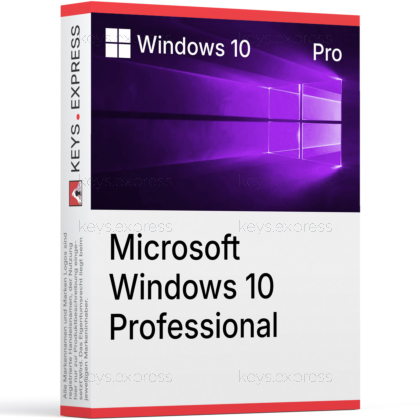
Download: Windows 10 Pro Retail

BitLocker Encryption – Full drive encryption with recovery key management.
Hyper-V Virtualization – Native hypervisor for running virtual machines locally.
Remote Desktop Host – Accept inbound RDP sessions from other devices.
Domain Join – Joins Active Directory and Microsoft Entra ID networks.
Group Policy – Central control of settings, security, and apps.
Core Capacity – Supports up to 2 TB RAM and 2 CPU sockets.
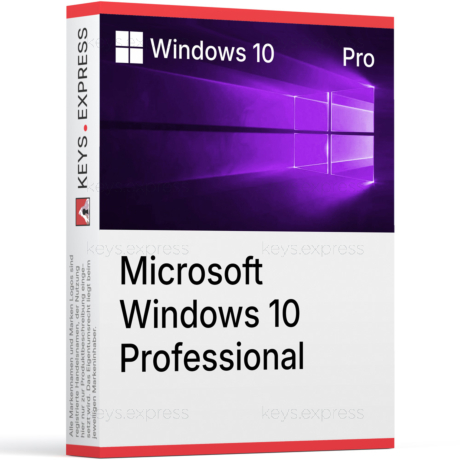
Windows 10 Pro Retail is the business edition of Windows 10 version 22H2, adding domain join, BitLocker, Hyper-V, Remote Desktop hosting, and Group Policy on top of the Home feature set. The Retail license is transferable between devices, unlike OEM, which makes it useful for users who plan hardware changes.
Familiar Interface – Classic Start menu and taskbar without forced redesign.
Wider Hardware Range – Runs on older PCs that fail Windows 11 checks.
Transferable License – Retail key can move to another PC.
Business Toolset – BitLocker, Hyper-V, RDP host, domain join included.
Update Control – Windows Update for Business defers feature rollouts.
ESU Eligible – Receives security updates through October 13, 2026.
It turns a desktop or laptop into a managed business workstation with full-disk encryption, virtualization, and remote access built in. BitLocker encrypts the system drive so a stolen laptop cannot be read by removing the disk, and Hyper-V lets you run a Linux VM or a second Windows test environment without third-party tools like VMware Workstation. Remote Desktop host lets you connect into the machine over RDP from another PC, which is the standard way to reach a home or office workstation from elsewhere. Group Policy and domain join make the same PC manageable from a Windows Server or Microsoft Entra ID tenant, which Home edition cannot do at all.
It fits users with older hardware that does not meet the Windows 11 TPM 2.0, Secure Boot, and CPU compatibility list but still needs Pro features. Typical buyers are small businesses keeping a working fleet a bit longer, developers who rely on Hyper-V for local VMs, remote workers who need RDP host access into their PC, and power users running more than 128 GB of RAM. The Retail variant also suits people who change hardware often, because the license is not tied to the original mainboard. Anyone with a fully Windows 11–compatible machine should normally choose Windows 11 Pro instead, since Windows 10 is past its general support date.
Windows 10 Pro adds five things Home lacks: BitLocker, Hyper-V, Remote Desktop hosting, Active Directory and Microsoft Entra ID domain join, and Group Policy. Home caps memory at 128 GB; Pro raises that ceiling to 2 TB and supports two CPU sockets. Compared to Windows 11 Pro, the feature set is very similar, but Windows 11 Pro requires TPM 2.0, Secure Boot, a supported 64-bit CPU on Microsoft's compatibility list, and a Microsoft Account during initial setup, while Windows 10 Pro runs on older hardware and still allows a local account during installation.
| Feature | Windows 10 Home | Windows 10 Pro | Windows 11 Pro |
|---|---|---|---|
| BitLocker | ✕ | ✓ | ✓ |
| Hyper-V | ✕ | ✓ | ✓ |
| Remote Desktop host | ✕ | ✓ | ✓ |
| Domain / Entra ID join | ✕ | ✓ | ✓ |
| Maximum RAM | 128 GB | 2 TB | 2 TB |
| TPM 2.0 required | ✕ | ✕ | ✓ |
| Mainstream support | Ended Oct 2025 | Ended Oct 2025 | Active |
Yes, but only through the Consumer Extended Security Updates (ESU) program, which delivers critical and important security patches until October 13, 2026. Standard mainstream support for Windows 10 version 22H2 ended on October 14, 2025, and no new features or non-security fixes are released. ESU enrollment is available for Windows 10 Home, Pro, Pro Education, and Pro for Workstations on version 22H2, either free with Windows Backup sync, for 1,000 Microsoft Rewards points, or as a one-time paid enrollment. After October 13, 2026, the consumer ESU program ends and the device no longer receives Microsoft security updates.
Yes. Windows 10 Pro acts as a Remote Desktop host, meaning another device can connect into it over RDP and use the desktop interactively. This is the feature that lets you reach an office or home workstation from a laptop on the road. Windows 10 Home cannot host RDP sessions; it can only act as the client side. Pro supports one active interactive session at a time, which is enough for solo remote work but not for multi-user terminal server scenarios.
Windows 10 Pro supports up to 2 TB of physical RAM and up to two physical CPU sockets. That is the same ceiling as Windows 10 Pro for Workstations on the memory side, and 16 times the 128 GB limit of Windows 10 Home. The practical impact is for dual-socket workstations and developers running multiple memory-heavy VMs in Hyper-V, where Home would refuse to address the additional RAM. For a typical single-socket desktop with 32 to 128 GB, this ceiling is not a factor.
Buy Windows 10 Pro Retail only if the target PC cannot run Windows 11, since Windows 11 requires TPM 2.0, Secure Boot, and a CPU on Microsoft's official compatibility list. On compatible hardware, Windows 11 Pro is the better long-term choice because Windows 10 is now in extended-only servicing, with consumer security updates ending on October 13, 2026. Common reasons to still pick Windows 10 Pro are older Skylake-era or first-generation Ryzen systems, industrial PCs with locked drivers, and software that vendors have not yet certified for Windows 11.
| Processor | 1 GHz or faster processor, or SoC. |
| Memory RAM | 1 GB for 32-bit; 2 GB for 64-bit. |
| Hard Disk | 32 GB or larger hard disk. |
| Display | 800 x 600 screen resolution. |
| Graphics | DirectX 9 or later with WDDM 1.0 driver. |
| Note | Internet connection required for setup, activation, updates, and some features. Some features require a Microsoft account. Support for Windows 10 ended on October 14, 2025. |
keys.express and keys.discount is a web platforms for new and used product keys. The product keys for Windows and other software available in the shop of keys.express and keys.discount are cheap, safe, legal and with activation guarantee.
Here you can find some general information about used software, an overview of the most important legal information as well as answers to frequently asked questions from our customers ("FAQ“)
Used software is available for sale in the European Union as well as in Switzerland according to current jurisdiction provided that the necessary conditions are met. The necessary conditions are as follows:
keys.express and keys.discount ensure that the above mentioned requirements are met and that a legal use of the software is guaranteed. The requirements of the European legislation are also met in Switzerland.
You can find further information on:
There is a lot of legal information about the topic of used software. We are more than happy to answer any questions you may have. You can contact us at any time via welcome(at)keys.express. In the meantime, you can also find a short overview of the most important legal information regarding used software here:
For distance contracts concluded by telephone, on the Internet or when ordering from a catalogue, EU law provides for the possibility for consumers to withdraw from the contract for a certain period of time ("right of withdrawal"). A consumer in this sense is any natural person who concludes a legal transaction for purposes that are predominantly neither commercial nor self-employed. In Switzerland we usually speak of consumers.
Consumers have the right to cancel the contract within fourteen calendar days without giving reasons. The revocation period begins on the day the contract is concluded.
In order to exercise your right of withdrawal from keys.express or keys.discount, you must inform us by means of a clear statement (e.g. a letter, fax or e-mail sent by post) of your decision to withdraw from this contract. For this purpose, you can contact us using the following information:
Keys Distribution Ltd
Suite 2, 215 Main Street
Gibraltar Heights, Gibraltar
Phone +423 7989130
Email: welcome@keys.discount
keys.express and keys.discount also provides a template revocation form. In order to comply with the revocation period, it is sufficient to send the notification of the exercise of the right of revocation to Keys Distribution Ltd before the end of the revocation period.
If you revoke this contract, we must reimburse you for all payments which we have received from you for the corresponding order, including delivery costs (with the exception of additional costs which result from the fact that you have chosen a different type of delivery than the cheapest standard delivery offered by us), immediately and at the latest within fourteen calendar days from the day on which we receive notification of your revocation of this contract. For this repayment we will usually use the same means of payment that you used for the original transaction, unless expressly agreed otherwise with you. In no case will you be charged for this refund.


