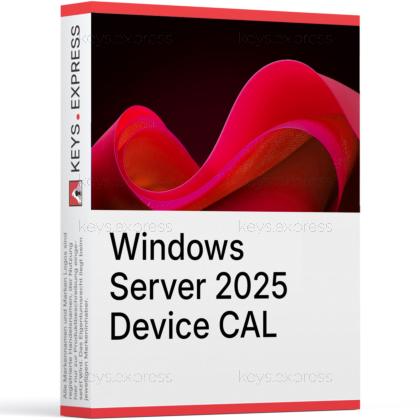
What are the key benefits and advantages of Microsoft Server 2025 Device CAL?
Device Coverage – License one device for Windows Server access.
Shared Workstations – Multiple users can use one licensed device.
Simple Compliance – Easier tracking by counting devices, not users.
Cost Control – Ideal where many people share few PCs.
Server Access – Covers file, print, and directory services use.
Flexible Deployment – Use on kiosks, labs, and shift stations.
Device access right – Legal access to Windows Server 2025 per device.
Shared device coverage – One device, unlimited users connecting through it.
Core services access – Covers Active Directory, file, and print access.
Network-wide validity – One CAL covers every server in the domain.
Backward compatibility – Also licenses access to 2022, 2019, 2016.
Important – Server license, Remote Desktop Services (RDS) CALs, and User CALs are not included here.
A Device CAL is the access license that lets a single device connect to Windows Server 2025, no matter how many people use that machine. It is the cost-saving choice when more staff than machines share a fixed set of workstations.
Lower license count – License machines, not every individual employee.
Shift-work friendly – Ideal for shared terminals across rotating shifts.
Domain-wide reuse – The same CAL covers multi-server domains.
Audit compliance – Meets Microsoft licensing rules during audits.
Mixed-version support – Legally covers older servers you still run.
Predictable cost – Fixed device count means no per-user creep.
A Device CAL grants one physical device the legal right to access Windows Server 2025 services such as Active Directory, file shares, and print queues. Any number of people who log in from that single device are covered by the one license. It is not installed or activated on the client; it is a compliance document Microsoft verifies during an audit. This is why a Device CAL solves a specific problem for shared hardware: a 10-terminal call center used by 60 rotating agents needs only 10 Device CALs instead of 60 User CALs.
Choose a Device CAL when you have more users than devices, especially when staff share fixed machines. Retail point-of-sale stations, warehouse scanners, lab kiosks, time-clock terminals, and 24/7 shift workstations are the classic cases, because one license covers every person who touches that machine. A User CAL is the opposite choice: it covers one named person across a laptop, desktop, and phone, which fits mobile or remote staff. The practical rule is to count both numbers and license whichever is smaller, since User and Device CALs are priced the same.
No. A standard Windows Server 2025 Device CAL covers local network access to core server roles, but it does not grant Remote Desktop Services (RDS) sessions. Any user or device connecting through RDS needs a separate RDS Device or RDS User CAL on top of the standard CAL. Unlike standard CALs, RDS CALs carry activation keys and must be installed and tracked on a Remote Desktop Licensing server. If you plan to run a session host, budget for both license types, not just this one.
Yes. A Windows Server 2025 Device CAL is backward-compatible and legally covers access to Windows Server 2022, 2019, and 2016 from the licensed device. The reverse is not allowed: a 2022 or 2019 CAL cannot be used to access a 2025 server, because the CAL version must equal or exceed the server's version. This makes 2025 CALs the safe purchase if you run a mixed environment or plan to upgrade servers later. Buying the newest CAL once avoids re-licensing every device when you move to the latest server.
Confirm three things first: that you already own a Windows Server 2025 license (this CAL does not include the operating system), that your device count is genuinely lower than your user count, and that none of the access is through Remote Desktop Services. CALs are required network-wide for every device that touches the server, even though Windows does not technically block unlicensed connections. The risk is financial rather than functional, because shortfalls surface during a Microsoft audit. If users roam between many devices, switch to User CALs before you over-buy device licenses.
Yes. The Device CAL is purely an access license and contains no server software; the Windows Server 2025 operating system is licensed separately, and Standard editions are sold in 2-core packs with a 16-core minimum per server. CALs and the server license are two distinct purchases that must both be in place for legal use. Treat the CAL count as the access layer on top of an already-licensed server. Buying CALs without a server license, or a server without enough CALs, both leave you out of compliance.
| Important | To use Microsoft Windows Server 2025 Device CAL, your server must meet the Windows Server host requirements and RDS licensing compatibility hardware and software specifications. |
| Compatibility | Windows Server 2025: Standard / Datacenter Windows Server 2022: Standard / Datacenter Windows Server 2019: Standard / Datacenter Windows Server 2016: Standard / Datacenter |
| Operating Systems | Windows Server 2025: Standard / Datacenter |
| Processor | 1.4 GHz 64-bit processor or faster. Compatible with the x64 instruction set. Support for NX, DEP, SSE4.2, POPCNT, and Second Level Address Translation is required. |
| Memory RAM | 2 GB minimum for Server Core. 2 GB minimum for Server with Desktop Experience. 4 GB recommended for Server with Desktop Experience. ECC memory or similar technology is required for physical host deployments. |
| Hard Disk | 32 GB minimum system partition space. Additional space may be required for paging, updates, server roles, and applications. |
| Note | The Device CAL does not include Windows Server installation software. A separate Windows Server Standard or Datacenter server license is required. One Device CAL permits one licensed device, used by any number of users, to access licensed Windows Server services. A Windows Server 2025 CAL permits access to Windows Server 2025 and earlier versions, but not later versions. A separate RDS CAL is required to use Remote Desktop Services. Multiplexing or connection pooling does not reduce the number of required CALs. A 1 gigabit Ethernet adapter compatible with PCI Express is required for the host server. |
keys.express and keys.discount are online platforms for product keys. The product keys available in our shops for Windows and other software are inexpensive, secure, legal and come with an activation guarantee.
Below you will find the most important legal information about our products.
We offer exclusively unused and non-activated product keys. The keys have never been redeemed for activation and are fully available to the purchaser for the first-time activation of the respective product. A key that has already been redeemed could no longer be used for a new activation and is therefore not offered by us.
Trading in these product keys is permissible in the European Union and in Switzerland under current case law, provided that the necessary conditions are met. These conditions are as follows:
This trade is legally permissible because the underlying license was already placed on the market with the consent of the rightholder within the EU/EEA or Switzerland in return for appropriate remuneration. As a result, the so-called principle of exhaustion has taken effect, which permits the resale of individual product keys — in particular those originating from volume license agreements. Microsoft or the respective software provider has already received appropriate remuneration for this.
keys.express and keys.discount ensure that the aforementioned conditions are met and that the lawful use of the software is guaranteed. The requirements arising from European legislation are also observed in Switzerland.
Important note: The acquisition of a product key through the transmission of a combination of numbers and letters in digital form does not, in itself, constitute a license for the lawful use of the program. The license only arises from the respective installation and the associated acceptance of the manufacturer's terms of use.
Further information can be found here: