What are the key benefits and advantages of Microsoft PowerPoint 2019?
Morph Transition – Create smooth motion between slides automatically.
Zoom Navigation – Jump between sections for interactive presentations.
3D Models – Insert 3D objects and rotate freely.
Icon Library – Add professional icons without external downloads.
SVG Support – Edit vector graphics without losing quality.
Presenter Tools – Use notes and timer for confident delivery.
This product is not posted to the MS account and is not transferable to other devices.
This product allows a one-time activation for one device. Once used, it cannot be used again, not even for the same device.
Download: PowerPoint 2019
Morph transition – Smooth animated movement between similar slides.
Zoom navigation – Jump between slides, sections and summaries.
3D models – Insert and rotate objects 360 degrees.
SVG support – Insert, recolor and edit vector graphics.
Core Capacity – Exports finished presentations as 4K video.
Important – This is a standalone application; the full Microsoft Office suite is not included.
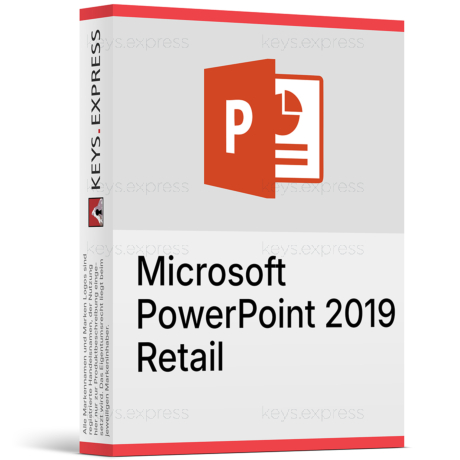
PowerPoint 2019 is the one-time-purchase, perpetual version of Microsoft's presentation program, installed locally on a single Windows PC. It bundles the slide-design and delivery tools introduced with the Office 2019 generation, with no Microsoft 365 subscription attached.
One-time purchase – Pay once, no recurring subscription fees.
Works offline – Full editing without an internet connection.
Fixed feature set – Interface stays stable, no surprise changes.
Morph animations – Professional motion without the Animations tab.
Add-in compatible – Version 16.0 keeps most 2016 add-ins.
Local files – Presentations stay on your own PC.
Compare Office versions from 2010 to 2024
For help choosing the right Office version, read our guide:
PowerPoint 2019 creates, edits and delivers slide decks locally without a subscription, and it replaces PowerPoint 2016 for teams that want a fixed toolset. The clearest day-to-day gain is the Morph transition, which builds animated motion between two near-identical slides without touching the Animations tab, cutting the manual keyframe work older versions required. Zoom adds Summary, Slide and Section Zoom, so a presenter can move around a deck non-linearly like a clickable contents page instead of scrolling slide by slide. It also exports a finished deck to 4K video and can insert and rotate 3D models through 360 degrees. The app installs on one Windows PC and targets users who do not need cloud co-authoring.
It fits users who only need a presentation program on one Windows PC and deliberately avoid a Microsoft 365 subscription. Typical cases are trainers, sales teams and back-office PCs that build decks offline and reuse the same templates for years, where a frozen feature set matters more than the newest tools. Because Morph and Zoom were the headline additions over PowerPoint 2016, it is a sensible step for anyone upgrading specifically to animate slides more easily. It is a weaker choice for people who need real-time cloud co-authoring or Speaker Coach rehearsal feedback, since both are Microsoft 365-only. For those workflows, PowerPoint in Microsoft 365 is the better match.
PowerPoint 2019 is a fixed, one-time-purchase desktop app, while Microsoft 365 is a recurring plan whose PowerPoint keeps gaining features. Several presentation tools are 365-only and never appear in 2019: real-time co-authoring, Speaker Coach (formerly Presenter Coach) rehearsal feedback, live captions and subtitles during a presentation, the Cameo live-camera object, and Designer layout suggestions. PowerPoint 2019 also received no new features after release and no longer gets updates, so it will not catch up to the 365 version. If a workflow depends on co-authoring or on-screen live subtitles, Microsoft 365 is the correct product; for offline, single-PC deck building, PowerPoint 2019 covers it.
No. Real-time co-authoring, Speaker Coach rehearsal feedback, live speaker captions and the Cameo camera feed are exclusive to Microsoft 365 and are absent from PowerPoint 2019. The desktop app can still add pre-written closed captions to inserted video and audio using WebVTT (.vtt) files, so accessibility captions for media do work; only the AI-driven live features are missing. This matters when several people must edit the same deck: in PowerPoint 2019 they pass the file back and forth rather than typing together at once. Teams that need simultaneous editing should plan a shared workflow or choose Microsoft 365.
PowerPoint 2019 opens and saves the modern .pptx format plus legacy .ppt, and it exports decks to PDF, images and video, including 4K resolution. Its internal major version is 16.0 — the same as PowerPoint 2016, 2021 and LTSC — so decks, macros and add-ins built for those versions usually open without rework. It is a Windows-focused product, and a separate PowerPoint 2019 for Mac exists for macOS users. In practice a 2019 file opens cleanly in newer PowerPoint, while a deck saved with 365-only effects may show a substitute when reopened in 2019.
The most important point for 2026 buyers: Microsoft ended support for Office 2019 on October 14, 2025, so PowerPoint 2019 no longer receives security or quality updates. It is also a standalone app — Word, Excel and Outlook are not part of it — and it excludes the Microsoft 365-only tools such as Speaker Coach, live captions, Cameo and Designer. It never gained new features after launch, so anything Microsoft added to 365 presentations after October 2018 is not present here. Buyers who need ongoing patches or the newest slide tools should weigh a current version instead.
First, confirm you only need a presentation app: PowerPoint 2019 does not bring Word, Excel or Outlook, so anyone needing those must buy them separately or pick a suite. Second, check that your Windows version is supported before installing, since the 2019 apps target specific Windows releases. Third, decide whether the ended support date of October 14, 2025 is acceptable for your security policy, because no further patches are issued. Finally, confirm you do not rely on co-authoring or live captions, which remain Microsoft 365-only.
No. PowerPoint 2019 installs only PowerPoint; Word, Excel, Outlook and OneNote are separate products. Users who need the full set should choose an Office 2019 suite edition or buy each app on its own.
Yes. All three share the .pptx format and the 16.0 engine, so files open normally. However, effects that exist only in newer versions, such as Cameo objects or Designer layouts, may appear as static placeholders or be dropped when the file is saved back in 2019. Keep a copy in the original version if a deck relies on 365-only features.
| Operating Systems | Windows 11 Windows 10 Windows Server 2019 |
| Processor | 1.6 GHz or faster, dual-core. |
| Memory RAM | 4 GB for 64-bit; 2 GB for 32-bit. |
| Hard Disk | 4 GB of available disk space. |
| Display | 1280 x 768 screen resolution. |
| Graphics | DirectX 10 or later graphics card required for graphics hardware acceleration. |
| Note | Internet connection required for download, activation, updates, and some features. Support for Office 2019 apps ended on October 14, 2025. |
keys.express and keys.discount are online platforms for product keys. The product keys available in our shops for Windows and other software are inexpensive, secure, legal and come with an activation guarantee.
Below you will find the most important legal information about our products.
We offer exclusively unused and non-activated product keys. The keys have never been redeemed for activation and are fully available to the purchaser for the first-time activation of the respective product. A key that has already been redeemed could no longer be used for a new activation and is therefore not offered by us.
Trading in these product keys is permissible in the European Union and in Switzerland under current case law, provided that the necessary conditions are met. These conditions are as follows:
This trade is legally permissible because the underlying license was already placed on the market with the consent of the rightholder within the EU/EEA or Switzerland in return for appropriate remuneration. As a result, the so-called principle of exhaustion has taken effect, which permits the resale of individual product keys — in particular those originating from volume license agreements. Microsoft or the respective software provider has already received appropriate remuneration for this.
keys.express and keys.discount ensure that the aforementioned conditions are met and that the lawful use of the software is guaranteed. The requirements arising from European legislation are also observed in Switzerland.
Important note: The acquisition of a product key through the transmission of a combination of numbers and letters in digital form does not, in itself, constitute a license for the lawful use of the program. The license only arises from the respective installation and the associated acceptance of the manufacturer's terms of use.
Further information can be found here:



