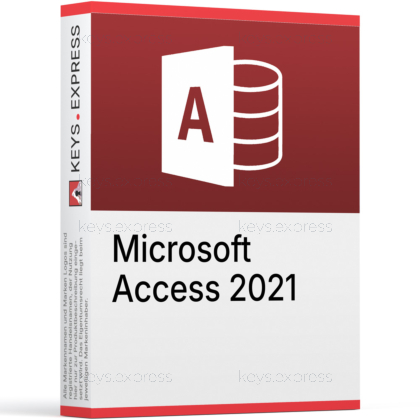
What are the main features and advantages of Microsoft Access 2021?
Rapid Building – Create databases fast with forms and reports.
Form Designer – Build user-friendly apps without heavy programming.
Query Power – Analyze data with SQL and query tools.
Report Output – Turn data into polished printable reports quickly.
Data Linking – Connect and manage external tables more easily.
Desktop Control – Keep data local and work fully offline.
This product is not posted to the MS account and is not transferable to other devices.
This product allows a one-time activation for one device. Once used, it cannot be used again, not even for the same device.
Download: Access 2021
Relational database - Build tables, queries, forms, and reports.
Date/Time Extended - Maps to SQL Server datetime2 for accuracy.
Linked Table Manager - View, refresh, and relink external sources.
Macros and VBA - Automate database tasks without server deployment.
Add Tables pane - Stays open while building queries and relationships.
Important - Standalone Access app; full Office suite not included.
Access 2021 is the perpetual, Windows-only desktop database from the Office 2021 family, used to build tables, queries, forms, and reports without running a database server. It is a one-time purchase that receives security and quality fixes only, so no new features are added after release.
One-time purchase - Pay once instead of a subscription.
Beyond spreadsheets - Manage related data Excel cannot handle.
SQL Server ready - Link or import to enterprise databases.
Dark mode themes - Dark gray and black interface options.
Faster query design - Find and Replace inside SQL View.
Keeps VBA working - Existing macros and add-ins still run.
Compare Office versions from 2010 to 2024
For help choosing the right Office version, read our guide:
Access 2021 is a desktop relational database for building tables, queries, forms, and reports and storing them in a single .accdb file. It connects to outside data through SQL Server, ODBC databases, SharePoint lists, and Excel, so information from several systems can be centralised without a full server deployment. The version 2021 Date/Time Extended data type maps directly to the SQL Server datetime2 column, which keeps timestamps accurate when Access links to or imports from SQL Server. It fits the point where an Excel workbook has grown too large and error-prone, but a dedicated SQL platform would be more than the job needs.
It suits small businesses, analysts, and in-house developers who need a Windows desktop database and prefer a one-time purchase over a subscription. A common workflow is splitting the database into a shared back-end file and lightweight front-end copies, so several people can work against the same tables while each keeps their own forms and reports. That solves a problem plain Excel cannot: enforcing relationships between customers, orders, and products so the same record is not retyped and cannot fall out of sync. Access also runs in Remote Desktop and VDI sessions, which matters for teams that keep the database on a central server rather than on each PC.
Access 2021 is the perpetual version and is locked in time: it receives security and quality fixes but no new features after release. Access in a Microsoft 365 subscription keeps getting additions that Access 2021 does not have, including the ten modern chart types (such as funnel, waterfall, and box-and-whisker) and the Monaco SQL query editor. For someone who needs those newer charts or the code-style SQL editor, the subscription is the match; for a stable, owned desktop tool that does not change under active projects, Access 2021 is the better fit. Both build the same .accdb desktop databases, so files move between them.
No on both counts. Access has no Mac version, even inside Office LTSC 2021, so it installs and runs on Windows only. It also does not publish web databases, because Access web apps and Access Services were retired by Microsoft; Access 2021 builds desktop .accdb databases that run locally or over a network share. Anyone who needs a browser-based database or a macOS client has to look at a different tool, such as Power Apps or a server database front-end.
First, confirm the work is on Windows, since there is no Mac edition of Access. Second, decide whether Access alone is enough: bought on its own it does not include Word, Excel, PowerPoint, or Outlook, so anyone who needs the full set should look at the Office Professional 2021 suite, which bundles Access with those apps. Third, check how the data will be stored -- if it will link to or import from SQL Server, the Date/Time Extended type keeps date and time values aligned with the server. Finally, make sure the target Windows version is supported before installing.
Access 2021 saves databases in the .accdb format by default and can still open the older .mdb format from earlier versions. It also links to and imports from SQL Server, ODBC data sources, SharePoint lists, and Excel, so existing data does not have to be rebuilt. This matters when taking over a legacy database, because .mdb files usually open without conversion.
No. Access 2021 installs and runs as a standalone Windows application and does not require an existing Word, Excel, or full Office installation to work. This lets a single PC run only the database tool without the rest of the suite taking up space.
Yes. It is an on-premises desktop application installed locally on a Windows PC, not a cloud service. The database files live on the PC or a network share and open without signing in to a Microsoft 365 account.
| Operating Systems | Windows 11 Windows 11 LTSC 2024 Windows 10 LTSC 2021 Windows 10 LTSC 2019 Windows Server 2025 Windows Server 2022 Windows Server 2019 |
| Processor | 1.1 GHz or faster, dual-core. |
| Memory RAM | 4 GB. |
| Hard Disk | 4 GB of available disk space. |
| Display | 1280 x 768 screen resolution. |
| Graphics | Graphics hardware acceleration requires DirectX 9 or later. |
| Note | A 64-bit version of Access is required for 4K and higher resolutions. Requires the current version of Microsoft Edge, Chrome, or Firefox. Internet connection required for updates and some features. Some features may require .NET 3.5 or 4.6 and higher to be installed. |
keys.express and keys.discount are online platforms for product keys. The product keys available in our shops for Windows and other software are inexpensive, secure, legal and come with an activation guarantee.
Below you will find the most important legal information about our products.
We offer exclusively unused and non-activated product keys. The keys have never been redeemed for activation and are fully available to the purchaser for the first-time activation of the respective product. A key that has already been redeemed could no longer be used for a new activation and is therefore not offered by us.
Trading in these product keys is permissible in the European Union and in Switzerland under current case law, provided that the necessary conditions are met. These conditions are as follows:
This trade is legally permissible because the underlying license was already placed on the market with the consent of the rightholder within the EU/EEA or Switzerland in return for appropriate remuneration. As a result, the so-called principle of exhaustion has taken effect, which permits the resale of individual product keys — in particular those originating from volume license agreements. Microsoft or the respective software provider has already received appropriate remuneration for this.
keys.express and keys.discount ensure that the aforementioned conditions are met and that the lawful use of the software is guaranteed. The requirements arising from European legislation are also observed in Switzerland.
Important note: The acquisition of a product key through the transmission of a combination of numbers and letters in digital form does not, in itself, constitute a license for the lawful use of the program. The license only arises from the respective installation and the associated acceptance of the manufacturer's terms of use.
Further information can be found here: