↑
Back to Top
What are the main features and advantages of Microsoft Access 2019?
Rapid Building – Create databases quickly with forms and reports.
Form Designer – Build data-entry screens without complex development.
Query Power – Filter, join, and analyze data with SQL.
Report Output – Produce printable reports and summaries from data.
Data Linking – Connect external tables and keep data consistent.
Offline Control – Store data locally and work without internet.
This product is not posted to the MS account and is not transferable to other devices.
This product activates a device and is valid as long as the device is running, can not be used a second time (even on the same device).
Download: Access 2019
Tables – Store structured data with keys and relationships.
Queries – Build views, calculations, and joins for insights.
Forms – Create user-friendly data entry and navigation screens.
Reports – Generate formatted outputs for printing and sharing.
Linked tables – Connect to external sources and refresh data.
Automation – Use macros and VBA to streamline tasks.
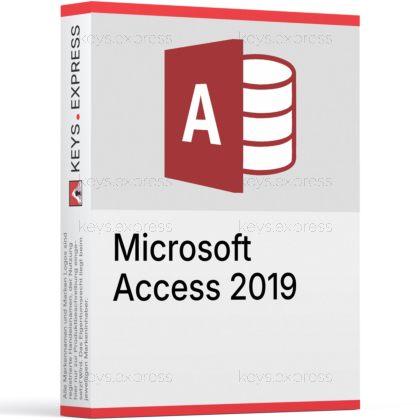
Microsoft Access 2019 is a Windows database tool for building simple apps around your data using tables, forms, and reports. It is popular for departmental tracking and quick solutions without heavy infrastructure.
Fast setup – Build usable database apps in short time.
Better data – Use forms and rules to reduce errors.
Powerful queries – Analyze data with joins and calculations easily.
Useful reports – Create printable summaries for daily operations quickly.
Flexible linking – Connect external data sources for one view.
Automation boost – Save time with macros and VBA routines.
It is used to build desktop database apps for structured tracking and reporting.
Track inventory, customers, tickets, or internal workflows.
Create data-entry forms for consistent record updates.
Run queries to filter, join, and summarize information.
Generate reports for printing, exports, and reviews.
Access 2021 adds newer usability and database tooling improvements beyond Access 2019.
Improved linked table management for external connections.
Higher-precision date and time handling for logging.
More modern interface refinements for comfort and clarity.
Yes, if you design it as a multi-user setup correctly.
Split front end and back end for stability.
Place the back end on a reliable shared location.
Use proper locking settings to avoid conflicts.
No, Access is best for smaller solutions, not enterprise scale workloads.
Access is great for rapid forms, queries, and reports.
SQL Server handles high concurrency and large datasets better.
Access can connect to SQL Server as a front end.
Split tables into a shared back end and keep UI locally.
Back end contains tables and relationships only.
Front end contains forms, queries, reports, and code.
Linked tables connect the front end to shared data.
Yes, it supports importing, exporting, and linking to common sources.
Import Excel sheets into structured tables for consistency.
Link external tables and refresh to keep data current.
Use queries to clean and transform imported data.
Use good design practices and reduce file bloat over time.
Split the database to reduce locking and corruption risk.
Compact and repair regularly to reduce file size.
Archive old records and avoid huge attachments inside tables.
Access is a relational database, while Excel is a spreadsheet tool.
Access enforces relationships and reduces duplicate data issues.
Access supports multi-user forms and structured validation rules.
Excel is easier for quick lists but harder to scale reliably.
"It’s the quickest way to build an internal tracking database."
"Forms and reports make it more reliable than spreadsheets."
"Splitting the database made multi-user work much smoother."
"Queries are powerful for producing monthly summaries fast."
"It’s ideal for small teams without extra infrastructure."
Instant delivery - Product keys and downloads available within minutes.
Activation guarantee - If activation fails, you receive a new key.
Download included - Secure official download link always provided after purchase.
Easy installation - Clear step-by-step instructions guide you through setup.
Genuine licenses - Product keys from audited, legally compliant distribution channels.
Multilingual support - Help in seven languages via chat, email, phone.
Easy exchanges - Problematic keys replaced quickly, without unnecessary bureaucracy.
Transparent pricing - No hidden fees. Fair prices and price plans to get even better prices.
Trusted seller - Over 2800 Trustpilot ratings averaging 4.8 out of 5.
| Operating Systems | Windows 11: Pro / Enterprise Windows 10: Pro / Enterprise Windows Server 2019: Standard / Datacenter |
| Processor | 1.1 GHz or faster, 2-core |
| Memory RAM | 4 GB 64-bit / 2 GB 32-bit |
| Hard Disk | 4 GB of available disk space |
| Display | 1280 x 768 screen resolution |
| Graphics | Graphics hardware acceleration requires DirectX 9 or later |
| .NET Version | Some features may require .NET Framework 3.5 or .NET Framework 4.6 or higher installed |
| Note | Office 2019 and Access 2019 support for Windows ended October 14, 2025 |
keys.express and keys.discount is a web platforms for new and used product keys. The product keys for Windows and other software available in the shop of keys.express and keys.discount are cheap, safe, legal and with activation guarantee.
Here you can find some general information about used software, an overview of the most important legal information as well as answers to frequently asked questions from our customers ("FAQ“)
Used software is available for sale in the European Union as well as in Switzerland according to current jurisdiction provided that the necessary conditions are met. The necessary conditions are as follows:
keys.express and keys.discount ensure that the above mentioned requirements are met and that a legal use of the software is guaranteed. The requirements of the European legislation are also met in Switzerland.
You can find further information on:
There is a lot of legal information about the topic of used software. We are more than happy to answer any questions you may have. You can contact us at any time via welcome(at)keys.express. In the meantime, you can also find a short overview of the most important legal information regarding used software here:
For distance contracts concluded by telephone, on the Internet or when ordering from a catalogue, EU law provides for the possibility for consumers to withdraw from the contract for a certain period of time ("right of withdrawal"). A consumer in this sense is any natural person who concludes a legal transaction for purposes that are predominantly neither commercial nor self-employed. In Switzerland we usually speak of consumers.
Consumers have the right to cancel the contract within fourteen calendar days without giving reasons. The revocation period begins on the day the contract is concluded.
In order to exercise your right of withdrawal from keys.express or keys.discount, you must inform us by means of a clear statement (e.g. a letter, fax or e-mail sent by post) of your decision to withdraw from this contract. For this purpose, you can contact us using the following information:
Keys Distribution Ltd
Suite 2, 215 Main Street
Gibraltar Heights, Gibraltar
Phone +423 7989130
Email: welcome@keys.discount
keys.express and keys.discount also provides a template revocation form. In order to comply with the revocation period, it is sufficient to send the notification of the exercise of the right of revocation to Keys Distribution Ltd before the end of the revocation period.
If you revoke this contract, we must reimburse you for all payments which we have received from you for the corresponding order, including delivery costs (with the exception of additional costs which result from the fact that you have chosen a different type of delivery than the cheapest standard delivery offered by us), immediately and at the latest within fourteen calendar days from the day on which we receive notification of your revocation of this contract. For this repayment we will usually use the same means of payment that you used for the original transaction, unless expressly agreed otherwise with you. In no case will you be charged for this refund.