Back to Top
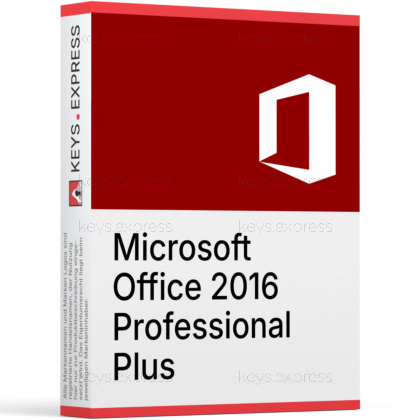
What are the essential features and key benefits of Microsoft Office 2016 Professional Plus?
Perpetual License – Pay once and keep using desktop apps.
Full Apps – Includes Word, Excel, PowerPoint, Outlook, OneNote.
Extra Tools – Adds Access, Publisher, and Skype for Business.
Offline Work – Work locally without constant internet connection.
Windows Only – Requires Windows; not compatible with macOS or Linux.
Important – Microsoft Visio, Microsoft Project, Microsoft Teams not included.
Thank you for understanding our FAIRPLAY conditions:
You must have a customer account and have purchased products from us within the last twelve months.
Free products are available to each customer only once.
You may order a maximum of three free products.
This product is not posted to the MS account and is not transferable to other devices.
This product allows a one-time activation for one device. Once used, it cannot be used again, not even for the same device.
Download: Office 2016 Professional Plus
Word 2016 – Document editor with co-authoring and Smart Lookup.
Excel 2016 – Spreadsheet with new charts and Power Query.
PowerPoint 2016 – Slide editor with Designer and Morph transition.
Outlook 2016 – Email and calendar client with Clutter folder.
Access & Publisher – Desktop database tool and print-layout publisher.
Important – Teams, OneDrive cloud sync, and Skype for Business are not included.
Office 2016 Professional Plus is the classic desktop Office suite released in September 2015, bundling Word, Excel, PowerPoint, Outlook, OneNote, Access, Publisher, and Skype for Business in a single locally installed package. It targets users who want a fixed, offline Office without a recurring Microsoft 365 subscription.
Full suite – Includes Access and Publisher for database and print work.
Offline operation – Runs locally without forced cloud sign-in.
Power Query – Built into Excel for combining data sources.
PowerPoint Designer – Suggests slide layouts from inserted content.
Outlook Clutter – Sorts low-priority mail into a separate folder.
File compatibility – Opens and saves .docx, .xlsx, .pptx, .pdf.
Office 2016 Professional Plus is a locally installed productivity suite for writing documents, building spreadsheets, designing slides, and managing email and contacts. It includes Access for desktop databases and Publisher for newsletters, flyers, and print-ready layouts, which the smaller Home & Business and Home & Student editions do not contain. Excel 2016 added six new chart types including Waterfall, Treemap, and Histogram, and integrated Power Query directly into the ribbon as Get & Transform. Outlook 2016 introduced the Clutter folder and faster search through a new MAPI/HTTP transport. The suite is the perpetual desktop version, so files stay on the local machine and there is no required online sign-in to use the core applications.
It fits users and small offices that need Access database files or Publisher layouts and want to keep working with a one-time purchase instead of Microsoft 365. A typical case is an office that maintains an existing .accdb database or .pub flyer template built in an earlier Office version and needs an editor that opens those formats natively, since neither Access nor Publisher exists in Office 2016 Home & Business. The suite also suits users with limited or offline connectivity, because the desktop apps do not require continuous cloud authentication for core editing. Outlook 2016 supports POP, IMAP, Exchange, and Microsoft 365 mailboxes, so it remains usable as a standalone mail client. Users who only need Word, Excel, PowerPoint, and Outlook can save money by choosing Home & Business instead.
Professional Plus is the most complete Office 2016 edition and is the only one that includes both Access and Skype for Business alongside the core apps. Home & Business contains Word, Excel, PowerPoint, OneNote, and Outlook but no Access, Publisher, or Skype for Business. Office 2016 Standard adds Publisher and Skype for Business to that set but still leaves out Access. The table below shows the exact application coverage across the three editions so buyers can match the edition to the workflow they actually need.
| Application | Home & Business | Standard | Professional Plus |
|---|---|---|---|
| Word, Excel, PowerPoint | ✓ | ✓ | ✓ |
| Outlook | ✓ | ✓ | ✓ |
| OneNote | ✓ | ✓ | ✓ |
| Publisher | ✕ | ✓ | ✓ |
| Access | ✕ | ✕ | ✓ |
| Skype for Business | ✕ | ✓ | ✓ |
Office 2016 reached the end of extended support on October 14, 2025, which means Microsoft no longer ships security updates or bug fixes for the suite. Connection to Microsoft 365 services such as Exchange Online mailboxes was already blocked for Office 2016 clients from October 2023 onward. The suite does not include Microsoft Teams, OneDrive cloud sync, or the AI Copilot features that ship only with Microsoft 365 and Office 2024. Skype for Business Online itself was retired by Microsoft in July 2021, so the included Skype for Business 2016 client is only useful against on-premises Skype for Business Server installations. Users who rely on hosted Exchange or modern collaboration should plan for a newer edition or Microsoft 365.
Word, Excel, and PowerPoint 2016 use the Office Open XML formats .docx, .xlsx, and .pptx by default and still open the older .doc, .xls, and .ppt binary formats. Word 2016 can save and export documents directly as PDF without an add-in. Excel 2016 can import from CSV, XML, JSON, text, ODBC, and many web sources through Power Query, and Access 2016 works with .accdb and the older .mdb database formats. Outlook 2016 stores local data in .pst and .ost files and can import .msg, .eml, and .ics calendar files. Publisher 2016 opens .pub files and can export to PDF, XPS, and packaged print-ready formats.
The combination of Access and Excel covers the gap between flat spreadsheets and structured data without needing a separate database product. A small office can keep customer records in an Access table, link the table into Excel through Power Query, and refresh reports without retyping data. PowerPoint 2016 introduced the Morph transition, which animates between two slides when they share objects, removing the need to build per-element animations for product diagrams or before/after layouts. The Tell Me search box in the ribbon finds commands by name, which shortens onboarding for occasional users. Real-time co-authoring in Word 2016 works on documents stored in SharePoint or OneDrive for Business, but only when those services are still reachable.
Confirm that the existing workflow does not depend on hosted Microsoft 365 services, since Office 2016 clients are blocked from Exchange Online and the suite no longer receives security patches after October 2025. Check whether Access and Publisher are actually needed, because Office 2016 Home & Business is significantly cheaper and covers Word, Excel, PowerPoint, OneNote, and Outlook. Verify the underlying Windows version, since Office 2016 mainstream support requires Windows 7 SP1 or newer and does not officially support Windows 11. Open one existing .accdb, .pub, or .pst file in a trial before migrating, to confirm the file format opens cleanly. Buyers who need ongoing security updates and modern Outlook connectivity should look at Office 2021 or Office 2024 instead.
No. Teams was first released in March 2017, after Office 2016 shipped, and is not part of any Office 2016 edition. The Professional Plus suite includes the older Skype for Business 2016 client instead. Users who need Teams must install it separately or move to Microsoft 365.
No. Microsoft ended extended support for Office 2016 on October 14, 2025, so no further security patches, bug fixes, or technical assistance are issued. The applications continue to run, but newly discovered vulnerabilities will not be fixed. This is the main reason to evaluate Office 2021 or Office 2024 for new installations.
No. Microsoft blocked connections from Office 2016 clients to Exchange Online starting in October 2023, so Outlook 2016 cannot reliably connect to a Microsoft 365 hosted mailbox. It still works with on-premises Exchange Server, IMAP, and POP accounts. Users with Microsoft 365 mail need a newer Outlook version.
Yes. It is a perpetual desktop version of Office, not a subscription, and the applications are installed locally on Windows. There are no cloud-only features in the suite itself, and core editing in Word, Excel, PowerPoint, and Outlook runs without requiring a continuous internet connection.
| Operating Systems | Windows 11 Windows 10 Windows 10 LTSB 2016 Windows 10 LTSB 2015 Windows Server 2016 Windows Server 2012 Windows Server 2008 R2 |
| Processor | 1 GHz or faster x86-bit or x64-bit processor with SSE2 instruction set. |
| Memory RAM | 2 GB. |
| Hard Disk | 3 GB of available disk space. |
| Display | 1024 x 768 screen resolution. |
| Graphics | Graphics hardware acceleration requires a DirectX 10 graphics card. |
| Note | Requires the current version of Microsoft Edge, Safari, Chrome, or Firefox. Requires .NET 3.5; some features may require .NET 4.0, 4.5, or 4.6 CLR to also be installed. Support for Office 2016 ended on October 14, 2025. |
keys.express and keys.discount are online platforms for product keys. The product keys available in our shops for Windows and other software are inexpensive, secure, legal and come with an activation guarantee.
Below you will find the most important legal information about our products.
We offer exclusively unused and non-activated product keys. The keys have never been redeemed for activation and are fully available to the purchaser for the first-time activation of the respective product. A key that has already been redeemed could no longer be used for a new activation and is therefore not offered by us.
Trading in these product keys is permissible in the European Union and in Switzerland under current case law, provided that the necessary conditions are met. These conditions are as follows:
This trade is legally permissible because the underlying license was already placed on the market with the consent of the rightholder within the EU/EEA or Switzerland in return for appropriate remuneration. As a result, the so-called principle of exhaustion has taken effect, which permits the resale of individual product keys — in particular those originating from volume license agreements. Microsoft or the respective software provider has already received appropriate remuneration for this.
keys.express and keys.discount ensure that the aforementioned conditions are met and that the lawful use of the software is guaranteed. The requirements arising from European legislation are also observed in Switzerland.
Important note: The acquisition of a product key through the transmission of a combination of numbers and letters in digital form does not, in itself, constitute a license for the lawful use of the program. The license only arises from the respective installation and the associated acceptance of the manufacturer's terms of use.
Further information can be found here: