↑
Back to Top
What are the key benefits and essential features of Office 2007 Enterprise?
Full Suite – Includes Word, Excel, PowerPoint, Outlook, Access.
Enterprise Tools – Adds OneNote, Publisher, InfoPath for business use.
Team Collaboration – Groove and Communicator enable secure team messaging.
Form Workflows – Build and deploy electronic forms with InfoPath.
Data Capacity – Handles large spreadsheets and robust databases.
Important Note – Microsoft Visio and Microsoft Project not included.
Thank you for understanding our FAIRPLAY conditions:
You must have a customer account and have purchased products from us within the last twelve months.
Free products are available to each customer only once.
You may order a maximum of three free products.
We provide this software to you free of charge as a service directly in the shop.
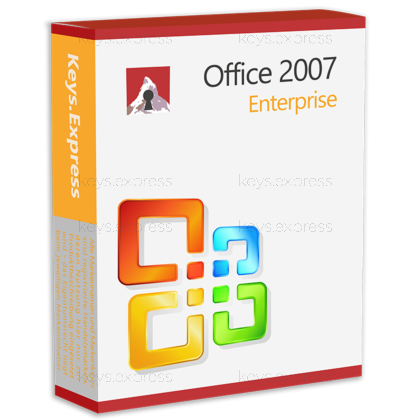
Download: Office 2007 Enterprise
Core applications – Word, Excel, PowerPoint, and Outlook for daily document work.
Access & Publisher – database files and print layouts handled inside the suite.
OneNote 2007 – notebook for meeting notes, clippings, and project research.
InfoPath & Groove – electronic forms plus offline workspace collaboration tools.
Office Communicator – instant messaging client tied to Communications Server.
Performance Metric – introduced the Ribbon UI and Office Open XML (.docx, .xlsx, .pptx).
Important – Microsoft Teams, OneDrive, and Microsoft 365 cloud services are not part of this classic 2007 release.
Office 2007 Enterprise is the most complete edition of the 2007 generation, bundling every client application Microsoft shipped that year. It is a classic on-device install with no subscription tie-in and no cloud dependency.
Complete app set – every 2007 client app in one installation.
Ribbon interface – commands grouped visually instead of nested menus.
OOXML formats – default .docx, .xlsx, and .pptx file types.
Forms workflow – InfoPath designs forms that feed back-end data systems.
Offline collaboration – Groove keeps shared workspaces synced without a server.
Local install – runs from the device without account sign-in.
It installs the full 2007-generation Office suite on a Windows PC, covering documents, spreadsheets, presentations, email, databases, desktop publishing, notes, forms, IM, and offline team workspaces. The Enterprise edition adds Groove and Office Communicator on top of what Professional Plus already contains, which means InfoPath forms, IM with colleagues, and shared offline workspaces all live inside the same install. It is the version most often used when an organization wants the entire 2007 toolset on one machine instead of buying modules separately. Files are saved in Office Open XML by default, so documents created here open in every later Office release.
It fits users who need to keep a classic, pre-cloud Office environment running, especially in labs, legacy line-of-business setups, or older Windows machines where newer Office versions cannot install. Because Groove and Communicator are included, it also covers situations where someone is restoring or rebuilding an older collaboration setup that depended on those specific clients. Solo users who only need Word, Excel, PowerPoint, and Outlook will find Enterprise broader than necessary; the value sits in needing Access, Publisher, InfoPath, OneNote, Groove, and Communicator together. Note that Outlook 2007 can no longer connect to Microsoft 365 Exchange Online; mailboxes there were cut off on 1 November 2021, so Outlook 2007 only works against older Exchange servers or non-Microsoft IMAP/POP mail.
Enterprise is the top business edition of the 2007 family and is the only edition besides Ultimate that includes Groove. Standard ships only the core four apps, Small Business adds Publisher, Professional adds Access, and Professional Plus then adds InfoPath and Communicator. Enterprise sits one step above Professional Plus by also including Groove and OneNote, which is what makes it the most complete business suite of the 2007 line. The Enterprise app set is identical in scope to Ultimate, the main difference being how each edition was originally sold rather than what software is on the disc.
| Application | Standard | Professional | Professional Plus | Enterprise |
|---|---|---|---|---|
| Word, Excel, PowerPoint, Outlook | ✓ | ✓ | ✓ | ✓ |
| Publisher | ✕ | ✓ | ✓ | ✓ |
| Access | ✕ | ✓ | ✓ | ✓ |
| InfoPath | ✕ | ✕ | ✓ | ✓ |
| Communicator | ✕ | ✕ | ✓ | ✓ |
| Groove | ✕ | ✕ | ✕ | ✓ |
| OneNote | ✕ | ✕ | ✕ | ✓ |
Office 2007 reached end of extended support on 10 October 2017, which means Microsoft no longer issues security updates or fixes for it. Outlook 2007 was disconnected from Microsoft 365 Exchange Online on 1 November 2021, so it cannot serve as a mail client for Outlook.com, Microsoft 365 mailboxes, or Exchange Online accounts. Visio and Project are not part of any Office 2007 suite, including Enterprise, and have to be installed separately. There is also no Teams, no OneDrive client, and no Copilot or other Microsoft 365 cloud feature, because none of those existed when this version shipped.
Office 2007 is the last Office release to support Windows XP SP2 and the original release of Windows Vista, and it also runs on Windows 7, Windows 8, Windows 8.1, and Windows 10, plus the matching Windows Server editions from Server 2003 SP1 onwards. It is not supported on Windows 2000 and was not officially tested by Microsoft against Windows 11. In practice, this makes it useful when an existing XP, Vista, or Windows 7 machine has to keep running a known-good Office without forcing a newer release. Compatibility with current Windows 11 builds is not something Microsoft validates, so a verified setup on an older Windows version is the safer scenario.
Yes. Office 2007 was the version that introduced the Office Open XML formats (.docx, .xlsx, .pptx) which every later Office release still uses by default, so files created in Office 2010, 2013, 2016, 2019, 2021, or 2024 generally open in Office 2007. Features added after 2007, such as newer Excel functions like XLOOKUP or LET, will appear as #NAME? errors or be unavailable, and modern PowerPoint effects, SmartArt variants, or co-authoring will not work. Round-trip editing between Office 2007 and Microsoft 365 is therefore best for plain documents rather than files that depend on recent functions or cloud-only features.
Confirm three things: the Windows version on the target machine is one Microsoft listed as supported (XP SP2 through Windows 10), the email setup does not depend on Microsoft 365 / Exchange Online (because Outlook 2007 cannot connect to it), and no workflow relies on Teams, OneDrive, Copilot, or any other post-2007 cloud feature. If those conditions are clear, the suite delivers the full 2007 toolset including Access, Publisher, InfoPath, Groove, Communicator, and OneNote in one install. If a workflow includes modern collaboration or recent Excel functions, a newer Office release is the better choice.
It is a classic desktop install. The applications run locally on the PC and do not require a Microsoft 365 subscription or sign-in to launch documents.
No. Visio and Project have always been separate Microsoft products and are not part of any Office 2007 suite, including Enterprise. They have to be installed and licensed separately.
No. Microsoft cut off Outlook 2007 from Exchange Online on 1 November 2021. It can still be used for on-premises Exchange servers from that era or for standard IMAP and POP3 mail accounts.
Enterprise includes everything Professional Plus has (Word, Excel, PowerPoint, Outlook, Access, Publisher, InfoPath, Communicator) and additionally bundles Groove and OneNote. Functionally it is the most complete 2007 business suite Microsoft shipped.
| Operating Systems | Windows XP: Home / Professional SP2 or later Windows Vista: All editions Windows Server 2003: SP1 or later Windows Server 2008: All editions |
| Processor | 500 MHz or faster x86-compatible processor 1 GHz or faster recommended for Windows Vista |
| Memory RAM | 256 MB RAM or higher 512 MB RAM or higher recommended |
| Hard Disk | 2 GB of available disk space for installation. Some disk space may be freed after installation. |
| Display | 1024 x 768 or higher resolution |
| Graphics | Standard display adapter supported. DirectX 9 capable graphics recommended for improved graphics features. |
| NET Version | Not required for basic Office 2007 installation. Some components such as .NET Programmability Support may require enabling .NET Framework 3.5 which includes .NET Framework 2.0. |
| Note | Installation media: CD-ROM or DVD drive. Internet connection may be needed for some features and updates. Outlook 2007 with Business Contact Manager may need 1 GHz CPU and 512 MB RAM. |
keys.express and keys.discount is a web platforms for new and used product keys. The product keys for Windows and other software available in the shop of keys.express and keys.discount are cheap, safe, legal and with activation guarantee.
Here you can find some general information about used software, an overview of the most important legal information as well as answers to frequently asked questions from our customers ("FAQ“)
Used software is available for sale in the European Union as well as in Switzerland according to current jurisdiction provided that the necessary conditions are met. The necessary conditions are as follows:
keys.express and keys.discount ensure that the above mentioned requirements are met and that a legal use of the software is guaranteed. The requirements of the European legislation are also met in Switzerland.
You can find further information on:
There is a lot of legal information about the topic of used software. We are more than happy to answer any questions you may have. You can contact us at any time via welcome(at)keys.express. In the meantime, you can also find a short overview of the most important legal information regarding used software here:
For distance contracts concluded by telephone, on the Internet or when ordering from a catalogue, EU law provides for the possibility for consumers to withdraw from the contract for a certain period of time ("right of withdrawal"). A consumer in this sense is any natural person who concludes a legal transaction for purposes that are predominantly neither commercial nor self-employed. In Switzerland we usually speak of consumers.
Consumers have the right to cancel the contract within fourteen calendar days without giving reasons. The revocation period begins on the day the contract is concluded.
In order to exercise your right of withdrawal from keys.express or keys.discount, you must inform us by means of a clear statement (e.g. a letter, fax or e-mail sent by post) of your decision to withdraw from this contract. For this purpose, you can contact us using the following information:
Keys Distribution Ltd
Suite 2, 215 Main Street
Gibraltar Heights, Gibraltar
Phone +423 7989130
Email: welcome@keys.discount
keys.express and keys.discount also provides a template revocation form. In order to comply with the revocation period, it is sufficient to send the notification of the exercise of the right of revocation to Keys Distribution Ltd before the end of the revocation period.
If you revoke this contract, we must reimburse you for all payments which we have received from you for the corresponding order, including delivery costs (with the exception of additional costs which result from the fact that you have chosen a different type of delivery than the cheapest standard delivery offered by us), immediately and at the latest within fourteen calendar days from the day on which we receive notification of your revocation of this contract. For this repayment we will usually use the same means of payment that you used for the original transaction, unless expressly agreed otherwise with you. In no case will you be charged for this refund.