↑
Back to Top
What are the main features and key advantages of Kaspersky Plus?
Real-Time Defense – Stops malware instantly using cloud and heuristics.
Ransomware Shielding – Blocks encryption attempts and protects valuable documents.
Phishing Protection – Detects scam links and dangerous downloads automatically.
Secure VPN – Encrypts traffic on public Wi-Fi for privacy.
Password Manager – Stores logins safely in a strong encrypted vault.
Proactive Security – Continuous updates keep protection one step ahead.
Download: Kaspersky Plus

Real-time protection – Blocks malware, ransomware, and exploits as they run.
Two-way firewall – Controls incoming and outgoing app connections automatically.
Unlimited VPN – Encrypts traffic with no daily data cap.
Password Manager – Stores unlimited logins in an encrypted vault.
Safe Money – Opens banking and shopping sites in a protected browser.
Important – Parental controls and identity theft protection are not included.
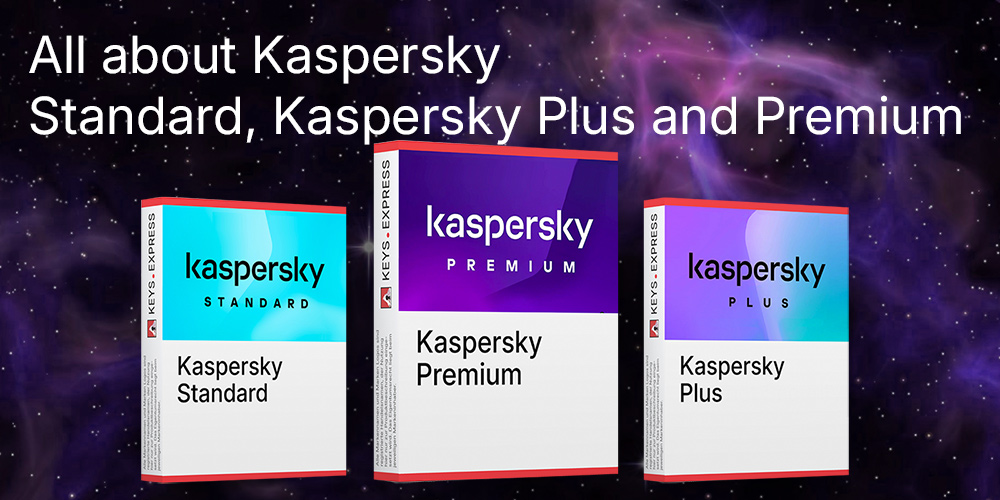
Kaspersky Plus is the mid-tier edition of the Kaspersky home security line, sitting between Standard and Premium. It pairs the same award-tested antivirus engine with privacy tools that Standard lacks, mainly the unlimited VPN and the full Password Manager.
Lighter scans – Low system impact even on older hardware.
No VPN cap – Stream and browse without the 300 MB daily limit.
Cross-platform – One subscription covers Windows, macOS, Android, iOS.
Breach alerts – Monitors multiple email addresses for leaked data.
Safer payments – Isolates banking sessions from keyloggers and screen capture.
System cleanup – Removes junk files and manages startup items.
Kaspersky Plus combines real-time antivirus, a two-way firewall, and anti-phishing with privacy and performance tools in one suite. Its detection engine has consistently scored top marks in independent AV-Test and AV-Comparatives lab testing for malware blocking. Beyond scanning files, it watches web traffic, payment sessions, and Wi-Fi connections, so a fake banking page or an unprotected hotspot is flagged before you act. The Safe Money component opens financial sites in a hardened browser that shields login fields from keyloggers. In daily use it runs quietly with one of the lowest performance hits in its class, which matters on aging laptops.
Yes, Kaspersky Plus includes an unlimited-data VPN, unlike Kaspersky Standard, which caps the VPN at 300 MB per day. That removes the practical ceiling that makes the Standard VPN usable only for short tasks, so you can route full browsing or streaming sessions through the encrypted tunnel. The VPN can be switched on with one click and lets you pick from server locations worldwide. One known limitation: split-tunneling is available only on Windows 10 and later, and server-location counts are smaller than dedicated VPN services. For protecting public Wi-Fi or hiding traffic from your ISP, it covers the common cases without a separate subscription.
Compare top VPN providers
For more privacy-software context, read our VPN overview
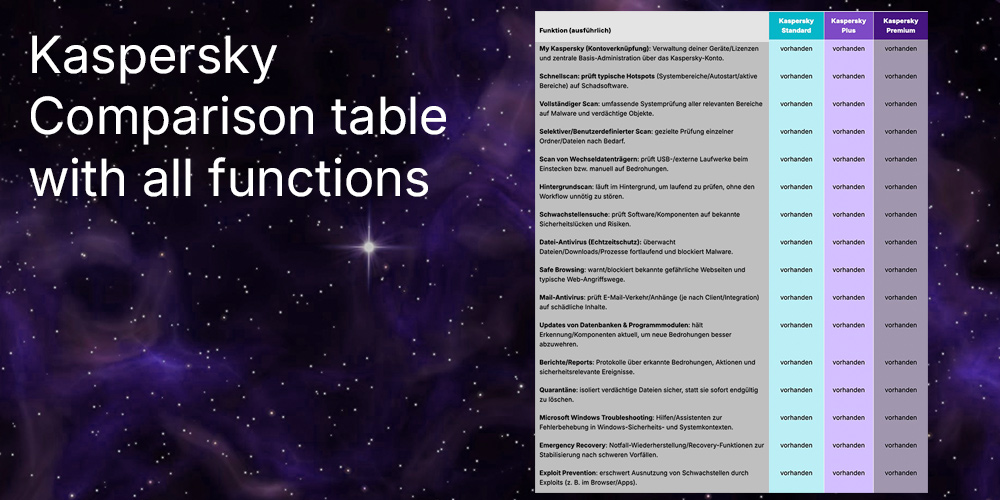
Kaspersky Plus adds an unlimited VPN and the full Password Manager on top of the antivirus, firewall, and anti-phishing found in Standard. Standard limits the VPN to 300 MB per day, has no password manager, and monitors only one email address for data leaks. Premium keeps everything in Plus and adds parental controls and identity theft protection, which Plus does not include. If you need to manage children's screen time or want identity monitoring, Plus is not the right tier. For a single user who wants strong protection plus privacy tools without family features, Plus is the practical middle option.
| Feature | Standard | Plus | Premium |
|---|---|---|---|
| Antivirus & firewall | ✓ | ✓ | ✓ |
| VPN | 300 MB/day | Unlimited | Unlimited |
| Password Manager | ✕ | ✓ | ✓ |
| Parental controls | ✕ | ✕ | ✓ |
| Identity protection | ✕ | ✕ | See note |
Yes, one Kaspersky Plus subscription covers Windows, macOS, Android, and iOS from the same license. The mobile apps focus on web protection and anti-phishing rather than full file scanning, which reflects how iOS and Android restrict third-party security apps. The macOS build also lacks some of the deeper system-optimization tools found in the Windows version, so a Mac-only buyer gets the protection and VPN but fewer cleanup utilities. This matters if you run a mixed-device household and want the VPN and Password Manager synced across phones and laptops under one account. Check which platform you use most before assuming feature parity across all of them.
Choose Kaspersky Plus if you want strong antivirus plus an unlimited VPN and password manager, but do not need parental controls or identity monitoring. Buyers who need to filter content or set screen-time rules for children should look at Kaspersky Premium instead, since those tools are absent from Plus entirely. The Password Manager and identity tools require creating a free Kaspersky account, which some users find an extra step. Note also that US buyers cannot purchase Kaspersky due to a 2024 government sales ban. Confirm your region and your need for family features before settling on this edition.
Norton and Kaspersky compared
For a direct security-suite comparison, read our article
Compare antivirus programs for Windows
For help choosing security software, read our comparison
No. Comprehensive parental controls are reserved for Kaspersky Premium and are not part of Kaspersky Plus. If managing children's online activity is your goal, Plus will not meet that need.
No, Plus includes the full Password Manager with unlimited storage, unlike the free version tied to Standard that caps you at five entries. It uses zero-knowledge AES-256 encryption and stores passwords, bank cards, and notes. It does not offer password sharing or emergency access found in dedicated managers.
In independent lab testing, Kaspersky has one of the lowest performance impacts among major suites, even during full scans. This makes Plus a practical choice for older or low-spec machines where heavier suites cause noticeable lag.
| Operating Systems | Windows 11: Home / Pro / Enterprise Windows 10: Home / Pro / Enterprise Windows 8.1: Pro / Enterprise Windows 8: Pro / Enterprise Windows 7: Starter / Home Basic / Home Premium / Professional / Ultimate – SP1 or higher |
| Processor | 1 GHz or faster x86 or x64 processor. SSE2 instruction set required. ARM-based computers are not supported. |
| Memory RAM | Windows 11 64-bit: 4 GB. Windows 10 and later: 1 GB for 32-bit or 2 GB for 64-bit. |
| Hard Disk | 1500 MB free disk space for installation. |
| Display |
Minimum screen resolution: 1024 x 768 |
| Protection Modules | Real-time File Anti-Virus protection. Web Anti-Virus and Anti-Phishing. Firewall and network attack protection. Anti-ransomware protection with System Watcher and rollback. Safe Money payment protection. Anti-Banner ad blocking. Webcam and mic access control. |
| Note | Windows Installer 4.5 or later and Microsoft .NET Framework 4 or later required. Windows 7 requires updates KB4490628 and KB4474419. Windows services dependency: Base Filtering Engine must be running for Safe Browsing Anti-Banner and Safe Money. |
| Operating Systems | macOS Tahoe 26 macOS Sequoia 15 macOS Sonoma 14 |
| Processor | Intel processor or Apple silicon. |
| Memory RAM | 8 GB. |
| Hard Disk | 4450 MB free disk space for installation. |
| Display | Standard display compatible with the respective operating system. |
| Protection Modules | Real-time File Anti-Virus protection. Web Anti-Virus and Anti-Phishing. Network Attack Blocker. On-demand scans. |
| Note | After updating to macOS 13 or later you may need to allow Full Disk Access for the Kaspersky application to work correctly. |
| Operating Systems | Android 11 or later |
| Processor | Intel Atom x86 or ARMv7 and higher. |
| Memory RAM | Requirements met by any device running the supported OS version. |
| Hard Disk | 270 MB free space in the device main memory. |
| Display |
Minimum screen resolution: 800 x 480 |
| Protection Modules | Real-time protection via Real-Time Protection component. On-demand scanning via Scanner component. Safe Browsing and anti-phishing features. App Lock feature available in the app feature set. |
| Note | The app must be installed only to the device main memory. Modified firmware increases risk of compromise as warned by Kaspersky. |
| Operating Systems | iOS 26.0 or later iPadOS 26.0 or later |
| Memory RAM | Requirements met by any device running the supported OS version. |
| Hard Disk | 150 MB free disk space. |
| Display | Standard display compatible with the respective operating system. |
| Protection Modules | Web Protection against malicious and phishing websites. Phishing and Malware Filter for real-time link and in-app online activity checks. |
| Note | Internet connection required. The Phishing and Malware Filter uses VPN technology and requires allowing a VPN configuration. The Kaspersky app includes Kaspersky VPN Secure Connection functionality and it cannot be used together with the separate Kaspersky VPN Secure Connection app. |


