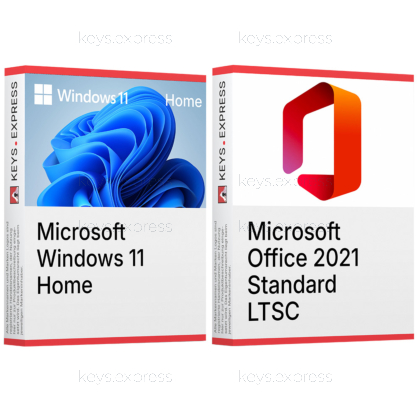
Two one-time purchases for one PC that is being set up or rebuilt: the operating system and the classic desktop Office suite, on a combination Microsoft documents as supported.
Microsoft Windows 11 Home – Windows 11 for a personal or small-office PC, including Windows Security, Windows Hello and Device Encryption on eligible hardware. BitLocker management, Hyper-V, Windows Sandbox and Remote Desktop hosting stay with Windows 11 Professional.
Microsoft Office 2021 Standard – Word, Excel, PowerPoint, Outlook, OneNote and Publisher as installed desktop programs. Publisher is what separates it from the consumer Home & Business edition; Access belongs to Professional Plus and is not part of this suite.
This product is not posted to the MS account and is not transferable to other devices.
This product allows a one-time activation for one device. Once used, it cannot be used again, not even for the same device.
In stock
Windows 11 Home – The operating system for one personal PC.
Device Encryption – System drive protection on eligible Home hardware.
Office applications – Word, Excel, PowerPoint, Outlook, OneNote and Publisher.
Offline desktop suite – Installed programs without Microsoft 365 cloud services.
Documented pairing – Office LTSC 2021 is supported on Windows 11.
Important – Access, Teams and BitLocker management are not included.
Microsoft names Windows 10 and Windows 11 as the supported systems for Office LTSC 2021, so the two halves of this bundle form a pair that is documented rather than assumed — which is what matters on a PC being set up from scratch. The suite also fills a gap Windows itself opened: since version 24H2 Windows ships without WordPad, and Microsoft's own guidance points to Word for .doc and .rtf files.
Supported pairing – Microsoft lists Windows 11 for Office LTSC 2021.
Replaces WordPad – Windows 11 dropped its built-in RTF editor.
Classic Outlook – Windows preinstalls only the new mail app.
Encrypted system drive – Device Encryption covers the locally stored documents.
Print layout – Publisher handles flyers and labels Word struggles with.
Combined price – Lower than the two keys bought separately.
Yes. Microsoft names Windows 10 and Windows 11 as the supported operating systems for Office LTSC 2021 and does not restrict that to a particular Windows edition, so the Home edition carries the suite exactly as the Professional edition does. Nothing in the Office installation depends on a Pro feature: Word, Excel, PowerPoint, Outlook, OneNote and Publisher install and run the same way on both. What the Windows edition decides is what happens around Office — encryption management, virtualisation and remote access — not whether the applications start.
Set up Windows 11 Home first, then install Office 2021 Standard into the finished system. Doing it the other way round means installing Office twice, because a clean Windows setup erases the system volume together with the program files and registry entries the suite writes. Complete the Windows sign-in before you copy over document archives and mail data, since Device Encryption on the Home edition is tied to signing in with a Microsoft account on eligible hardware. On a machine that is only being reinstalled rather than replaced, export the Outlook data file first — Office 2021 keeps mail in a local file, and a Windows reinstall does not spare it.
A PC that is being built or rebuilt and needs the system and a locally installed office suite in one step. The case it covers better than a smaller Office edition is printed material produced in-house: Publisher is part of Standard and is absent from the consumer Home & Business edition, so a club, practice or small firm that lays out its own flyers, labels and price lists keeps that work on the same machine as its correspondence. Because this Office generation stores documents and Outlook data locally instead of in Microsoft 365, that PC becomes the place the files actually live, which is the reason Device Encryption is worth switching on. If nobody produces print layouts and the files sit in a cloud service anyway, that argument does not apply and a smaller Office edition is the more sensible purchase.
Whenever one half is already on the machine. Most retail laptops and desktops ship with Windows 11 preinstalled and need only the Office key, and a PC that already runs a current Office suite needs only the operating system. Buy separately as well if the Windows side has to do more than Home offers: hosting Remote Desktop sessions, running Hyper-V machines or managing BitLocker requires Windows 11 Professional, and no Office edition changes that. One point of timing belongs here too — Microsoft ends support for Office LTSC 2021 on 13 October 2026, after which the applications keep running but receive no further security updates, so anyone who wants a longer update runway should look at the 2024 generation instead.
Access, the Teams client and everything cloud-based. Access is reserved for Office Professional Plus, so .accdb database files cannot be opened with this suite, and new Office LTSC 2021 installations no longer include the Teams client at all. The suite carries none of the Microsoft 365 services either: no cloud storage of its own, no real-time co-authoring, no web versions of the applications. On the Windows side, Windows 11 Home has no Hyper-V, no Windows Sandbox, no Remote Desktop hosting and no BitLocker management — Device Encryption on eligible hardware is what it offers instead, and that does not extend to external or USB drives.
| Task | Windows 11 Home | Office 2021 Standard |
|---|---|---|
| Documents and spreadsheets | ✕ | ✓ |
| Rich text files (.rtf) | ✕ | ✓ |
| Classic Outlook client | Mail app only | ✓ |
| Print layout design | ✕ | ✓ |
| Drive encryption | Device Encryption | ✕ |
| Remote Desktop host | Client only | ✕ |
| Virtual machines | ✕ | ✕ |
| Local databases | ✕ | ✕ |
| Real-time co-authoring | ✕ | ✕ |
No. Windows 11 includes Notepad for plain text and preinstalls the new Outlook mail app, but no word processor, spreadsheet or presentation program. Since version 24H2, WordPad has been removed from all editions of Windows, which is why Microsoft's own guidance names Word as the replacement for .doc and .rtf files.
No. Microsoft lists Windows 10 and Windows 11 as supported for Office LTSC 2021 without naming a specific edition, so the Home edition runs the suite in full. The Professional edition adds BitLocker management, Hyper-V, Windows Sandbox and Remote Desktop hosting, none of which the Office applications need.
Microsoft has set Publisher's end of life for October 2026, and there is no Publisher in the 2024 generation. An installed perpetual version can still be opened and used after that date, but it receives no further updates, and Microsoft recommends converting existing .pub files to PDF or Word format.
| Operating Systems | Windows 11 Home Windows 11 LTSC 2024 Windows 10 LTSC 2021 Windows 10 LTSC 2019 Windows Server 2025 Windows Server 2022 Windows Server 2019 |
| Processor | 1.1 GHz or faster processor with 2 or more cores. |
| Memory RAM | 4 GB RAM or higher. |
| Hard Disk | 64 GB or greater storage. |
| Display | 1280 × 768 screen resolution or higher. |
| Graphics | DirectX 12 or later compatible graphics with a WDDM 2.0 driver. |
| NET Version | Some Microsoft Office features may require .NET Framework 3.5 or .NET Framework 4.6 and higher. |
| Note | A compatible 64-bit processor or System on a Chip is required for Windows 11. UEFI firmware with Secure Boot capability is required for Windows 11. Trusted Platform Module version 2.0 is required for Windows 11. The Windows 11 display must be greater than 9 inches diagonally and support 8 bits per color channel. Windows 11 Home requires internet connectivity and a Microsoft account during initial device setup. A 64-bit version of Office is required for 4K and higher display resolutions. The current version of Microsoft Edge, Google Chrome, or Mozilla Firefox is required for supported Office browser features. Internet connectivity is required for Office internet functionality. |
keys.express and keys.discount are online platforms for product keys. The product keys available in our shops for Windows and other software are inexpensive, secure, legal and come with an activation guarantee.
Below you will find the most important legal information about our products.
We offer exclusively unused and non-activated product keys. The keys have never been redeemed for activation and are fully available to the purchaser for the first-time activation of the respective product. A key that has already been redeemed could no longer be used for a new activation and is therefore not offered by us.
Trading in these product keys is permissible in the European Union and in Switzerland under current case law, provided that the necessary conditions are met. These conditions are as follows:
This trade is legally permissible because the underlying license was already placed on the market with the consent of the rightholder within the EU/EEA or Switzerland in return for appropriate remuneration. As a result, the so-called principle of exhaustion has taken effect, which permits the resale of individual product keys — in particular those originating from volume license agreements. Microsoft or the respective software provider has already received appropriate remuneration for this.
keys.express and keys.discount ensure that the aforementioned conditions are met and that the lawful use of the software is guaranteed. The requirements arising from European legislation are also observed in Switzerland.
Important note: The acquisition of a product key through the transmission of a combination of numbers and letters in digital form does not, in itself, constitute a license for the lawful use of the program. The license only arises from the respective installation and the associated acceptance of the manufacturer's terms of use.
Further information can be found here: